

AI speeds up content creation. Judgment determines whether it’s worth publishing.
Unrefined AI output may look complete, but it quietly erodes credibility, originality, and trust, especially when used at scale. The issue isn’t AI. It’s publishing without intent.
This guide breaks down a practical framework to humanize AI-assisted content.
You’ll learn the thinking steps that make content trustworthy first, and how tools like Grammarly’s Humanizer can help reinforce clarity, tone, and professionalism once the judgment is in place.
Let’s begin with a quick introduction.
What Does “Humanizing Content” Really Mean?
For many professionals, “humanizing” content is often misunderstood as simply avoiding detection by AI tools.
However, the importance of human-like content goes much deeper:
- Prevent Duplicate Content — Relying on purely AI-generated content can undermine your SEO and GEO efforts.
- Build Your Authority — You can’t build a loyal following if you don’t add anything fresh and unique to conversations that will set your brand apart (think about E-E-A-T).
- Practical and Visual Step-By-Step Information — AI is still unreliable if you want to add practical details to tutorials, “how-to” articles, and other types of content that include visuals.
Humanized content is also crucial for brands that don’t want to be associated with a generic, almost “robotic” way of communicating with their audience.
Remember, AI content will only be as good as the training data they’ve been fed.
They don’t have lived experiences to draw wisdom from, which makes their content heavily formulaic and pattern-based. That’s where the human element comes in.
Humanizing AI Content: Step-By-Step Guide
Without further ado, here’s how you can humanize AI content to perfection:
1. Start with Human Intent
First things first, look at your AI-generated draft and identify the original human intent behind it.
To demonstrate this, let’s use ChatGPT to generate a draft. For the sake of this guide, I’ll use the prompt “create an article on ways to make money with a blog.”
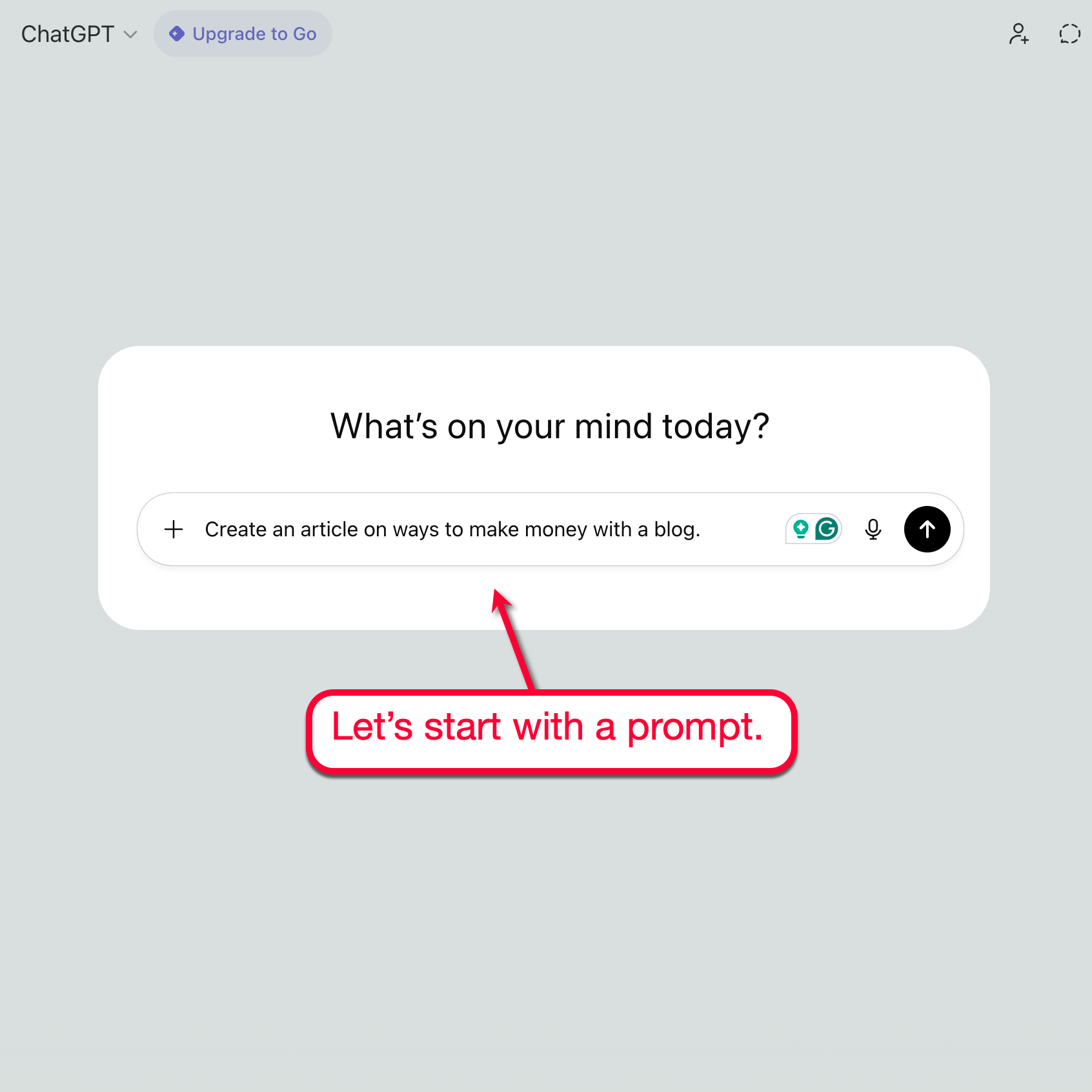
From the prompt itself, we can assess that the human intent is to learn how to make money blogging — not things like building a website, researching a niche, or traffic generation without a conversion strategy.
Now, ChatGPT raised some great points in its AI output, mentioning proven strategies like content sponsorships and affiliate marketing.
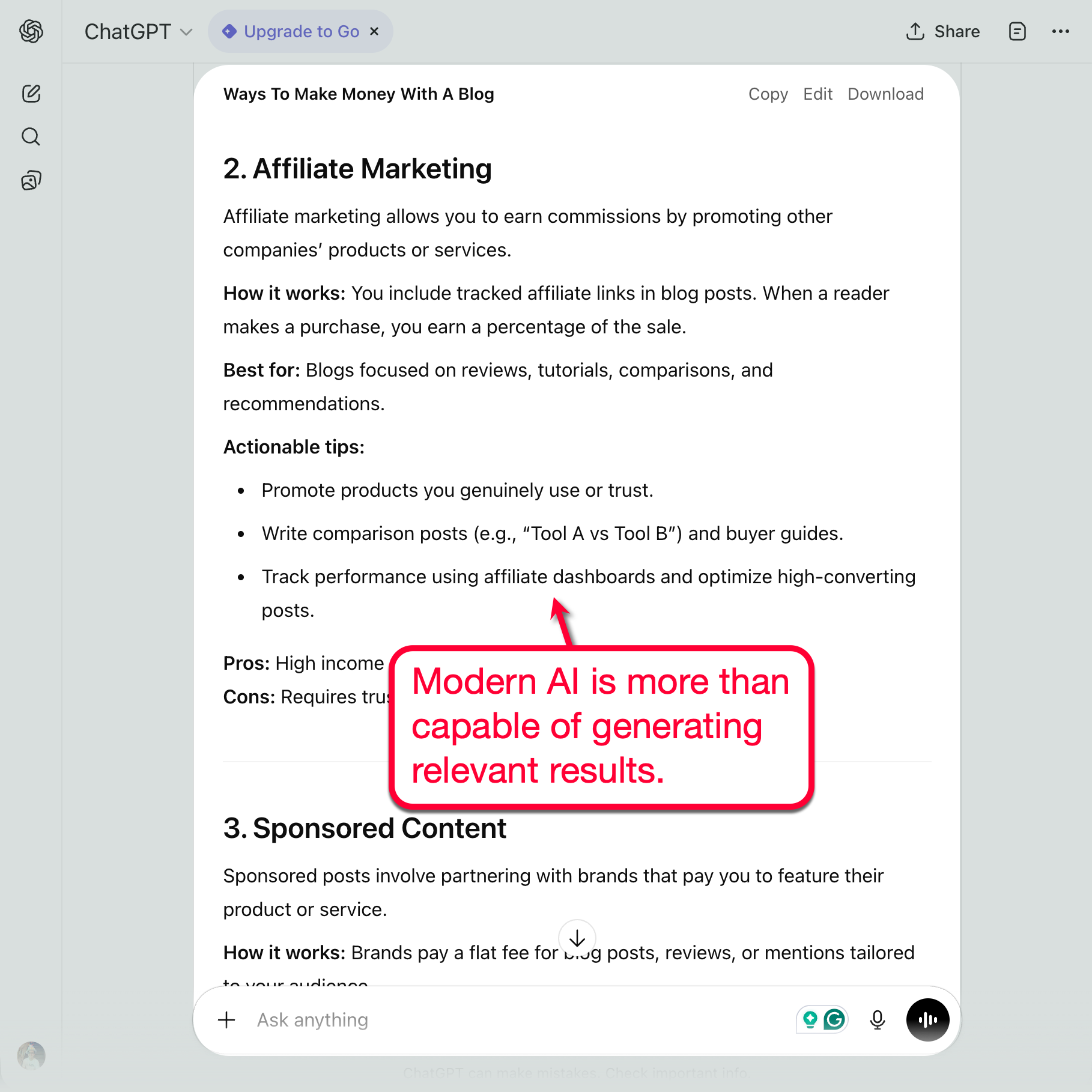
However, the draft may include subtopics that aren’t directly tied to the intent.
“Email marketing,” for example, doesn’t exactly fit the list.
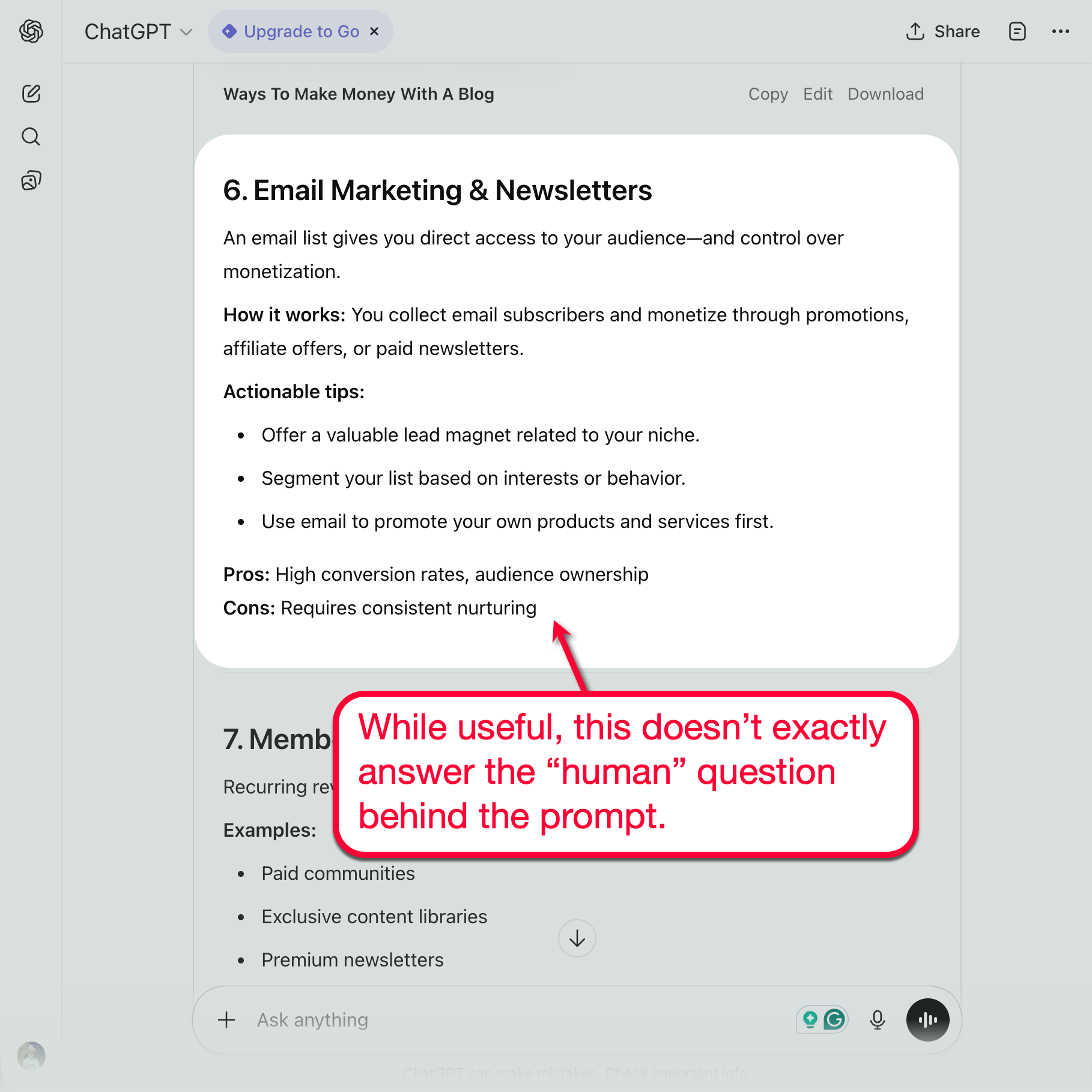
While it can still provide value to readers, a human writer may think of moving this topic to another section, perhaps something like “Marketing Tips to Maximize Your Blogging Income.”
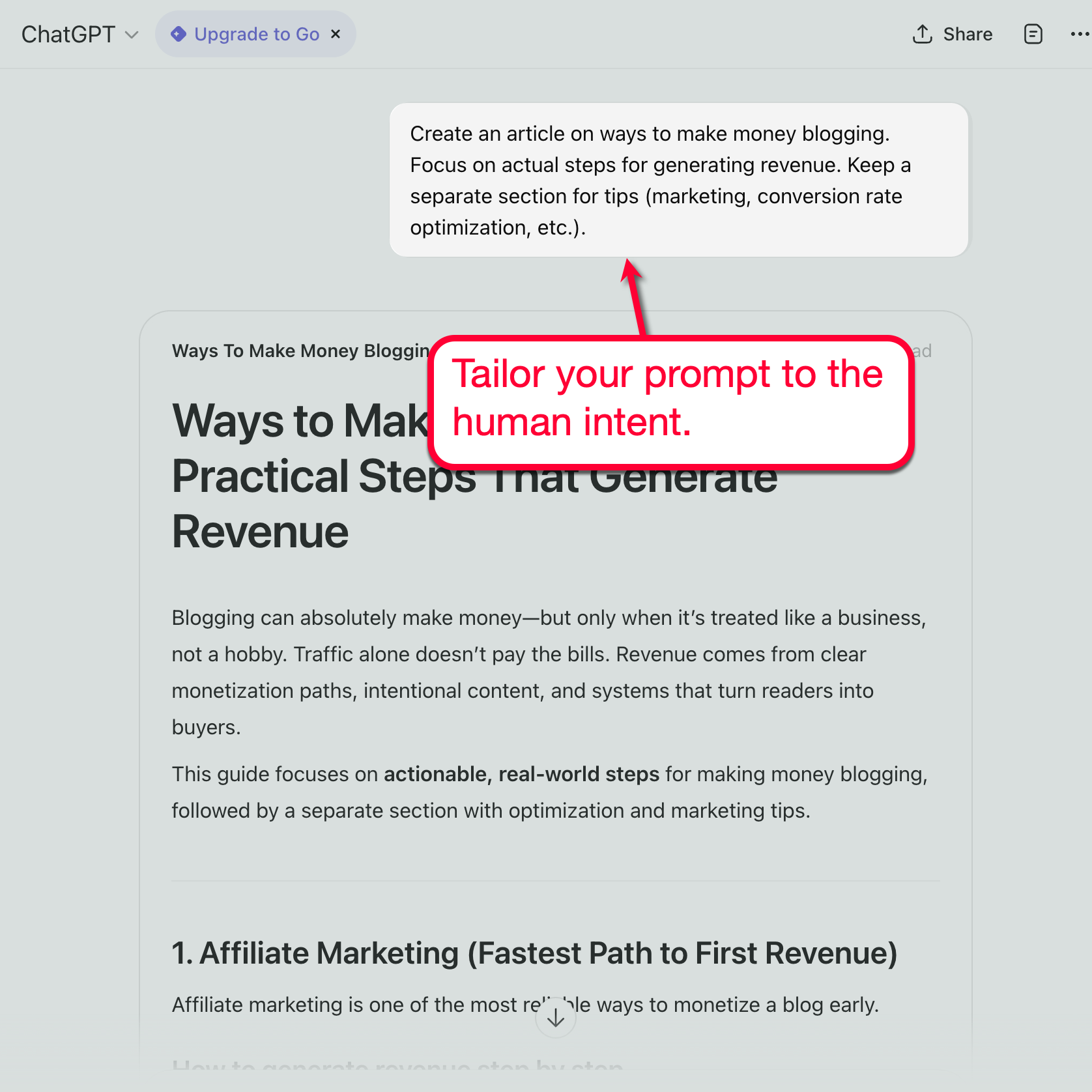
Tip: Try to mention the human intent or goal in the prompt. This will tell the AI to stay on topic, unless you want a separate section for additional tips.
2. Build Your Brand Style Guidelines
The next step is to focus on instilling your brand’s voice, but you can’t enforce something without clear guidelines.
You need clear, measurable guidelines like:
- Sentence and Paragraph Lengths — What is your maximum number of words per sentence, and how many sentences per paragraph should your content have?
- Overall Structure — Do your posts include FAQ sections, short introductions, or anything noteworthy?
- Contractions — Do you use contractions (“isn’t” instead of “is not”) for a more conversational and approachable tone, or do you stick to expanded forms to keep things sounding formal?
- Natural Transitions — What kind of transitions words, phrases, or sentences do you use (e.g., “the good news is,” “in addition,” “however,” and “at this point”)?
- Terminology — How does your brand refer to proper nouns (i.e., product name) and industry jargon?
With these guidelines ready, the next step is to review your draft from top to bottom.
Tip: Be sure to include your brand guidelines in your next prompt to make your job easier.
3. Do a Quick Editing Round
Defining your brand guidelines will make it easier to spot sections that require editing ASAP.
Let’s look at this AI output:
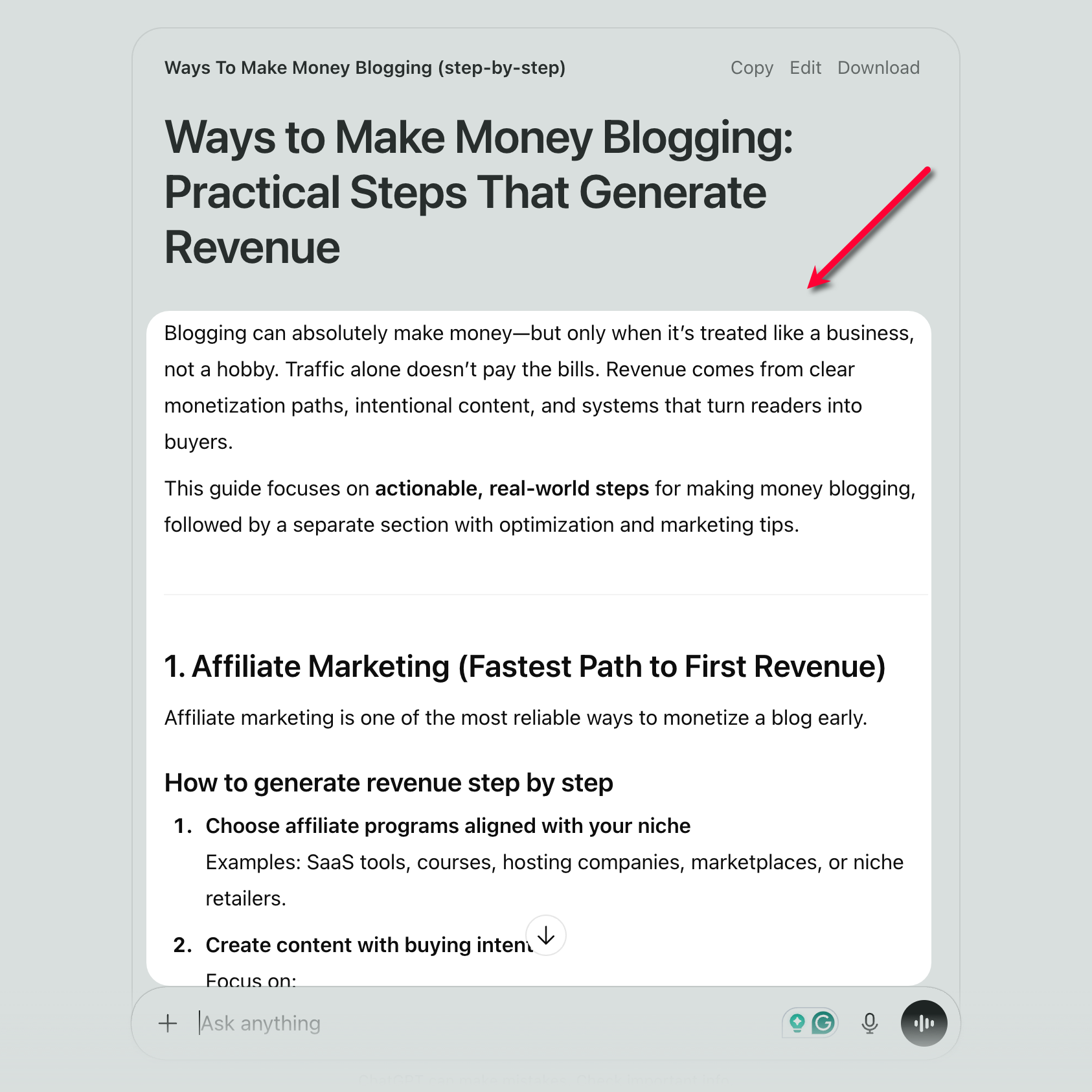
Personally, I don’t write paragraphs that contain more than two sentences. That means I’ll need to revise or split the first paragraph of the intro right away.
In this case, the easiest option is simply to remove the middle sentence.
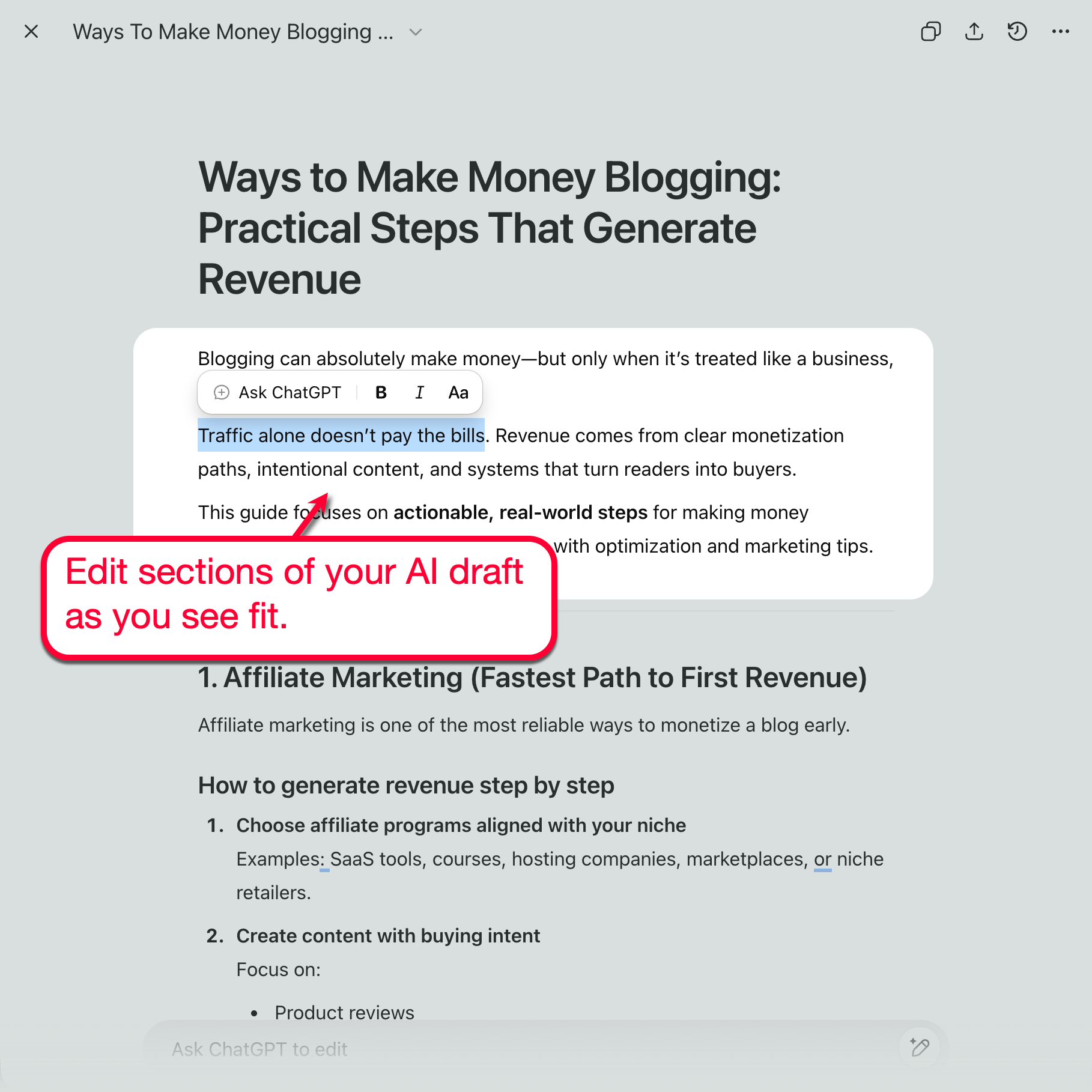
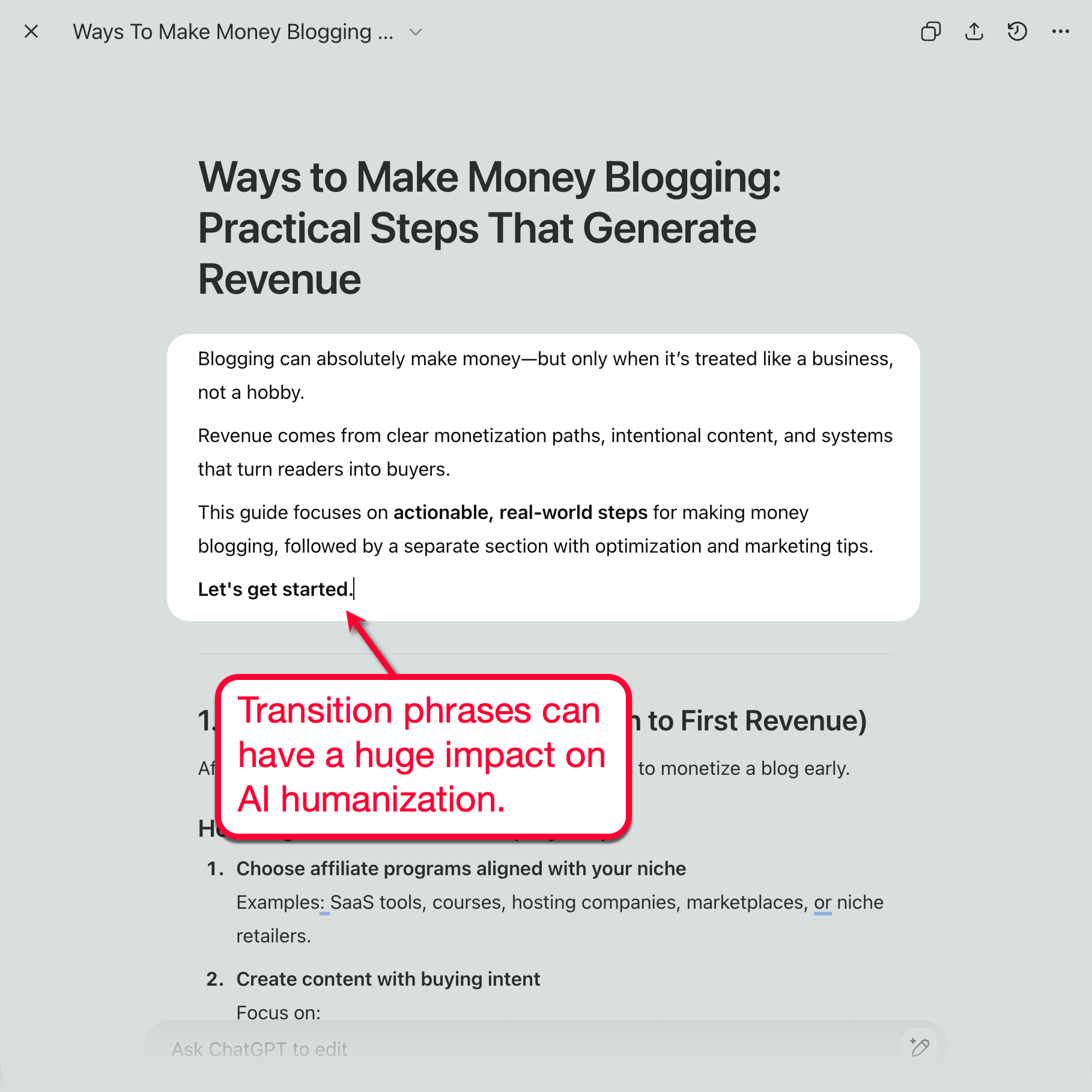
Another quick way to help humanize your AI content is to sprinkle it with transitions.
For example, let’s add one of my favorite transition phrases just after the intro — making it flow just a bit smoother:
Of course, I highly recommend reviewing every single sentence to make sure it has that “human touch.”
For instance, take a look at the lonely, single line below the first subheading.
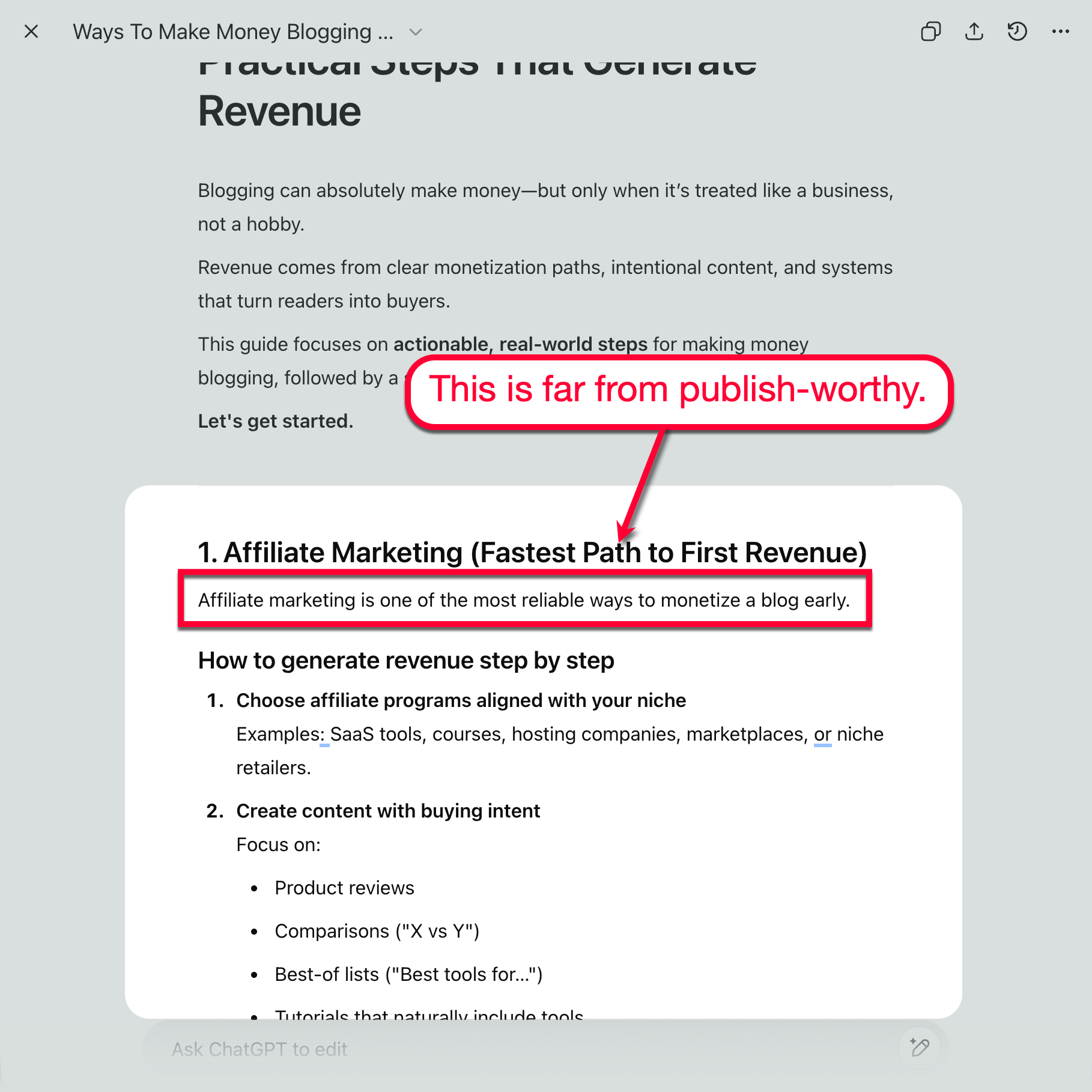
Let’s say my branding guidelines include keeping things conversational but confident.
With that mindset, we can easily improve this section like this:
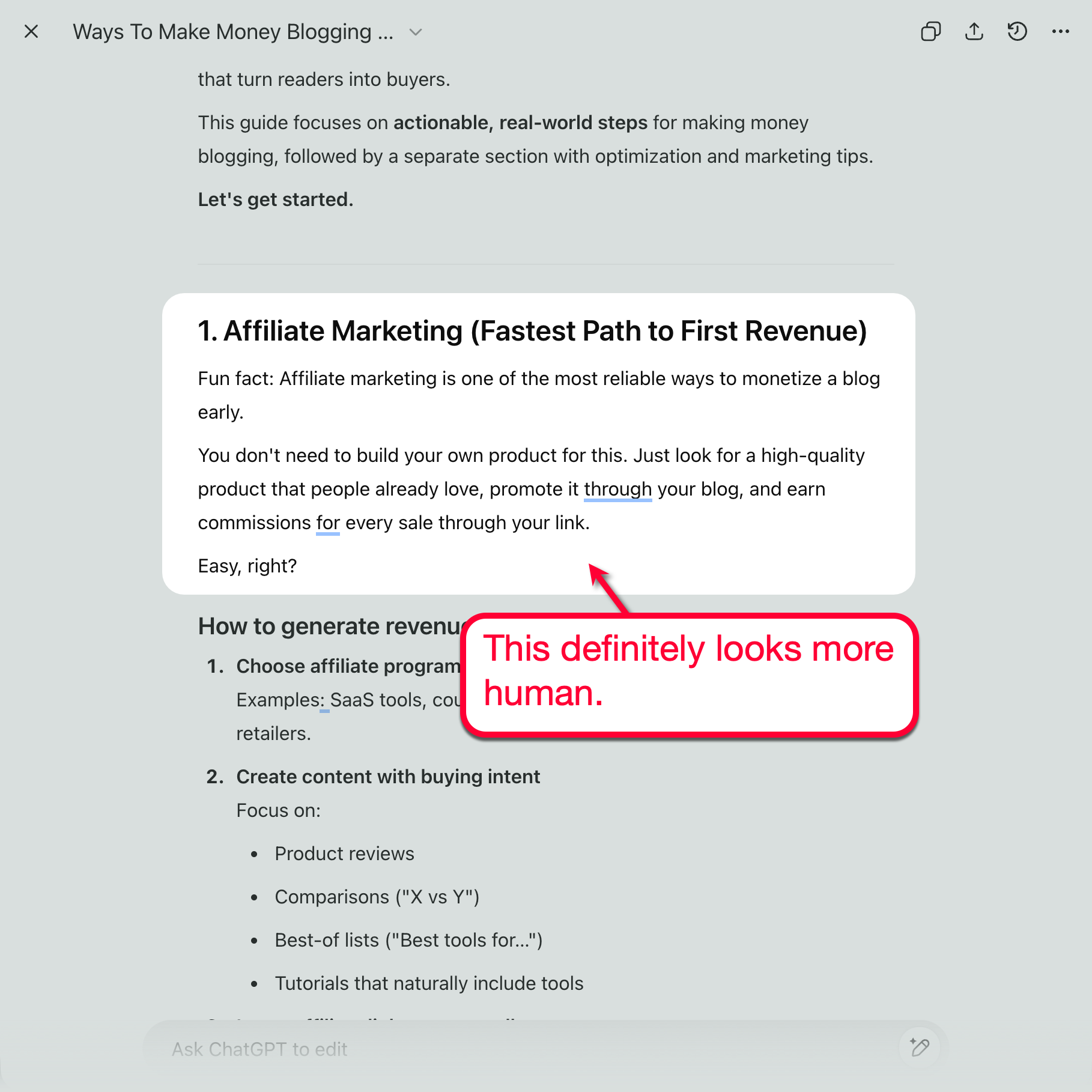
Easy, right?
Take note that you have to sweep the whole draft for sections to improve.
This brings us to the following tip, which will definitely help instill your writing voice into the piece.
4. Include Real Experiences and Perspectives
Sharing your experiences as examples is a surefire way to make your AI content more genuine and relatable.
Don’t worry — you don’t need to write entire paragraphs to add real-world experiences to your content.
For example, in the AI draft above, we can point to my early experiences with affiliate marketing with this simple line:
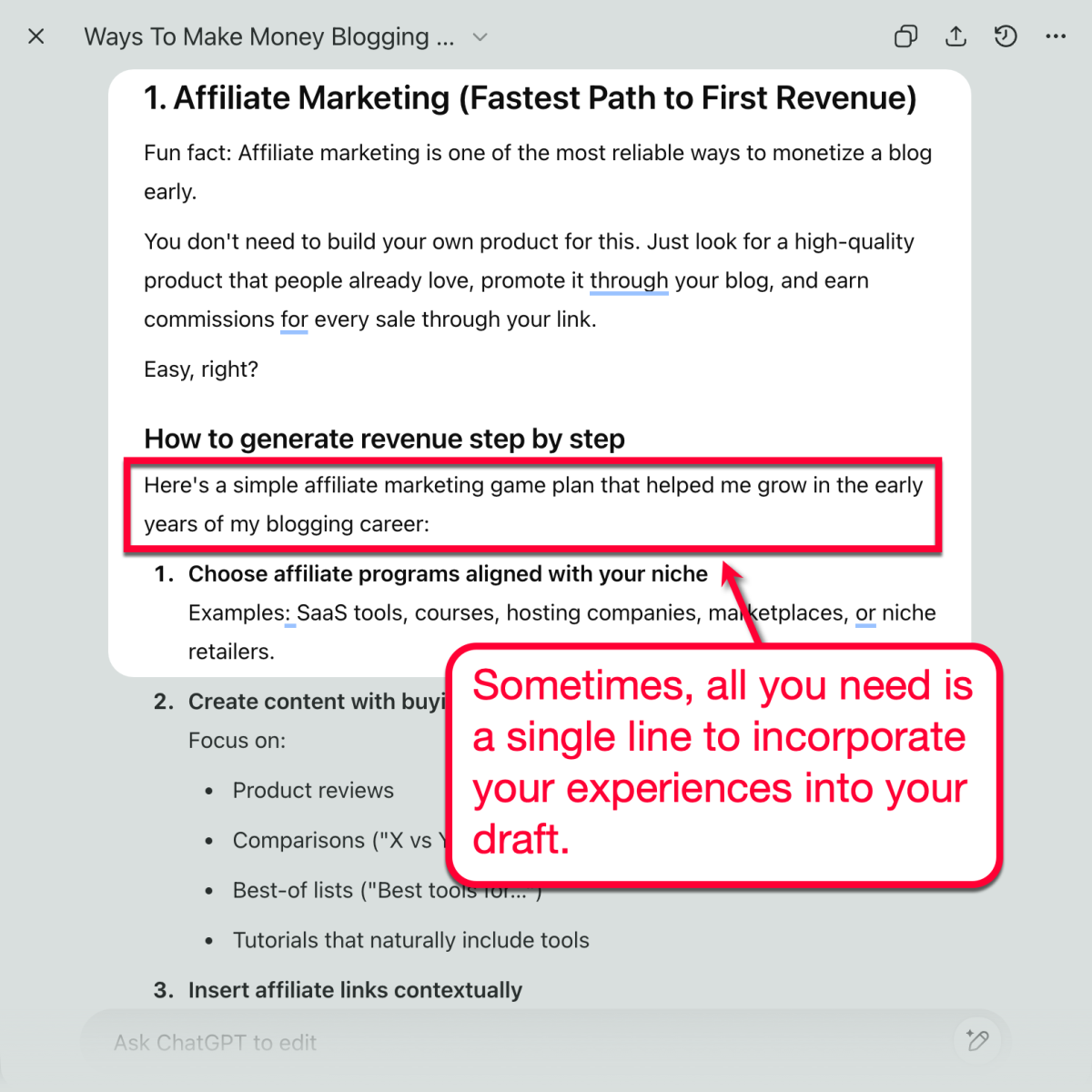
It will, however, be more impactful if you mention a few specific details about your experiences. You can bring up a specific mistake, lesson, product, or number that can make your claim more “concrete.”

5. Replace Generic Words
Speaking of being specific, another effective way to humanize your AI content is to replace generic text with actual tools, numbers, or results.
For example, since the next part of the draft talks about affiliate programs, we can mention actual products or websites that can help readers in their search.
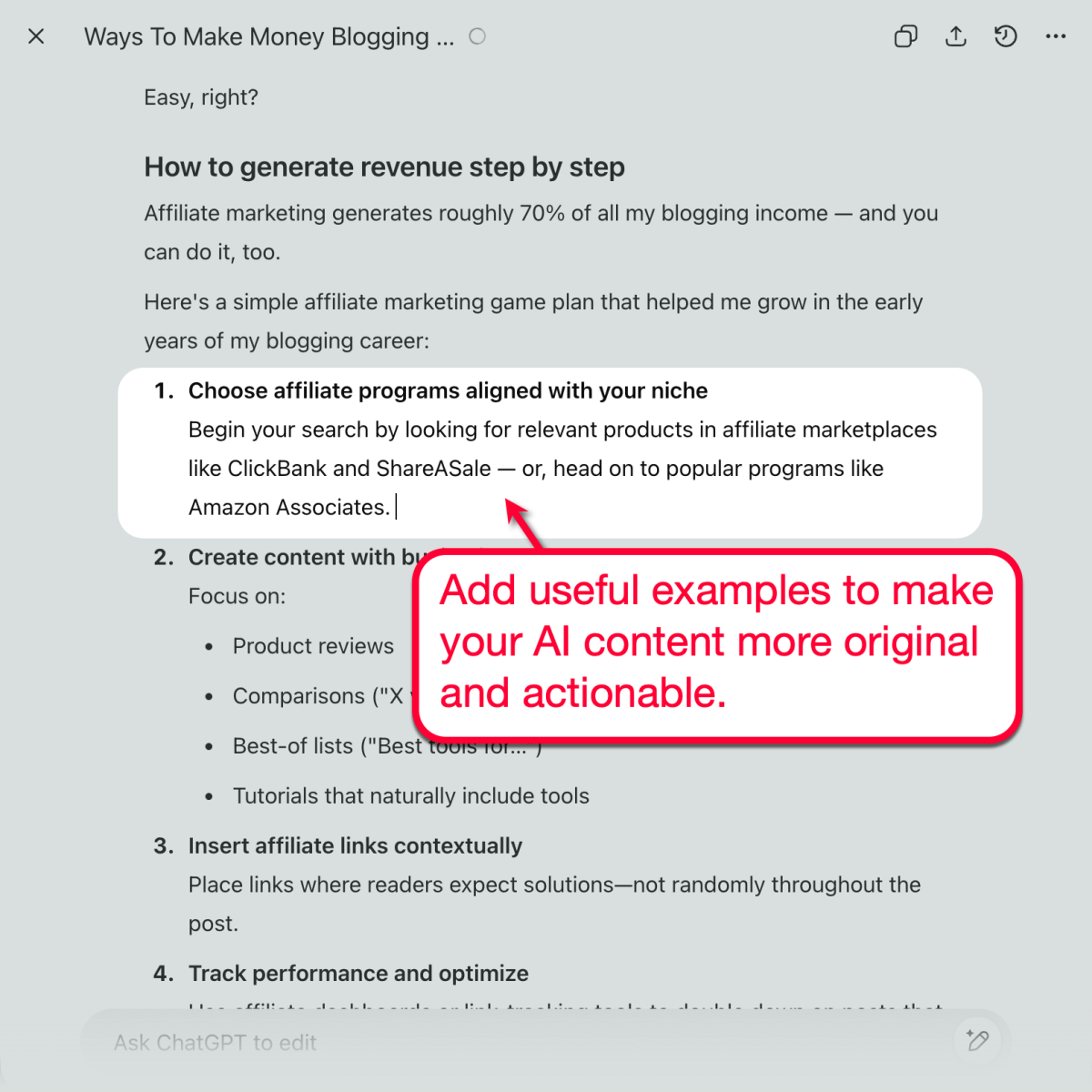
Consider inserting links when mentioning tools and other websites. Just make sure you set outbound links to open in a new tab, ensuring you keep users within your website and maximizing engagement.
6. Mention Stats
In our draft, the second step under the affiliate marketing section is to “create content with buying intent.”
This is a great place to insert persuasive data, like the impact of customer reviews on conversion rate.
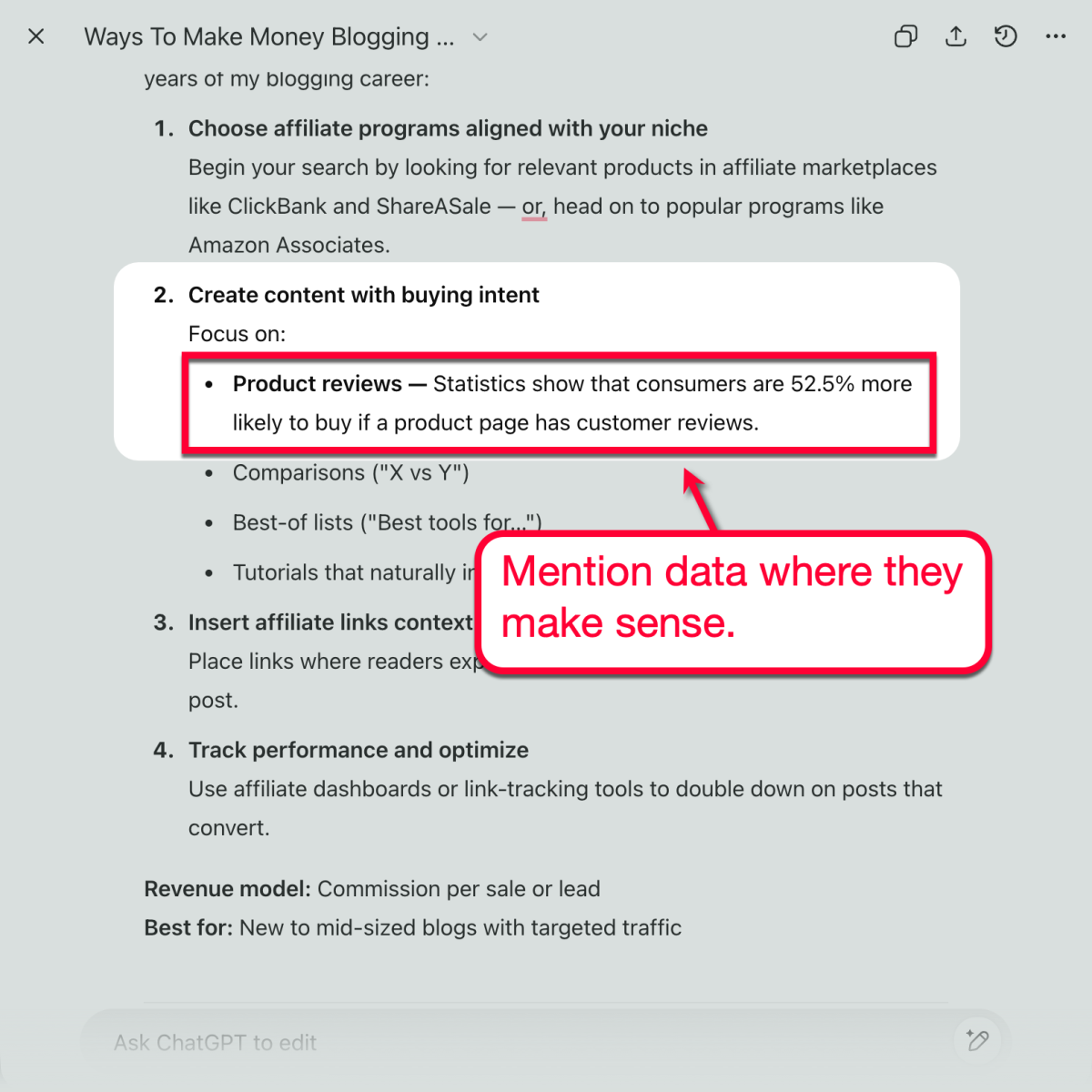
Again, scan your draft thoroughly to find suitable spots to insert data-driven information. Don’t forget that you can also use AI to search for recent data points that are relevant to your draft’s topic (just be sure to verify them since AI has a tendency to “hallucinate”).
7. Add Visuals
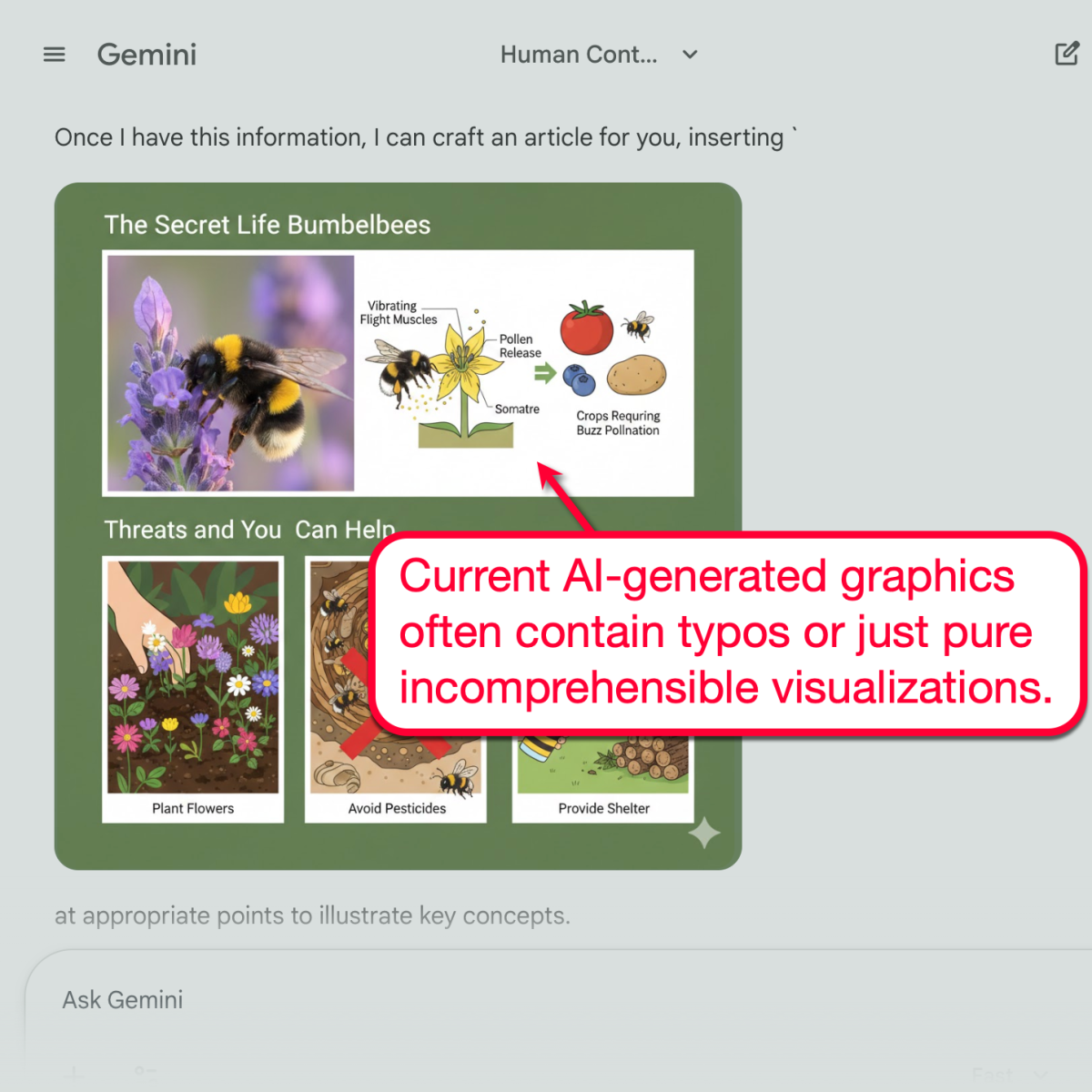
As advanced as generative AI tools are, they’re not capable of generating high-quality, contextual visuals.
Some tools like Google Gemini claim to be able to weave visuals into AI-generated text. However, I wouldn’t trust it to be your writer and graphic designer at the same time (at least not yet).
Just take a look at the kind of visuals it creates:
Here are a few ideas to help you create great, man-made visuals for your AI content:
- Include screenshots whenever you mention websites or software products.
- Use tools like SnagIt to add annotations to your visuals (my personal go-to tool).
- If necessary, invest in a tool like Canva to create custom graphics (e.g., data visualizations, social media images, and infographics).
Must-Read: Visual Content Ideas: Spice Up Your Blog Content with Visuals
8. Break Up Patterns
If you try running different variations of the same prompt (“can you create an article about blog monetization” or “write a draft on making money blogging”), chances are you’ll see the same talking points and subheadings — in a similar sequence.
That’s why you should always break your AI draft’s formulaic structure.
The first and quickest strategy is to rearrange everything, including numbered lists and bullet points (if sequence isn’t an issue).

You can also write new sections in between the AI subheadings. To search for ideas, just look at the top organic results on Google to check for any subtopics that your AI draft left out.
9. Add and Replace Examples
As you read your entire AI draft, chances are you’ll find a lot of sections that are considered “thin.”
You can flesh out these sections by adding more examples, which can lead to practical tips.
As an example, this section about lead magnets can be confusing to beginners due to the lack of real-world examples.
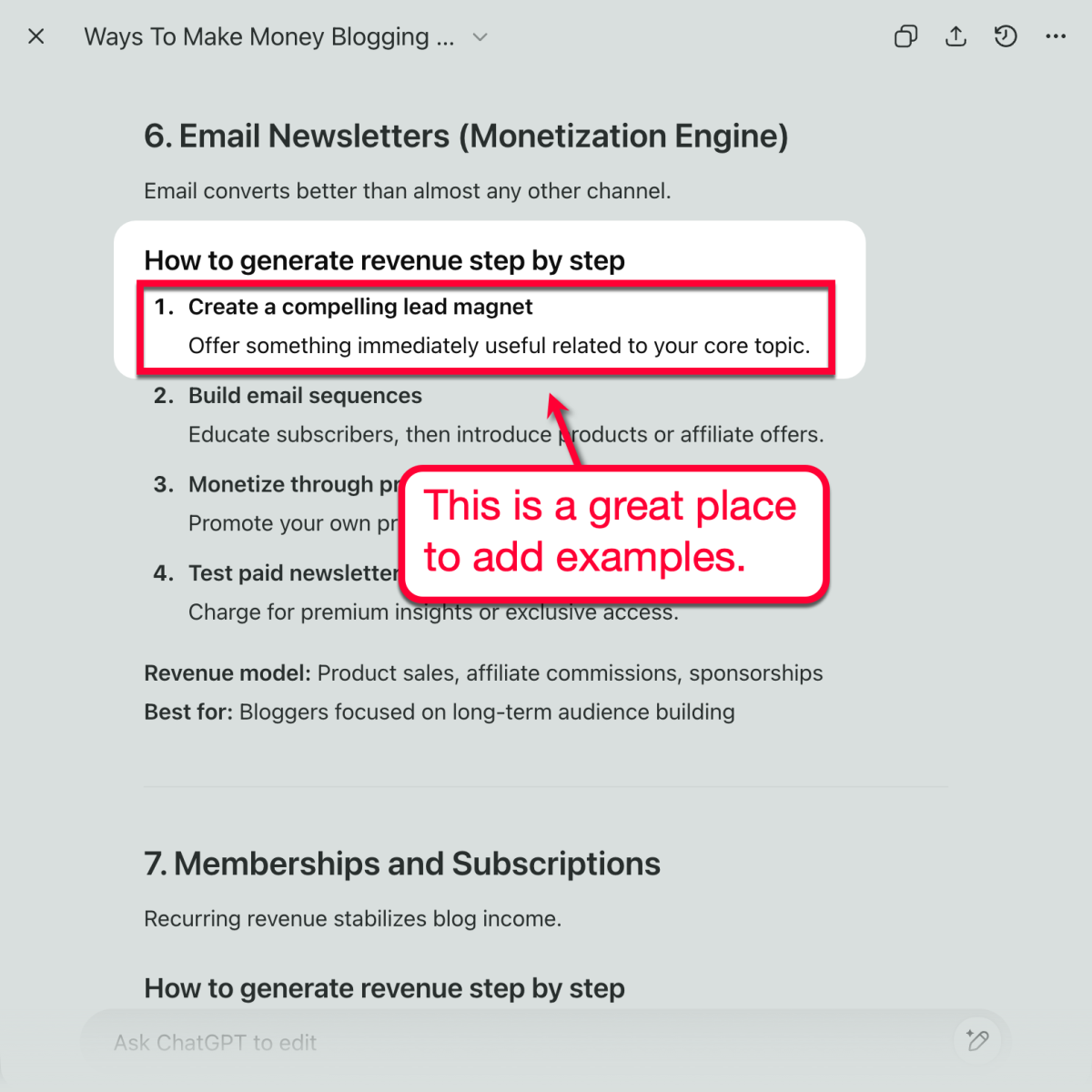
Here, we can mention examples of lead magnets being used on real websites. You can make these examples more impactful with screenshots and links, but as long as you’re giving factual examples, mentioning them should be enough.
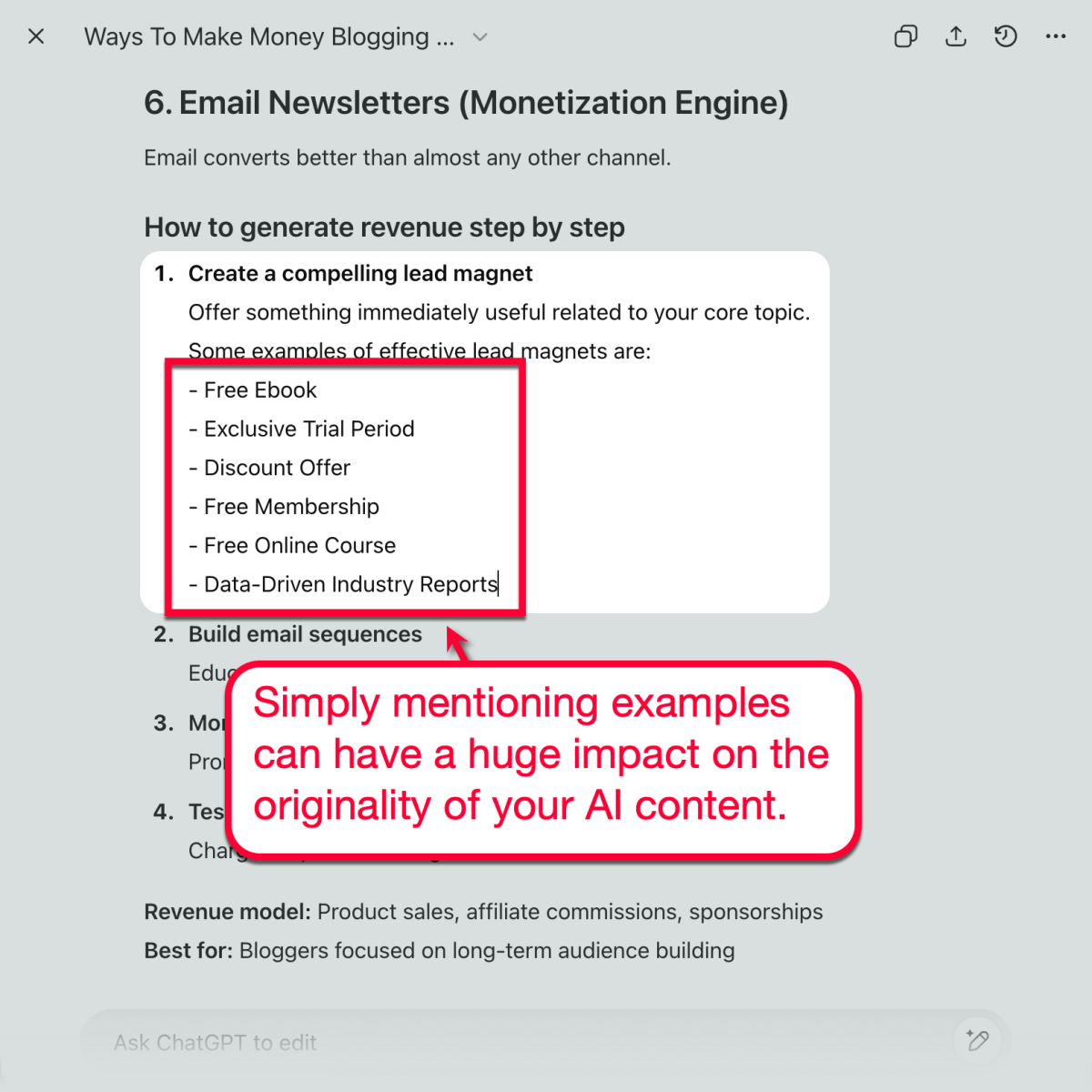
If your AI draft already contains examples, consider replacing all of them with your own.
Also, remember to double-check any claim as you edit your AI draft from start to finish. The last thing you want is to publish an AI article with made-up facts or events — AKA “hallucinations.”
Humanizing Content with Grammarly: The Easy Way
Humanizing content by editing each piece yourself is, indeed, a foolproof strategy.
But, let’s face it, it’s not the most efficient method in the world.
With a tool like Grammarly, you can reduce your editing time from a couple of hours to just a few minutes — thanks to the built-in “AI Humanizer” tool.
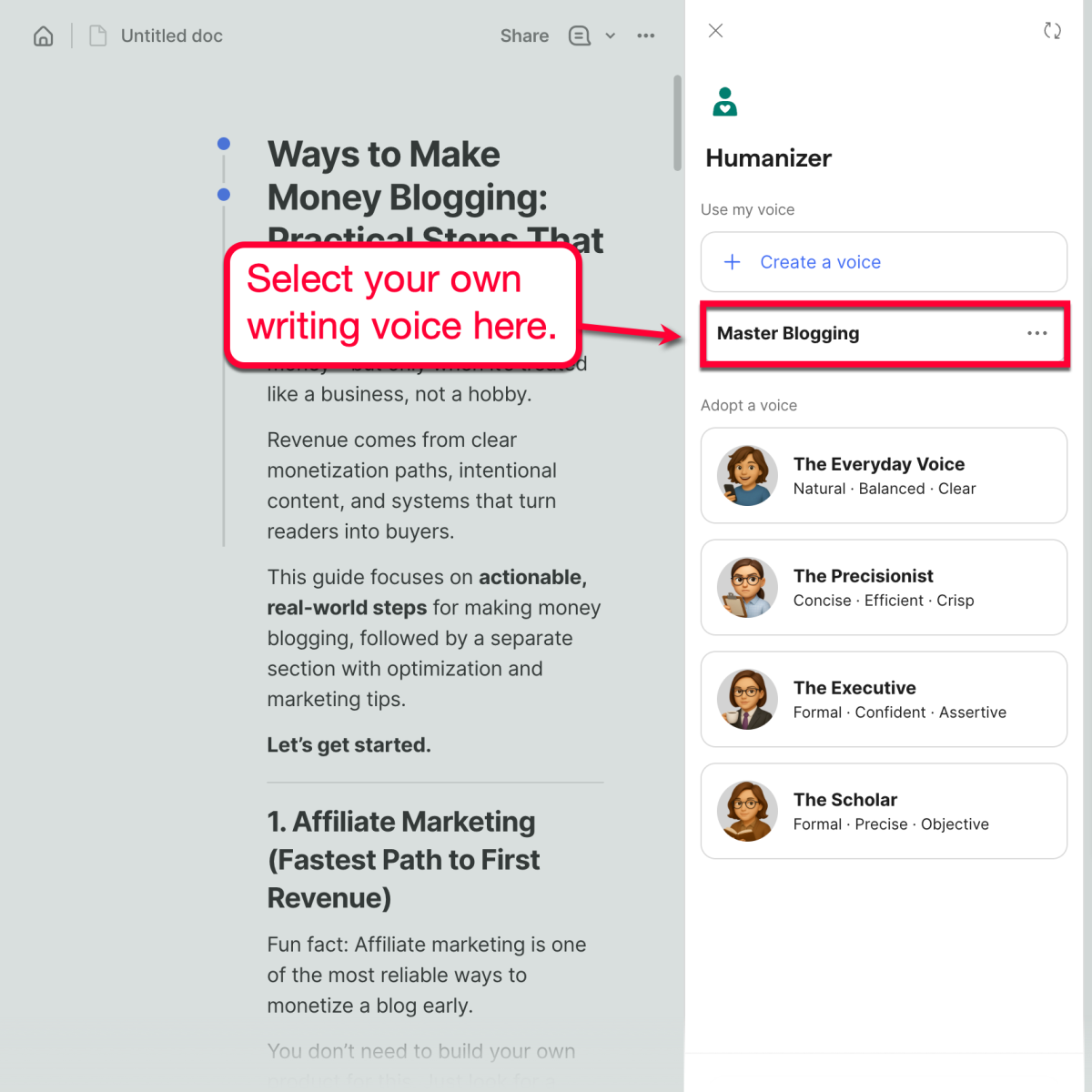
Just open the Grammarly editor, paste your AI draft, and click ‘Humanizer’ in the side menu.
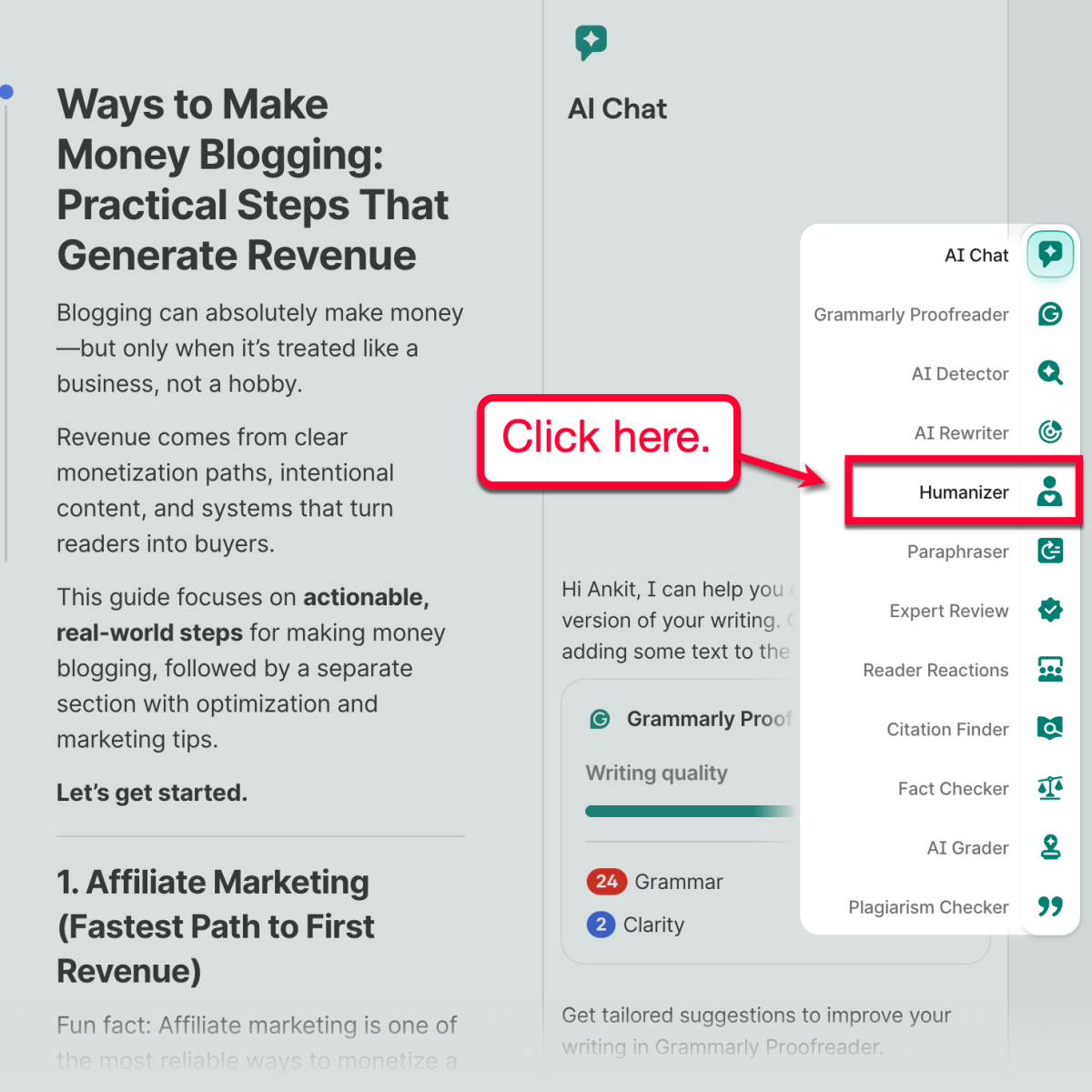
From there, you can choose from one of the pre-defined writing voices depending on your own brand guidelines.
The options include:
- Everyday Voice — Conversational, clear, and natural.
- Precisionist — Snappy, concise, and straightforward.
- Executive — Strictly professional, formal, and authoritative.
- Scholar — Formal, educational, and concise.

While these ready-to-use writing voices are convenient, I highly recommend building your brand’s own writing voice from scratch.
To do this, click ‘Create a voice,’ give it a name, and paste your reference text (requires at least 200 words).

When done, click ‘Create voice’ to save your changes. You should now be able to select your original writing voice from the Humanizer menu.
What makes Grammarly extremely helpful is that you’re given the opportunity to go through each humanization suggestion one by one.
That way, you not only get the option to accept or decline each rewrite. You’ll also be able to understand why and how the Humanizer’s suggestion enhances the draft, enabling you to learn and improve your writing skills over time.
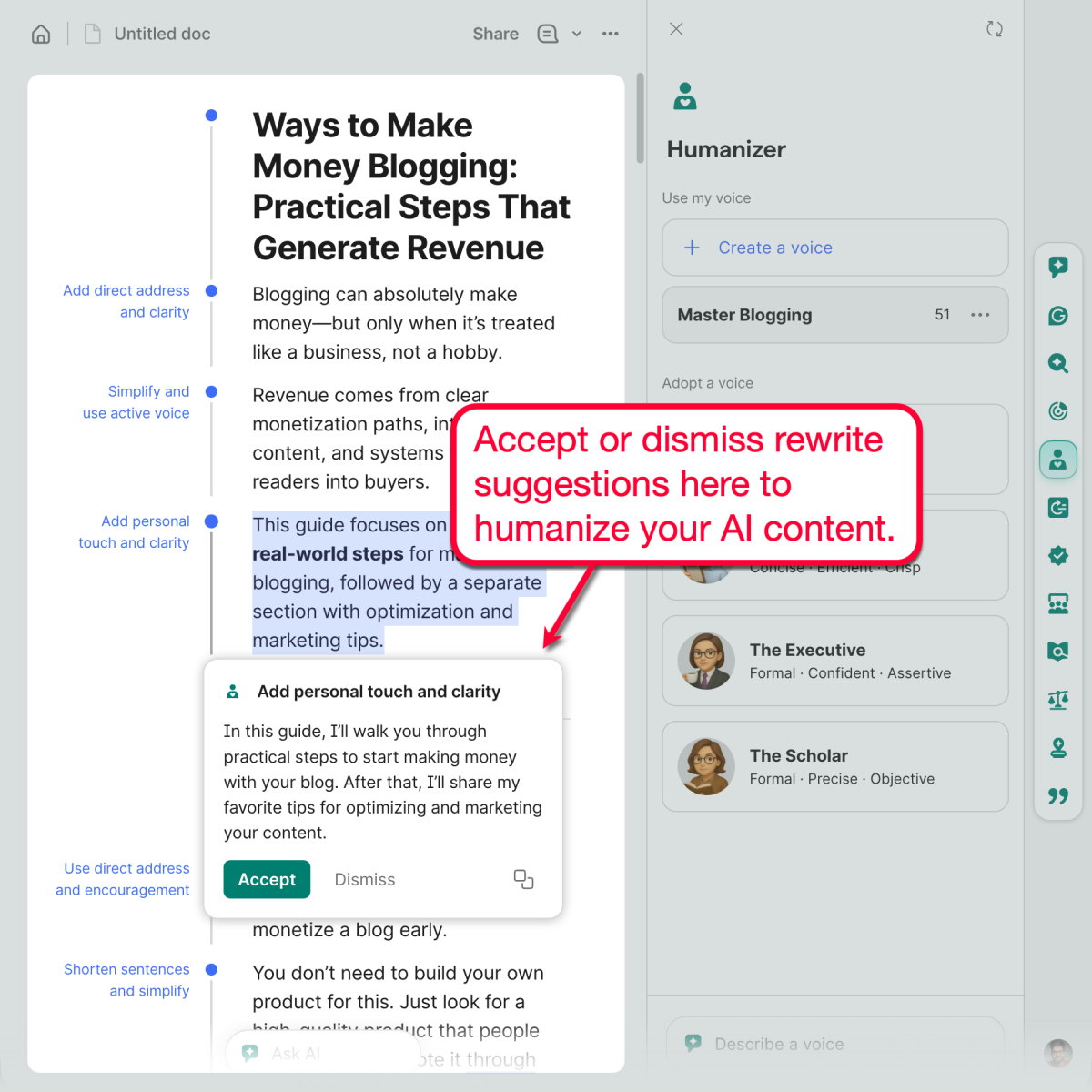
That’s about it — just go through each suggestion, and you’ll be done before you know it!
Final Words
AI can help you draft faster. It cannot decide what deserves to exist.
Before publishing anything assisted by AI, pause and ask what this piece is trying to achieve and who it’s meant to serve. Clarify the intent, pressure-test the message, and inject perspective that only you or your team can provide. This is where authority is built.
Once the thinking is solid, clean execution matters. Remove generic phrasing, verify facts, and sharpen tone so the content sounds deliberate, not assembled. Tools like Grammarly, including its Humanizer, are useful here. Not to replace judgment, but to reinforce clarity, professionalism, and consistency at scale.
Publish only when the content reflects a standard you would stand behind long-term. Humanized content is not about sounding natural. It’s about being accountable for every word attached to your name.
Use Grammarly’s Humanizer to refine AI-assisted drafts and get 30% off through this link.

Article by
Ankit Singla is the founder of Master Blogging. With over 15 years of blogging experience, he helps entrepreneurs build blogs that become long-term business assets through content, SEO, and authority.
