

How much does SocialBee cost?
SocialBee’s “Bootstrap” plan starts at $29 per month ($24.2 per month with annual billing). The “Accelerate” plan for small businesses costs $49 per month ($40.8 per month with annual billing). Finally, the “Pro” plan for agencies, freelancers, and teams costs $99 per month or $82.5 per month with annual billing.
Note: Master Blogging readers can get 30% off any SocialBee plan.
Is SocialBee worth paying for?
SocialBee is worth the investment if its social media features drive real business results, such as traffic generation, follower growth, or actual sales. It’s not for you if you don’t prioritize social media channels in your marketing roadmap.
SocialBee is a comprehensive social media management solution with three subscription tiers for different professionals and businesses. While it doesn’t offer a free version, each paid plan comes with a 14-day trial.
Remember, the question isn’t whether SocialBee “fits” your budget. Think from an ROI standpoint and evaluate whether the increased productivity and potential time savings justify the subscription.
This post starts with a thorough breakdown of SocialBee’s subscription plans. We’ll also cover what each plan costs and how it affects social media marketing workflows to help you make the right decision.
SocialBee Pricing Breakdown
| Plan | Monthly | Annual | Capability Level |
|---|---|---|---|
| Bootstrap | $29/month | $24.2/month | Manage up to 5 profiles with 3 months’ worth of analytics |
| Accelerate | $49/month | $40.8/month | Manage up to 10 profiles with 2 years’ worth of analytics |
| Pro | $99/month | $82.5/month | Manage up to 25 profiles with 2 years’ worth of data |
A few things:
- A Pro plan can support more profiles if needed (up to $449 for 150 profiles).
- The final checkout price may vary by country due to local taxes/VAT.
- Get a 30% discount on your SocialBee plan by following this guide.
How to Think About Each SocialBee Plan
Bootstrap Plan — For Single Brands and Solopreneurs
SocialBee Bootstrap is the most practical choice if you’re only managing the social presence of one brand.
It supports:
- Up to five social media accounts
- 1 workspace, 1 user
- 10 content categories, 1,000 posts per category
- 10 RSS feeds (for content curation)
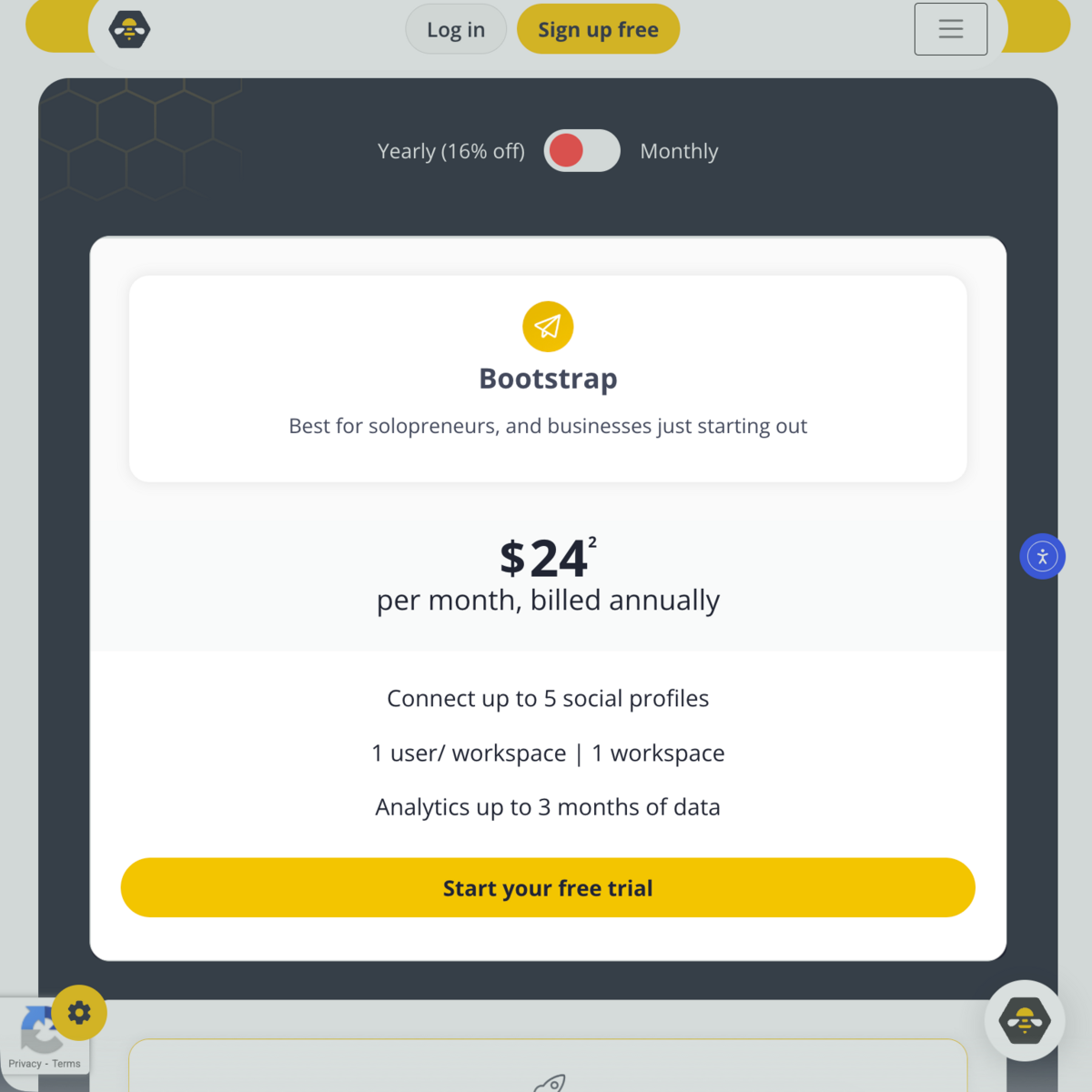
These limitations make sense if you’re only managing one brand’s social media profiles. And despite being the base version, Bootstrap unlocks all essential SocialBee tools — from automated content publishing to third-party integrations (e.g., Canva, Unsplash, and GIPHY).
Accelerate Plan — For Fast-Growth Brands and Media Groups
SocialBee Accelerate is a crucial upgrade for fast-growing organizations that rely on frequent social media publishing and interactions.
Its capabilities extend to:
- Up to 10 social media profiles
- 50 content categories, 5,000 posts per category
- 30 RSS feeds
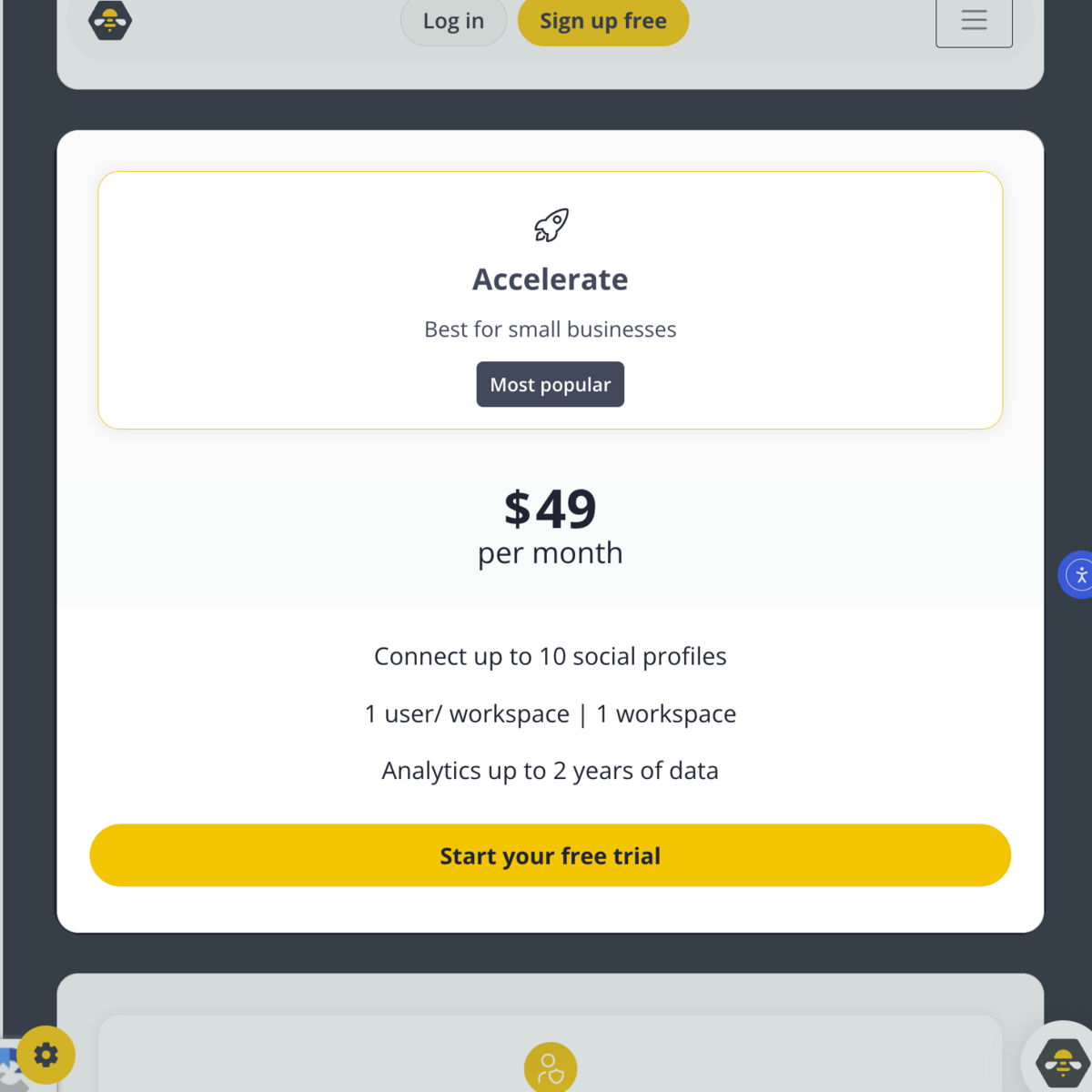
At this stage, your needs have grown.
You’re publishing more content and managing more profiles. You also have a wider presence across multiple platforms.
But you’re still handling a single person’s workload.
Remember, SocialBee Accelerate only supports one workspace.
Pro Plan — for Marketing Teams & Agencies
SocialBee Pro is the only plan that’s useful for teams and marketing agencies handling different clients.
It supports up to five workspaces with three users per workspace.
The Pro plan also includes these upgrades:
- Customizable, branded reports
- Internal team notes
- Unlimited content categories
- Unlimited RSS feeds
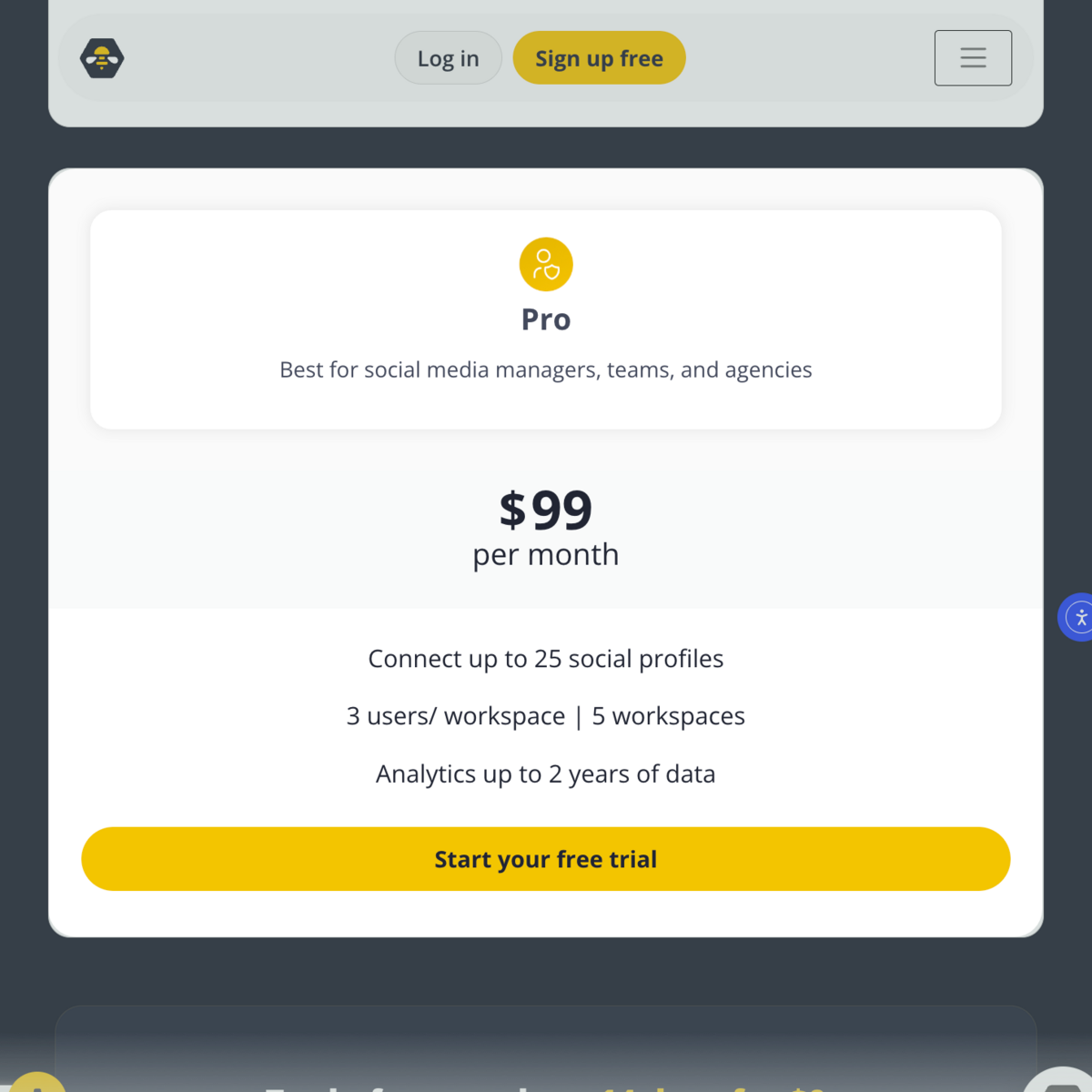
This plan is for professional teams that require a collaborative workspace.
You’re not just paying for social media management. You’re investing in collaboration tools that will keep team members on the same page.
You can write internal notes, generate branded reports, and organize projects into separate workspaces.
Monthly vs Annual — Which Plan Should You Choose?
The next step is to choose between monthly and annual billing.
If you choose the Bootstrap plan, going monthly costs $29 per month:
$29 x 12 months = $348 per year
On the same plan, using annual billing only costs $24.2 per month, or:
$24.2 x 12 months = $290.4 per year
That’s 16% off on the total cost of your subscription, amounting to $57.6 per year.
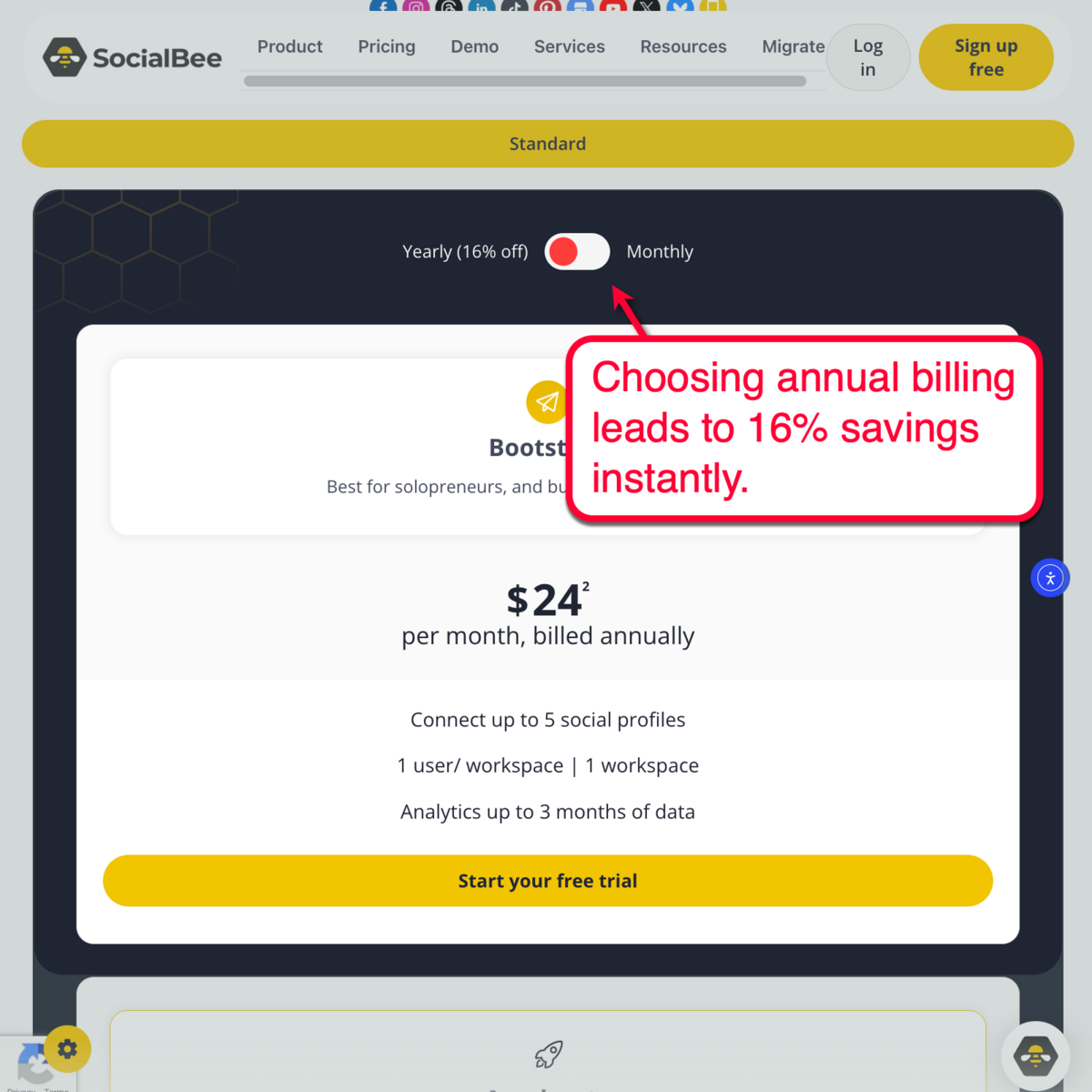
The higher your plan, the more you’ll save with annual billing.
If you picked the Pro plan at $99 per month:
$99 x 12 months = $1,188 per year
But with annual billing, the cost would be:
$82.5 x 12 months = $990 per year
In total, you saved $198 for your annual subscription — before applying the 30% discount. Just remember that annual plan subscriptions must be paid upfront.
Now apply the 30% Discount
The 30% discount offer applies to all SocialBee descriptions.
Bootstrap Monthly with 30% Off
$29 – 30% = $20.3 per month
$20.3 x 12 months = $243.6 per year
Bootstrap Annual with 30% Off
$24.2 – 30% = $16.94 per month
$16.94 x 12 months = $203.28 per year
Accelerate Monthly with 30% Off
$49 – 30% = $34.3 per month
$34.3 x 12 months = $411.6 per year
Accelerate Annual with 30% Off
$40.8 – 30% = $28.56 per month
$28.56 x 12 months = $342.72 per year
Pro Monthly with 30% Off
$99 – 30% = $69.3 per month
$69.3 x 12 months = $831.6 per year
Pro Annual with 30% Off
$82.5 – 30% = $57.75 per month
$57.75 x 12 months = $693 per year
Decision Logic
- Choose monthly billing if you only need SocialBee for a few months.
- If you’re still comparing platforms, use the 14-day free trial.
- Get annual billing if social media marketing is integral to your work or business.
- If you want to test a paid subscription first, start with a monthly subscription, then activate the 30% discount upon renewal with annual billing to maximize savings.
Is SocialBee Worth It — and Which Plan Should You Choose?
Here’s a simple framework to help you choose the most cost-effective SocialBee plan that fits your needs and budget:
Step 1: Are You Working Alone?
Choose Bootstrap if:
- You’re a solo blogger or business owner looking to manage a single set of profiles
- You’re a contractor or freelancer working for one client
- You’re an in-house social media manager
- You’re starting a new marketing agency
Upgrade to Accelerate if:
- You’re branching out to more than 5 social profiles
- You now have multiple clients that exceed 5 social profiles combined
- You’re managing old profiles and need 2 years’ worth of historical data
Step 2: Will You Manage More Than 5 Profiles?
Choose Accelerate if:
- You’re comfortable organizing multiple profiles in a single workspace
- You don’t need to manage more than 10 social profiles
- You handle a small number of clients alone in a full-service marketing agency
Upgrade to Pro if:
- You work with a team of 3 total members max
- You need 5 workspaces
- You will manage 25 social profiles max
Step 3: Are You Working With a Team?
Upgrade to Pro50 if:
- You need 10 workspaces
- You don’t need to manage more than 50 social profiles
Upgrade to Pro100 if:
- You need 20 workspaces
- You don’t need to manage more than 100 social profiles
Upgrade to Pro150 if:
- You need 30 workspaces
- You need to manage up to 150 social profiles
Remember, Bootstrap and Accelerate are for one-man social media management.
Pro is for teams that thrive through collaboration.
SocialBee ROI Calculator
Use this ROI calculator to evaluate SocialBee’s potential financial impact:
Will SocialBee Pay for Itself?
Enter:
- Social media management hours per week
- Your hourly income
- Estimated weekly time saved with SocialBee
This provides insights into your productivity gains with SocialBee, which can be used to calculate ROI.
How to Interpret the Results
SocialBee can easily save you 3-10 hours per week.
If you make $20 per hour, that equates to at least:
$20 x 3 hours = $60 per week
$60 x 4 = $240 per month
That’s just the cost of your time savings with SocialBee.
Remember, effective social media management also generates value in terms of leads generated, followers gained, and sales closed.
But even without looking at those metrics, the value of your time savings alone is more than the cost of SocialBee’s top-tier plan.
Over a year, you’re already saving up to $2,880 in recovered time — and that’s on the low end. And now that your ROI with SocialBee is measurable, paying for a subscription is now a logical investment.
SocialBee Pricing by Country
Regardless of where you live, SocialBee’s pricing is consistently offered in USD.
However, final checkout prices may vary slightly due to local taxes and currency conversion.
For example, if you’re paying from the UK, you’re not necessarily paying exactly $29 per month for the Bootstrap plan.
You need to consider the exchange rate at the time of purchase, as well as the 20% VAT addition for UK customers.
The good news is that the 30% discount is available everywhere.
Make sure it is applied before confirming your SocialBee subscription.
How to Get 30% Off SocialBee
The Master Blogging 30% discount offer can save you up to $1,346.4 per year on the most expensive plan.
With the most affordable plan, your savings would still be at $104.4 per year (Bootstrap with monthly billing).
Use this link to see the discounted price and make sure the offer is clearly mentioned.
👉 https://app.socialbee.com/partner/masterblogging
When SocialBee Isn’t The Right Tool
SocialBee equips professionals, agencies, and business owners with all the essential tools for social media growth.
But it’s not a “silver bullet” that solves everything.
SocialBee may not be for you if:
- You’re prioritizing original, high-quality content creation
- You need a professional-level graphic design tool for branding
- You’re looking for an SEO or general content marketing tool
Choose SocialBee if your business needs more streamlined social media management to hit marketing goals.
Not only does it accelerate productivity through automation tools and content curation features, SocialBee also provides valuable analytics to refine your strategy over time.
But it’s not the right platform if you’d rather focus on other avenues for business growth, like paid advertising or traditional marketing. Or, consider the 14-day trial or a one-month subscription to see if it leads to sustainable results.
Final Words
SocialBee Bootstrap is the most practical choice for solo bloggers, solopreneurs, contractors, and professionals working for a single brand.
The Accelerate plan is also for one-man teams that manage more than 5 profiles, but no more than 10.
Lastly, SocialBee Pro is the only logical option for teams with at least 3 members. This enables cohesive collaboration, branded reports, and significantly more workspaces for organizing multiple projects.
With the 30% discount, SocialBee more than pays for itself through recovered productivity and social media growth (e.g., increased followers, generated leads, and higher brand exposure).

Article by
Ankit Singla is the founder of Master Blogging. With over 15 years of blogging experience, he helps entrepreneurs build blogs that become long-term business assets through content, SEO, and authority.
