
SocialBee AI Post Generator: Create Stunning Posts in Minutes

The SocialBee AI post generator can help business owners, bloggers, social media managers, and agencies supercharge their content creation efforts.
But how good is it, really?
In this post, we’ll take a look at SocialBee’s generative AI capabilities and how I personally use them.
As a bonus, I’ll also show you how to get 30% off on your SocialBee subscription.
Let’s kick things off with a few examples.
AI Social Media Post Examples
Here are some of the social media post types you can generate with SocialBee:
1. Promotional Post
Want your new blog post, product, or special Black Friday offer to reach a wider audience?
SocialBee AI makes it easy to create promotional social media posts for new products, published content, or any other offer.
Check it out:
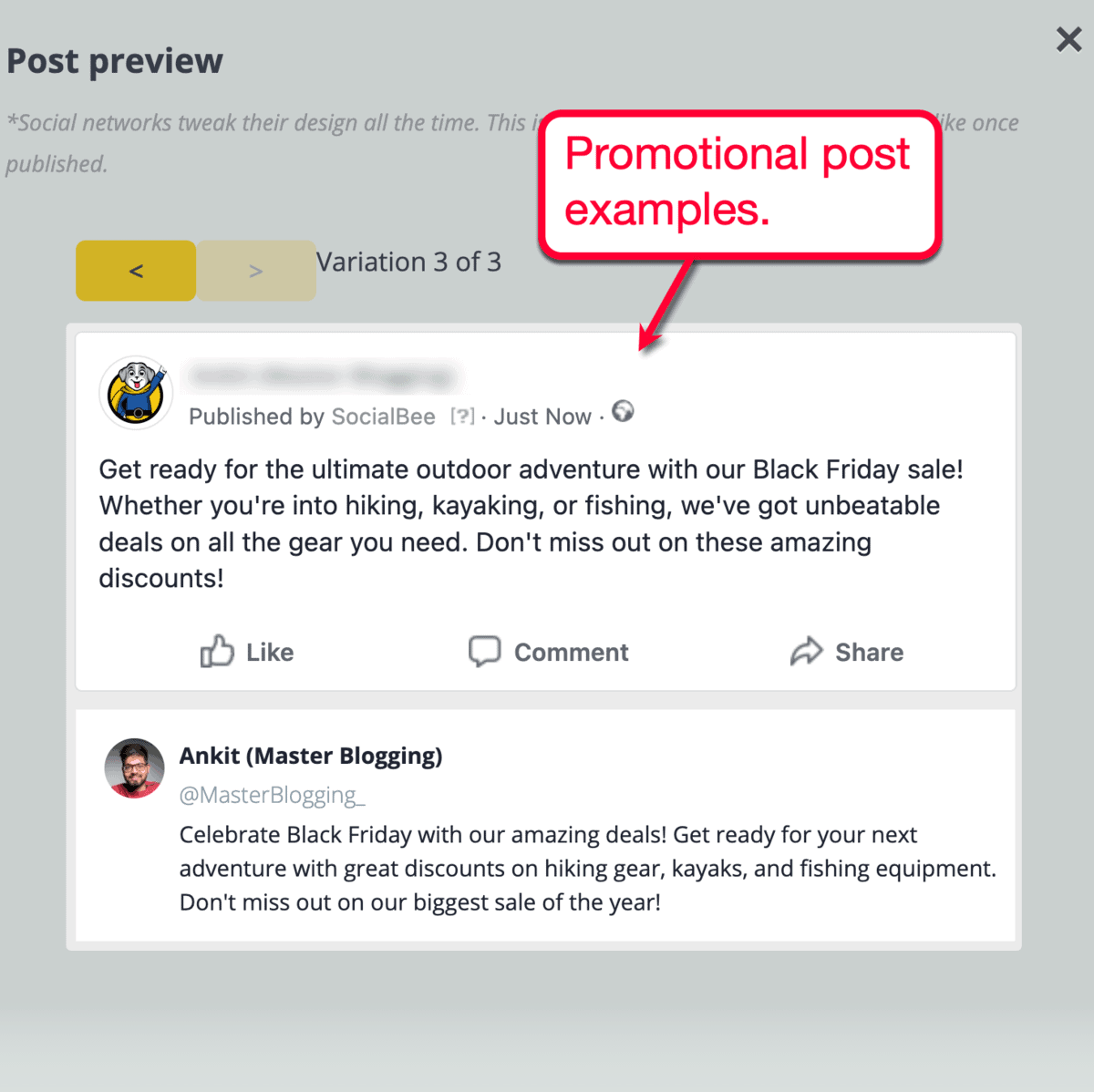
Note: Take note that your SocialBee AI can generate up to 10 post variations using the same prompt. Make them count!
2. Educational or Value-Based Post
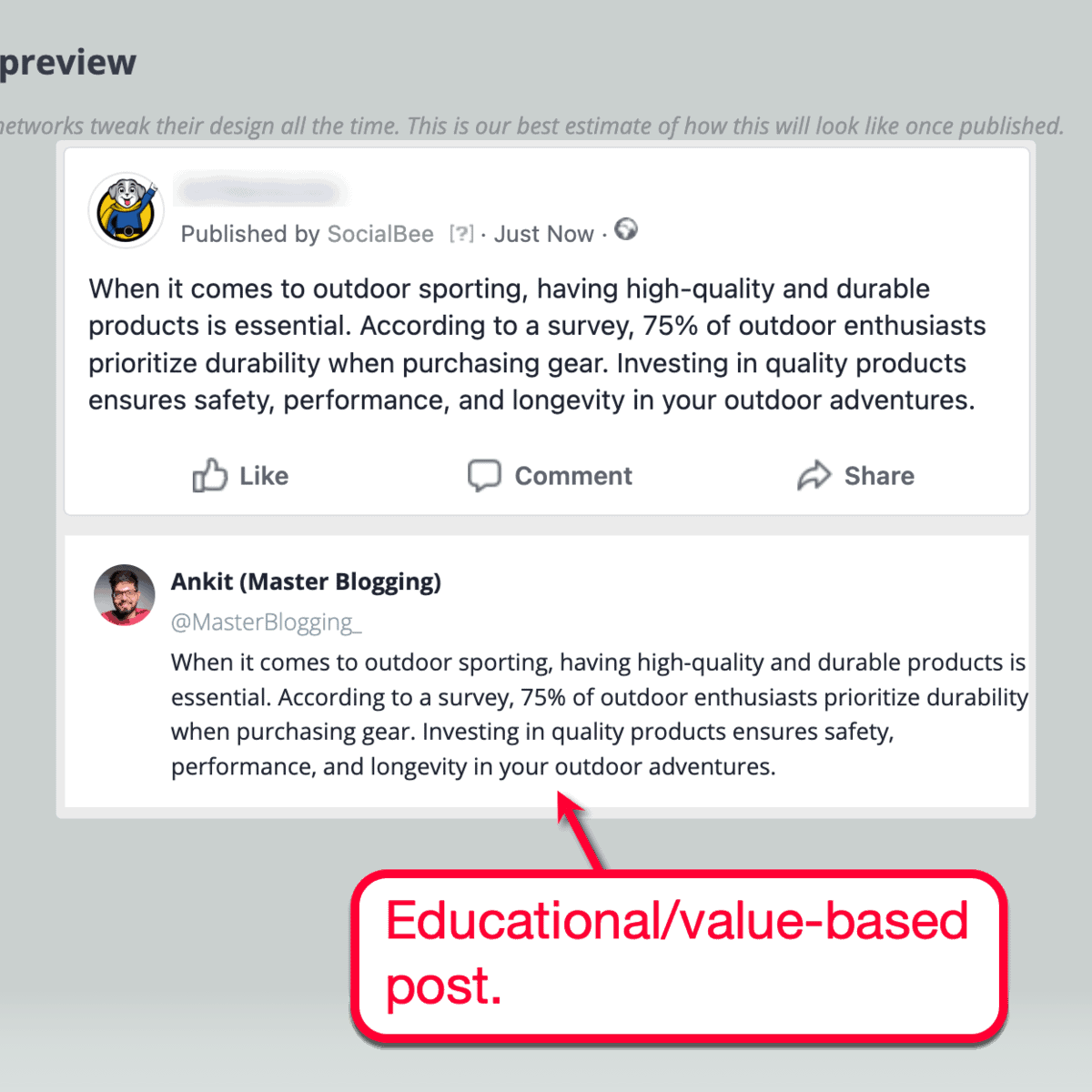
SocialBee’s post generator is also smart enough to create informative posts — providing your social media audience with value.
This is the kind of post that will help you build your authority as an expert source of information:
3. Engagement Magnet Post
Throughout my 15-year blogging career, I’ve learned that asking questions is a very effective method of generating user engagement — be it on my own blog or in social media.
And with SocialBee, you don’t have to rack your brains to come up with the perfect question.

4. Action-Oriented Post
Even after writing content almost every single day for years, producing copy that reliably generates user action is still as challenging as ever.
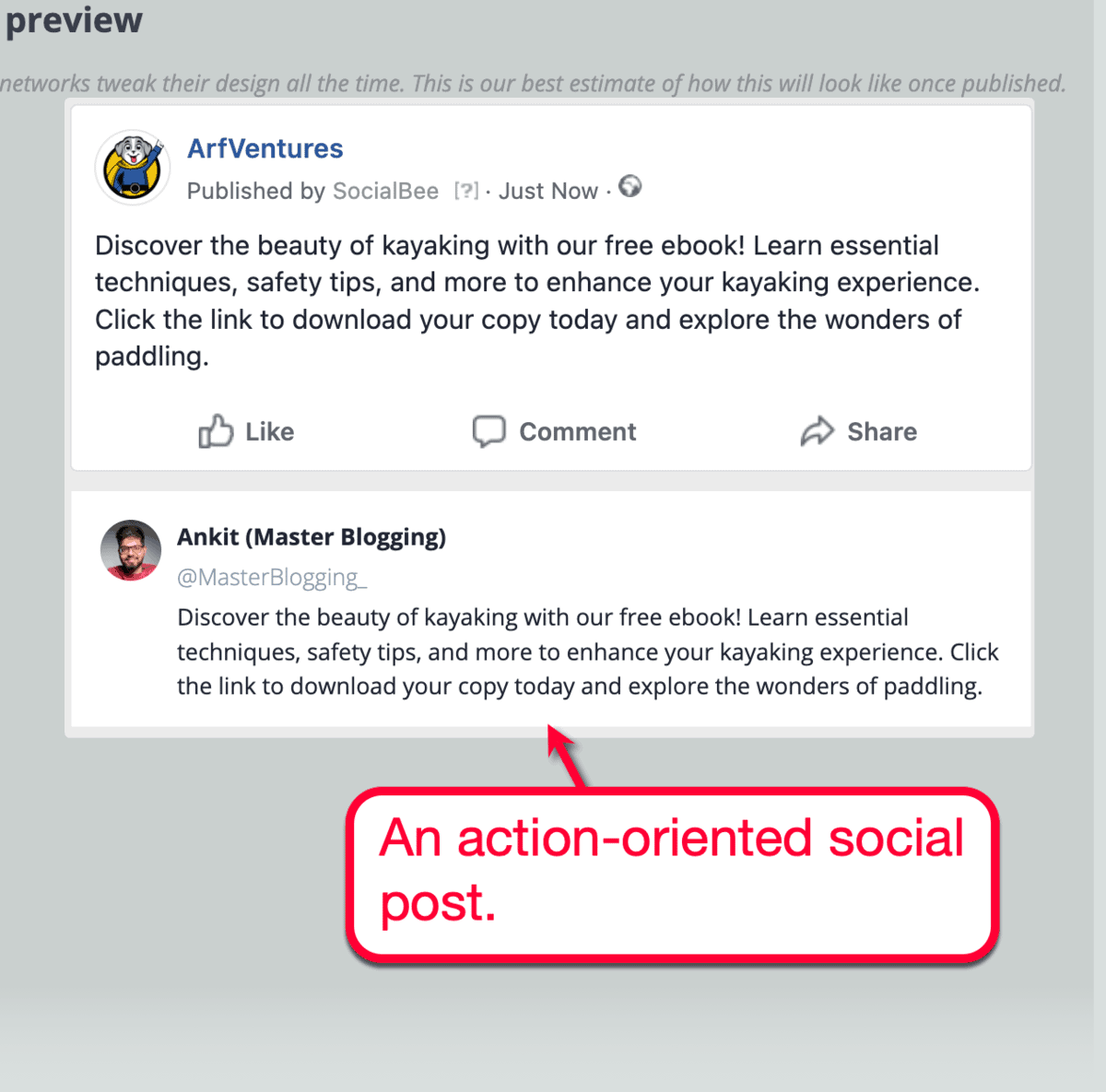
It can be about subscribing to a newsletter, downloading an eBook, or completing any other action that could lead to profitable results.
But with SocialBee’s AI post generator, I could easily cook one up in seconds — or, at least, instantly obtain ideas I can build upon.
Want to test SocialBee’s AI post generator yourself?
Be sure to grab this exclusive 30% discount offer — only for Master Blogging readers.
How to Use the SocialBee AI Post Generator
The best thing about SocialBee’s post generator is that anyone can learn how to use it within minutes.
It’s seamlessly integrated into the native post creation tool, which is accessible from the main dashboard:

This pulls up the main post creator, which has tons of useful features (I’ll explain some of them later).
What we need right now is the AI post generator, which can be activated by clicking the ‘AI’ icon inside the main content field.
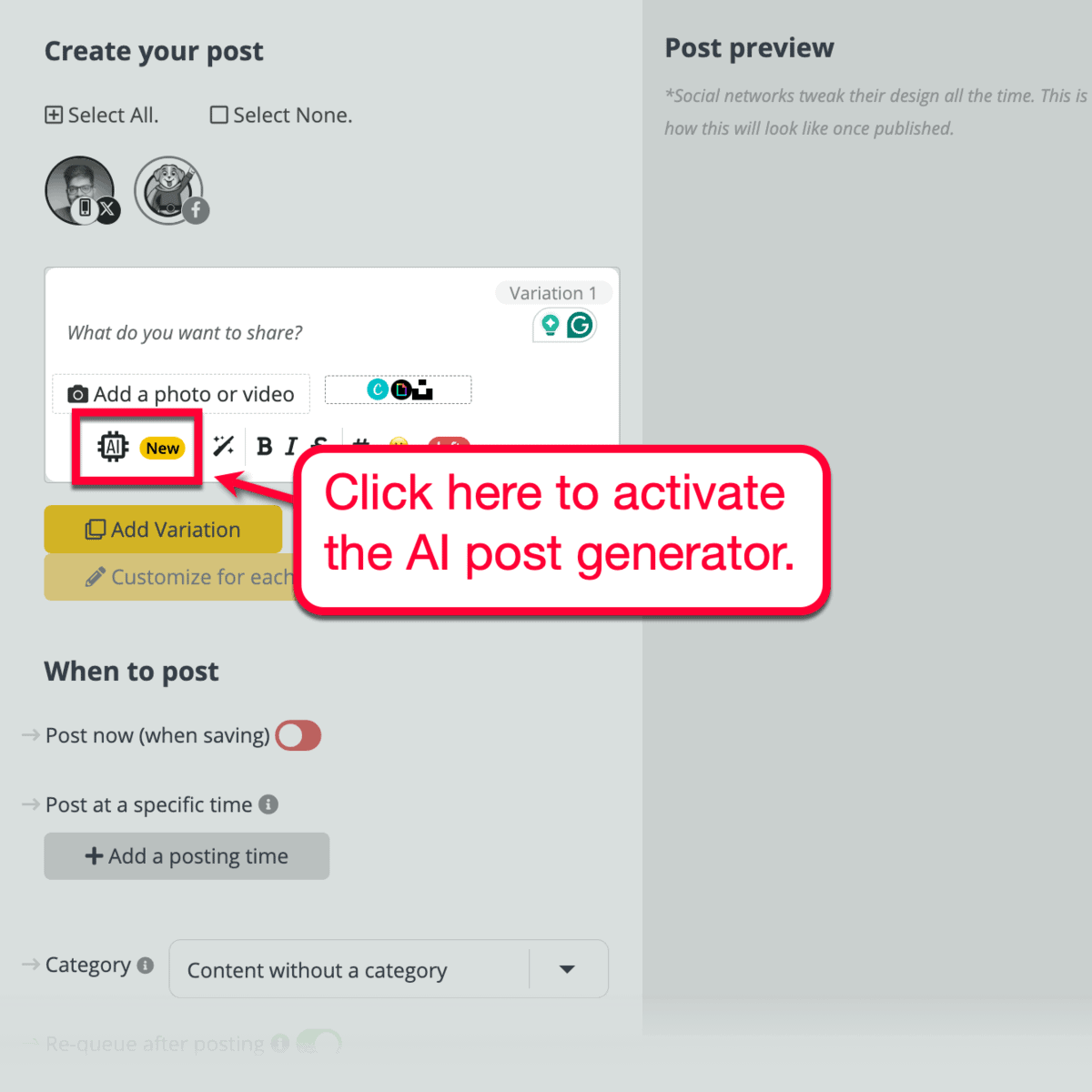
In the drop-down menu, click ‘Generate captions.’ This will bring up the main AI Post Generator interface, which looks like this:

Optional: Consider choosing a prompt template that matches the type of copy you want to generate. This can be based on the social media platform you want to use or the type of business you’re writing for.

To generate a post using a custom prompt, just type your instructions in the main field at the center of the UI.
Don’t think about the structure of your prompt too much. The only two rules you should remember are to be specific and think of it like giving instructions to your personal assistant.

Let’s say I want a simple social media post that promotes my app discounts page.
All I have to do is write something like:
Create a sharp and compelling post promoting my special offers page (up to 35% off) for products like Hostinger, Semrush, Mangools, and Grammarly.
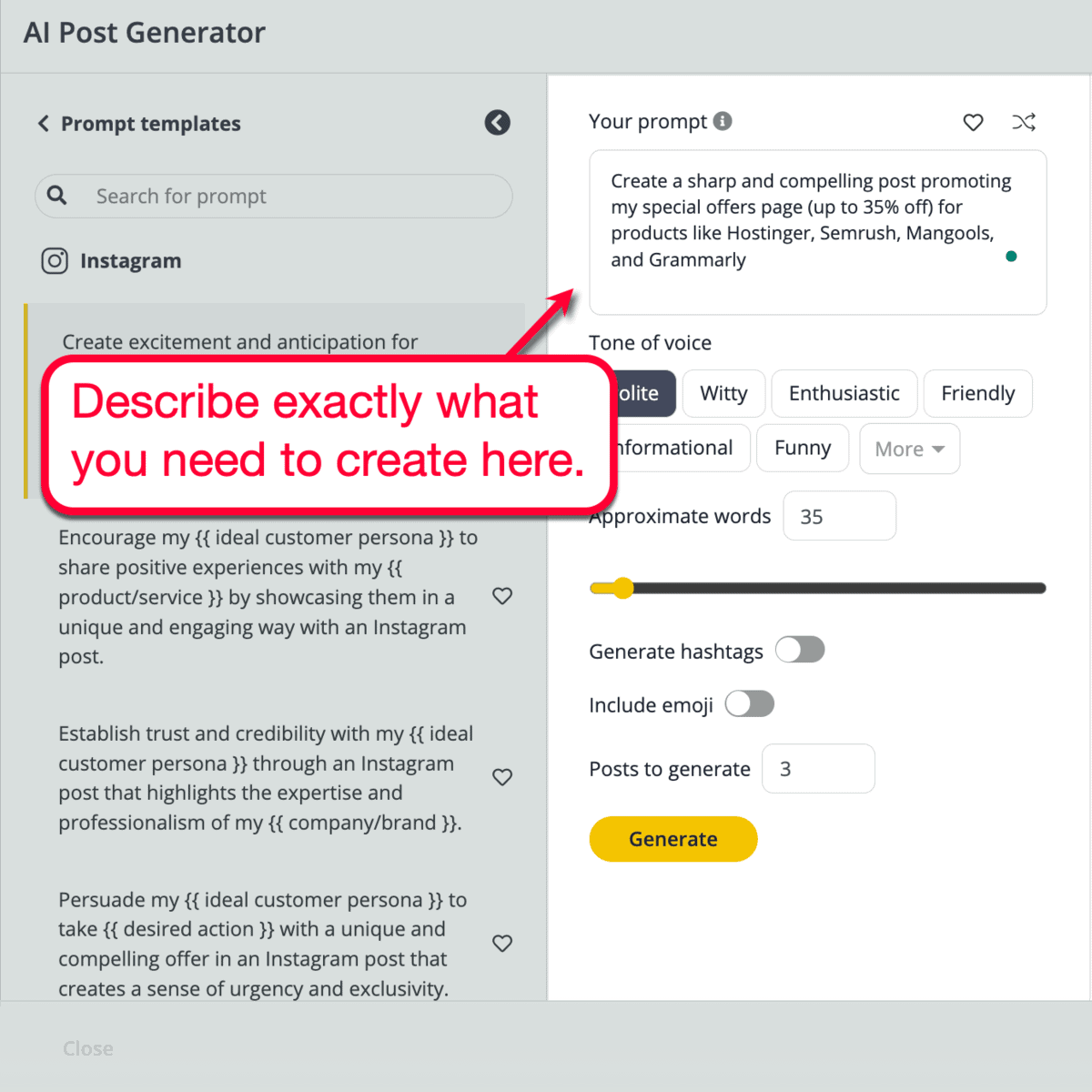
SocialBee also allows you to personalize your AI-generated text by setting your “tone of voice” options and preferred approximate word count.
You can also choose to enable hashtags, emojis, and multiple variations — giving you more ways to enhance the uniqueness and engagement factor of your post.

Once you’re happy with your settings, click ‘Generate’ and watch the magic happen.
It should only take a couple of seconds before SocialBee delivers your post (or posts) in the “Results” panel.

Easy, right?
To use, publish, or schedule any of the AI-generated drafts, hit their checkbox and click ‘Use selected results.’
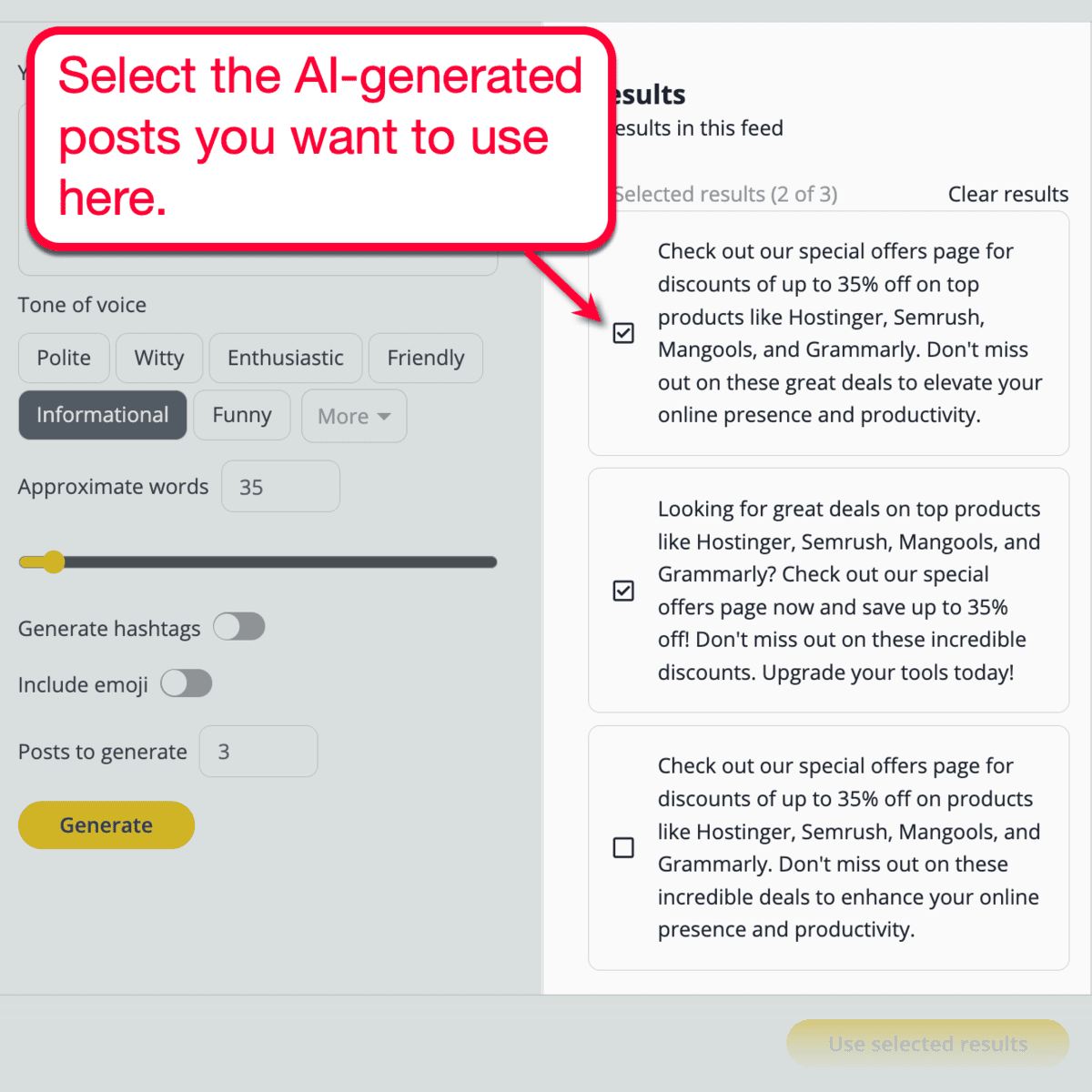
Keep in mind that you have the opportunity to modify your AI-generated posts prior to using them.
Take this opportunity to instill your brand’s unique voice and add finishing touches that your audience recognizes. This could be a tagline, branded hashtag, a personal story, or anything creative that AI can’t replicate.
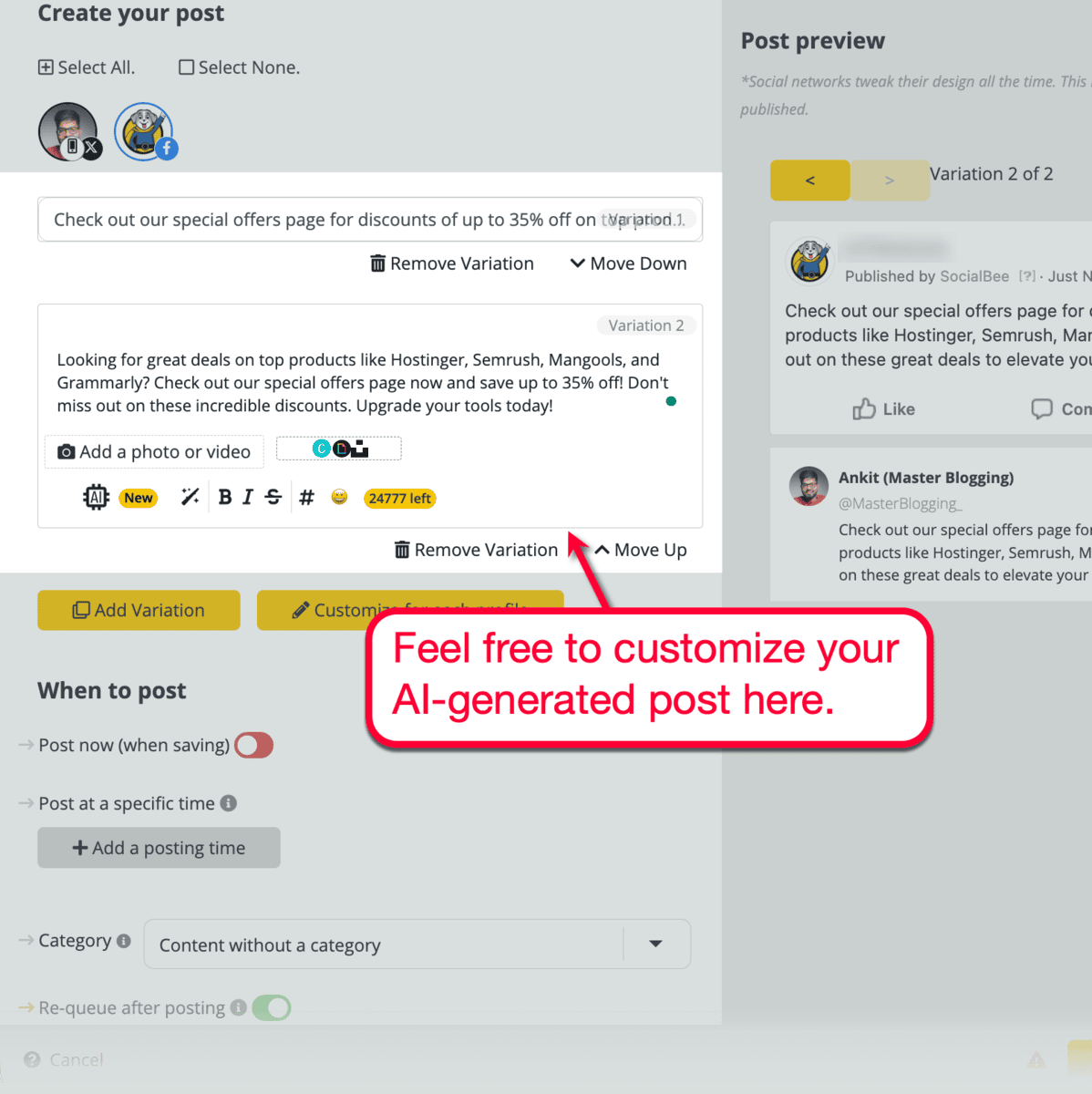
Finally, don’t forget to use SocialBee’s content categorization features to organize your AI-generated posts.
This is not only useful for sifting through your drafts when planning your content calendar. It also makes it easier to use custom posting schedules for automating specific content types.
You can have a separate category for blog posts, curated news, promotional posts, questions, and more. The bottom line is, use content categories wisely to streamline your social media content strategy in the long run.

SocialBee AI Post Generator Pricing: How Much Does It Cost?
You can use the free version of SocialBee’s AI post generator online. But in order to unlock its full capabilities, the entry-level “Bootstrap” plan starts at $29 per month.
Click here for instructions on getting 30% off on your SocialBee subscription!
SocialBee AI: Frequently Asked Questions
How does SocialBee AI compare to other AI tools like ChatGPT?
What makes SocialBee AI different from other AI tools is that it’s fine-tuned for social media marketing. Outputs and customization features are specifically built to achieve your defined social media goals, be it to generate more clicks or maximize user engagement.
Can SocialBee AI generate images?
Yes, SocialBee’s AI post generator can indeed be used to create images. You only need to describe what you want to create — just like when generating text-based posts.
Are SocialBee’s AI outputs 100% accurate?
Like with any other AI tool, SocialBee’s AI post generator can potentially generate inaccurate or even offensive content. Practice due diligence and verify stated facts as well as review AI-generated drafts for anything that may come across as offensive.
Is SocialBee’s AI post generator free?
There is a free version of SocialBee’s AI post generator tool on their website. But in order to remove limitations and access SocialBee’s entire lineup of features, you need to purchase the premium version starting at $29 per month.
Your Next Steps

Article by
Ankit Singla is the founder of Master Blogging. With over 15 years of blogging experience, he helps entrepreneurs build blogs that become long-term business assets through content, SEO, and authority.
