
Pictory Prices and Plans (2026): 20% Discount
Video content creation is easier (and more cost-effective) than ever, thanks to Pictory.
Put simply, it is an AI-powered tool designed for content creators, bloggers, business owners, or any professional who needs to tap into the power of video.
This post explores Pictory’s pricing to help you decide which plan to pick.
We’ll cover:
Let’s get started.

How Much Does Pictory Cost?
Pictory costs $25 per month ($19 with yearly billing). The Professional plan is priced at $49 per month, and the Team plan comes in at $119 per month. However, with a 20 percent discount, the entry plan costs $20, the Professional plan drops to $39.20, and the Team plan is priced at $95.20 per month.
Pictory Coupon Code: MASTERBLOGGING
Pictory Monthly Plans Overview (Plus 20% Discount)
| Starter Plan | Professional Plan | Team Plan | |
|---|---|---|---|
| Original Price | $25 per month | $49 per month | $119 per month |
| Discounted Price | $20 per month | $39.20 per month | $95.21 per month |
| Your Total Savings | $5 | $9.80 | $23.80 |
Pictory Annual Plans Overview (Plus 20% Discount)
| Starter Plan | Professional Plan | Team Plan | |
|---|---|---|---|
| Starter Plan | Professional Plan | Team Plan | |
| Original Price | $228 per year | $468 per year | $1,188 per year |
| Discounted Price | $182 per year | $374 per year | $950 per year |
| Total Savings | $45.60 per year | $93.60 per year | $237.60 per year |
💡 Remember: The higher the upfront cost, the bigger your savings. That’s why I recommend going for the annual plan to make the most out of this exclusive offer!
📌 Note: Pictory also offers a custom plan for enterprise users, coming with substantially higher limits and more seats for bigger teams. To get a quote, click here and contact their sales team.
Pictory Plans Comparison: Detailed Breakdown
Can’t decide which Pictory plan to use?
To help you make an informed decision, let’s start with a quick side-by-side comparison of each subscription:
| Features and Limits | Pictory Starter | Pictory Professional | Pictory Team |
|---|---|---|---|
| Turn your text-based script or web page URL into a video | 200 video minutes per month | 600 video minutes per month | 1,800 video minutes per month |
| ↳ Max video length | 30 minutes | 30 minutes | 30 minutes |
| ↳ PowerPoint to video | 100 slides per month | 300 slides per month | 900 slides per month |
| Edit and personalize your AI-generated videos | Max 60 minutes of video length | Max 180 minutes of video length | Max 180 minutes of video length |
| ↳ Max video file size | 1 GB | 5 GB | 5 GB |
| ↳ Automatically add subtitles using AI | ✅ | ✅ | ✅ |
| ↳ Automatically detect and identify video highlights | ❌ | ✅ | ✅ |
| ↳ Use your own music | ❌ | ✅ | ✅ |
| ↳ Insert hyper-realistic AI voiceovers with ElevenLabs | ❌ | Up to 120 minutes | Up to 240 minutes |
| ↳ Automatically sync uploaded voiceovers with your video | ❌ | ✅ | ✅ |
Read on for a more detailed comparison of each Pictory plan:
1. AI Video Generation
Pictory has all the tools you need to create eye-popping videos without professional video editing skills.
Some of the features you can expect are:
Pictory’s main value proposition is effortless video content generation.
No need to weave together multiple clips — manually trimming, cutting, and enhancing assets for hours on end. Just choose whether you want to use a script, page, slideshow, or image to kickstart your video production.

Whichever you choose, the workflow remains consistent.
Just provide your material, tweak a few settings, and let Pictory’s AI do the rest.
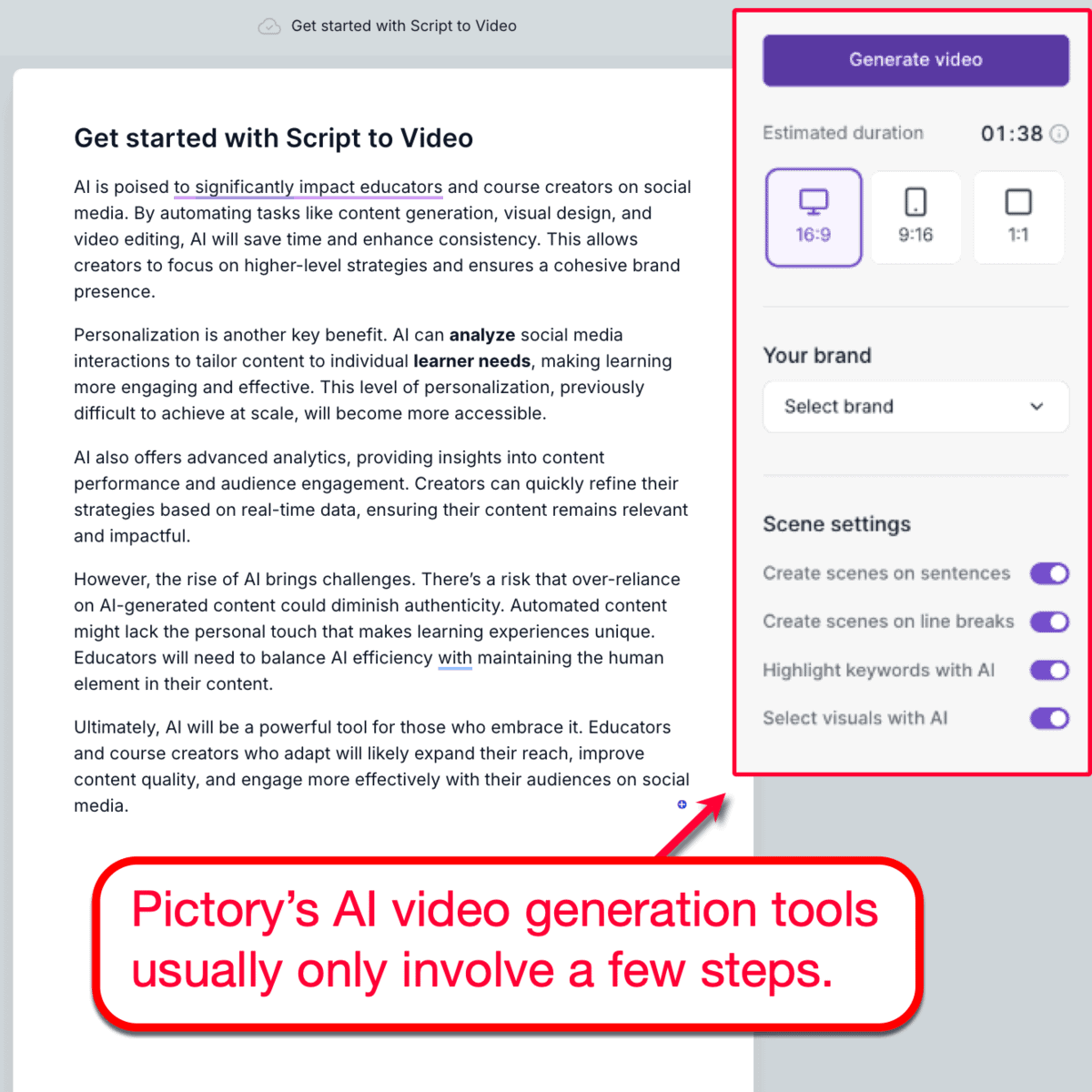
Realistically, you’re not going to use the initial output without a few adjustments.
The good news is, Pictory’s AI will guide you every step of the way. As soon as your initial output is generated, it initiates an assisted walkthrough that will show where you need to go and what you need to do.
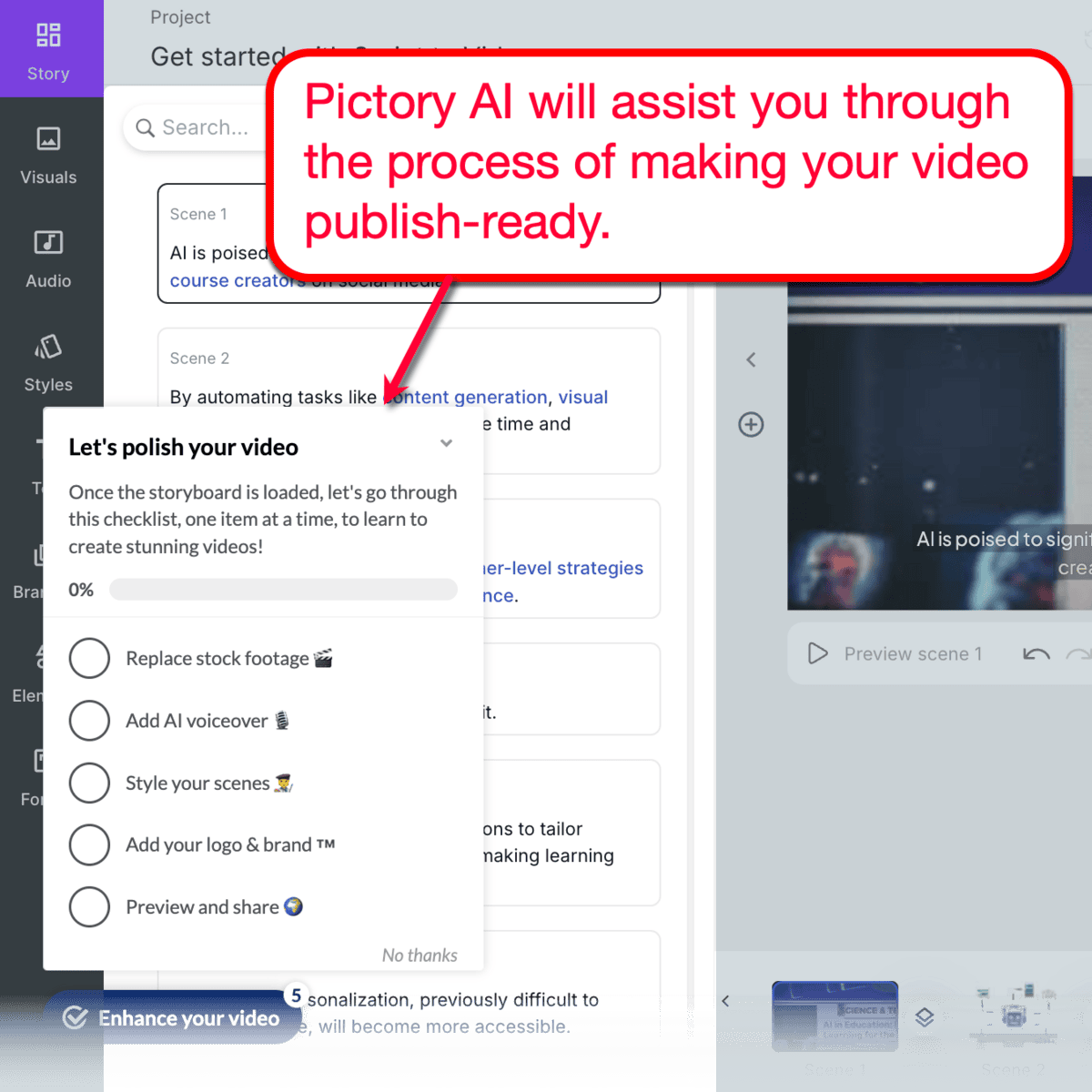
Remember, the video generation process remains somewhat the same regardless of which Pictory subscription plan you buy.
The main differentiator, however, is the limitations for the entry-level and mid-tier plans (Starter and Professional). To be more specific, Pictory Team can generate up to 1,800 minutes of video per month — three times the limit of Pictory Professional.
📌Verdict: Large businesses, like international ecommerce brands or well-known publications, can definitely take advantage of the extended Pictory Team plan. The same can be said for content marketing agencies that may max out 1,800 video minutes per month.
2. AI Video Editing
Of course, legitimate brands still need to inject their own brand and make adjustments to AI-generated videos. This ensures the content aligns with the brand’s marketing goals and long-term vision.
Here’s how Pictory can help you with this:
Although Pictory handles most of the work through AI automation, it gives users way more control when it comes to editing tasks.
As far as video editing goes, a key difference between Pictory’s paid subscriptions is the automated features.
For instance, Starter plan users won’t be able to use automatic video highlights, which saves a huge chunk of time from the editing process. They also won’t be able to access hyper-realistic AI voiceovers — powered by ElevenLabs.

In addition to voiceovers, Pictory Professional and Pictory Team also unlock more stock assets you can use in your video content creation. This includes background music, images, and stock clips tailored to your project.

📌 Verdict: In terms of video editing, the differences between the Pictory plans are more noticeable. Going for at least the Professional version is crucial if you care more about your video’s quality and uniqueness, whereas the Team plan will give you double (if not more) the limits for music tracks, ElevenLabs AI voice minutes, and more.
3. Extra Features
Aside from the core tools discussed above, let’s take a look at the add-on features that may influence your purchase decision.
Here’s a quick look at these features:
Here’s the deal: There are very noticeable differences between Pictory Starter and the two more expensive plans. However, the differences between Pictory Professional and Pictory Team are negligible.
For starters, Pictory Starter users can only make one brand kit, making it more practical for solo content creators or bloggers.
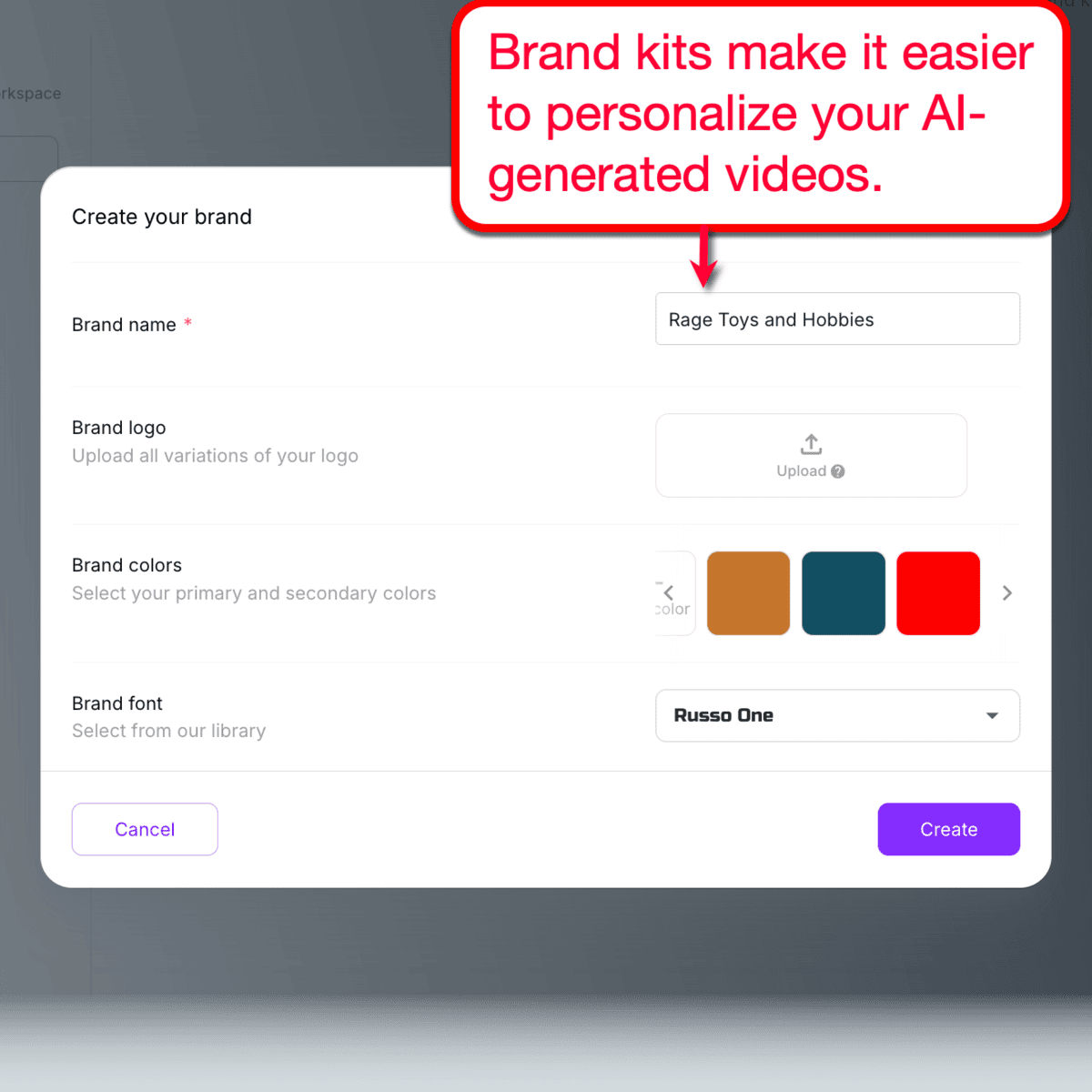
For Pictory Professional and Pictory Team, the maximum brand kits you can make is five and 10, respectively.
Pictory Professional and Pictory Team also allow users to upload their own music tracks. And, while all plans allow custom voiceover uploads, Starter plan users won’t be able to take advantage of Pictory’s automatic synchronization feature.
Finally, both Pictory Professional and Pictory Team grant access to priority customer support as well as the “Video Marketing Made Easy” online course. These are perfect for users who are serious about harnessing the power of video content for their marketing.
📌 Verdict: Pictory Starter is definitely a great stepping stone for those who are trying video content marketing for the first time. But if you believe that video will become an essential, permanent part of your marketing strategy, you should definitely consider getting Pictory Professional or Pictory Team.
Use Cases: Which Pictory Plan Do You Need?
Before we conclude this article, let’s review some of the common use cases of Pictory and which plan makes the best sense:
Solo Bloggers & Content Creators → Pictory Starter
Pictory Starter has everything newbies need to get some experience in video content creation. The entry-level plan’s limitations should be a non-factor since these users definitely won’t be pumping out up to 1,800 video minutes in a month.
Professional Video Creators & Social Media Marketers → Pictory Professional
Pictory Professional is definitely the right choice for professional video editors and marketers. It has way more feature limitations than Pictory Starter, but its pricing isn’t bloated by team-oriented features.
Video Marketing Agencies & Large Enterprises → Pictory Team
Without a doubt, Pictory Team is the best choice for large agencies and businesses with in-house content specialists. In addition to extra seats, Pictory Team also offers significantly more bandwidth in terms of video minutes, ElevenLabs AI voiceovers, and more.
Pictory Plans and Pricing: Frequently Asked Questions
Is Pictory AI Free or Paid?
While Pictory AI is a paid tool, there is a free version that allows you to test some of its killer features. The free trial lasts for 14 days before you’re required to purchase a subscription to keep working.
Can you cancel or change your Pictory AI account at any time?
Yes, you’re free to cancel or modify your Pictory subscription whenever you need. Although account cancellations can be done in-app while plan upgrades take effect instantly, downgrading your account may take some time.
Does Pictory AI offer refunds?
Yes, you’re eligible for a refund if you cancel your Pictory subscription within 14 days of payment. Accounts that are older than 14 days in terms of activity will no longer be eligible for refunds.
Your Next Steps
Pictory Coupon Code: MASTERBLOGGING

Article by
Ankit Singla is the founder of Master Blogging. With over 15 years of blogging experience, he helps entrepreneurs build blogs that become long-term business assets through content, SEO, and authority.
