
Grammarly vs ChatGPT: What You Really Need in 2026

Written by Ankit Singla
Written by Ankit Singla
Last Updated on:
We live in an age of AI-augmented productivity.
As a blogger for over 14 years, I know firsthand that AI tools can lead to huge time savings, especially for the technical and non-creative aspects of content creation (i.e., fact-finding and proofreading).
In this post, we’ll take a look at the two leading AI-powered writing tools for anyone who needs content: Grammarly and ChatGPT.
We’ll compare their features, strengths, pricing, use cases, and more.
But before we get to the meaty stuff, a quick introduction.
What is Grammarly?
Grammarly is one of the biggest names in the writing software landscape — and it’s been my go-to proofreading and content improvement tool for years.
Its centerpiece is the Grammarly editor, which has everything you can ask for in a content writing and editing app. You can use one-click improvement suggestions for spelling, grammar, clarity, and more.
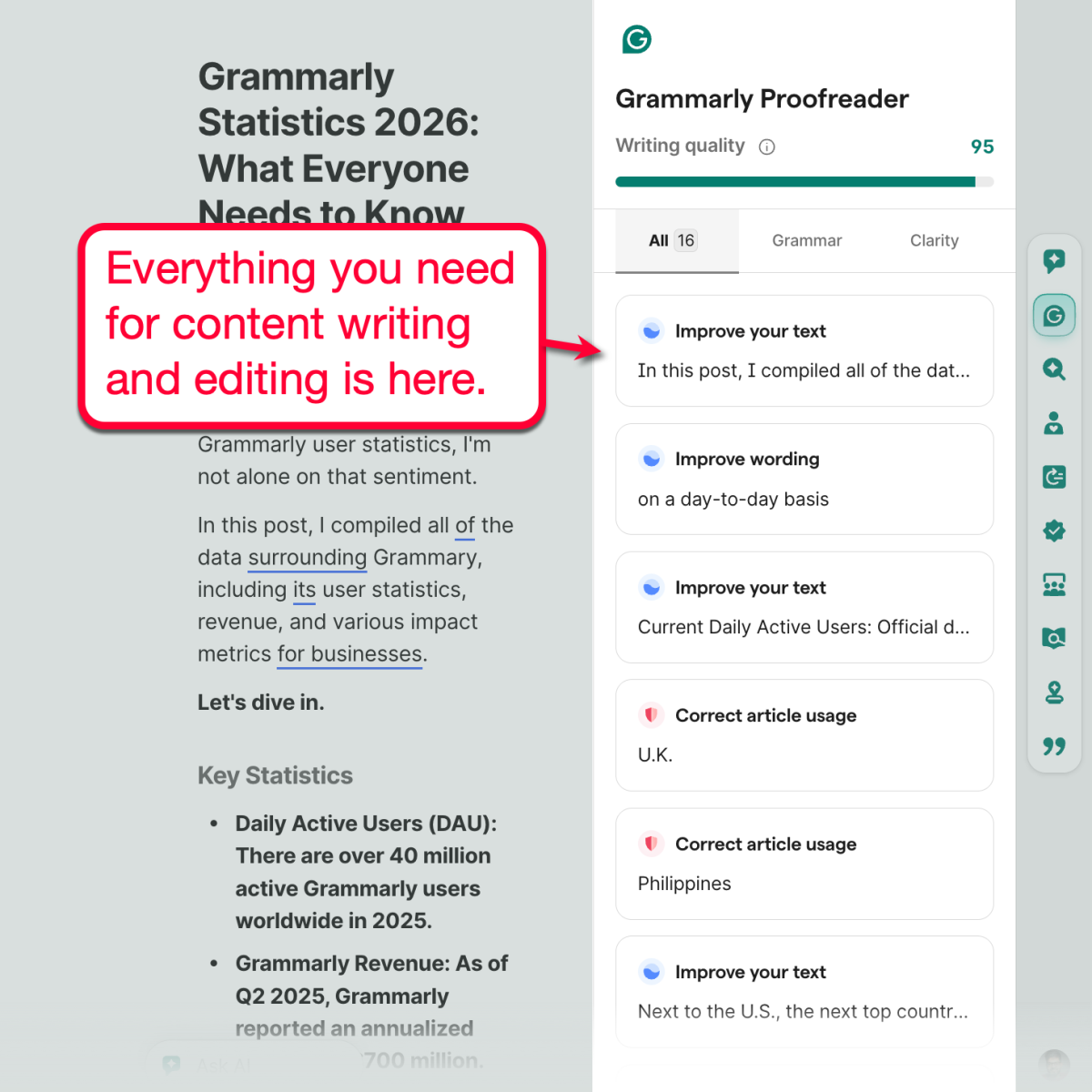
Grammarly is also equipped with a suite of advanced features, including but not limited to:
- AI Paraphraser — Revise your text to better match a specific writing style.
- Humanizer — Instantly apply your own writing voice to your draft (AI-generated or outsourced).
- Citation Finder — Easily research and generate citations to make your content more authoritative.
- Plagiarism Checker — Make sure your content is original by detecting potential plagiarism (intentional or not).
We’ll cover some of these features in detail later. But if you want to speed things up, click here to learn more about Grammarly’s AI features.
Grammarly Statistics
Before we dig deep into this comparison, let’s get our bearings by looking at their numbers — starting with Grammarly:
- User Count and Growth — Over 40 million as of 2025, with a Year-on-Year (YoY) growth of 33%.
- User Activity — 72% of users access Grammarly at least once per week.
- Grammarly for Business — Over 50,000 business accounts as of 2025.
- Total Valuation — $13 billion as of recent reports.
What is ChatGPT?
When internet users hear the word “AI,” it’s not uncommon for them to associate it with ChatGPT.
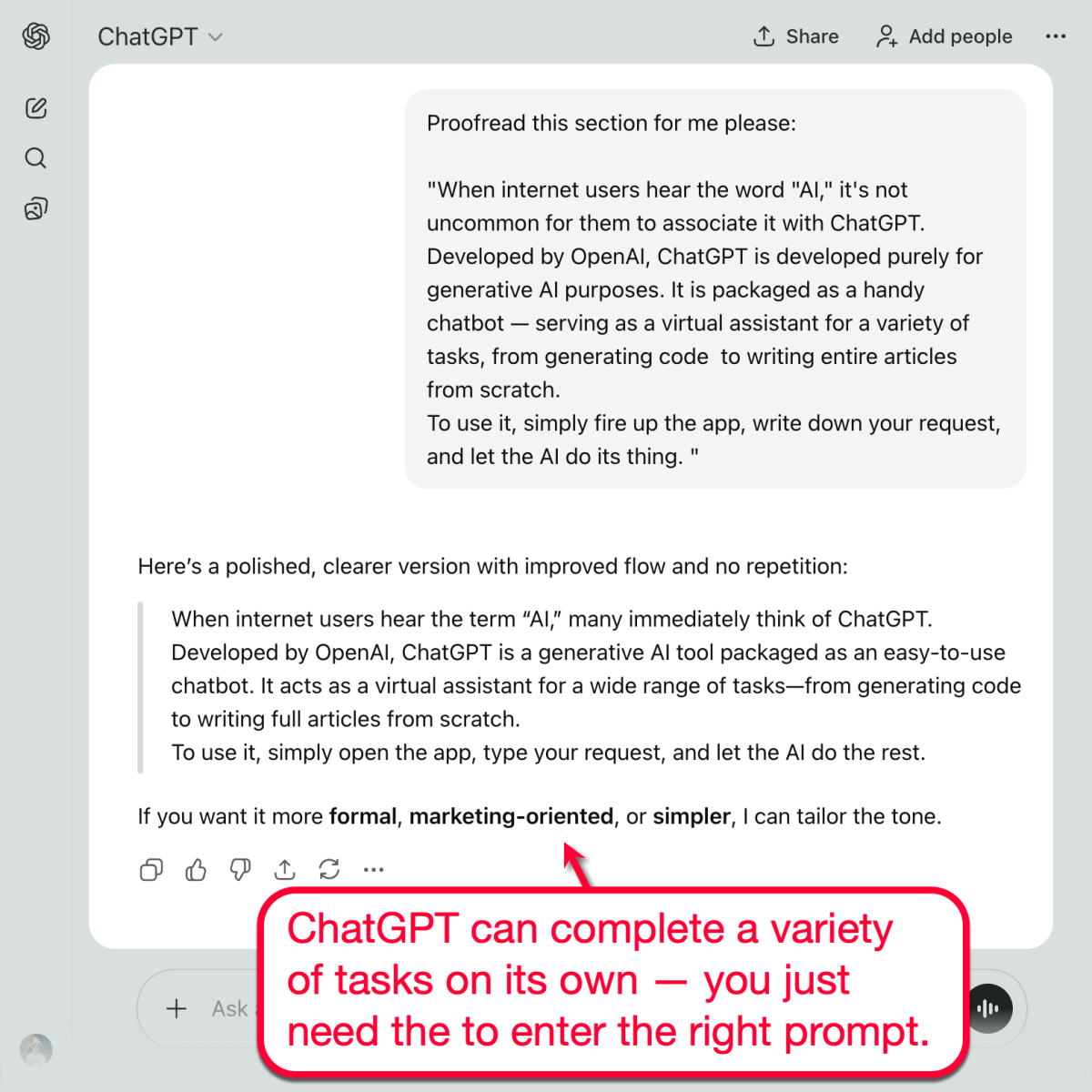
Developed by OpenAI, ChatGPT is developed purely for generative AI purposes. It is packaged as a handy chatbot — serving as a virtual assistant for a variety of tasks, from generating code to writing entire articles from scratch.
To use it, simply fire up the app, write down your request, and let the AI do its thing.
ChatGPT Statistics
As a more general-purpose AI tool, it’s completely reasonable for ChatGPT to have a substantially bigger user base:
- User Count and Growth — Over 800 million users as of 2025 with a YoY growth of 180%.
- User Activity — Over 700 million total weekly users.
- ChatGPT for Business — Over 7 million ChatGPT for Work paid seats.
- Total Valuation — Recently valued at $500 billion.
Grammarly vs ChatGPT: Side-By-Side Comparison
| Feature | Grammarly | ChatGPT |
|---|---|---|
| Primary Focus | For content writing, editing, proofreading, paraphrasing, and other quality improvement steps. | Conversational AI assistant to generate logical and useful responses using OpenAI’s Large Language Model (LLM). |
| Best For | Professional writers, bloggers, agencies, businesses, students, and academics. | Writers, developers, researchers, students, agencies, and casual users. |
| Pricing (Paid Account) | Starts at $12 per month | Starts at $20 per month |
| Generative AI | ✅ | ✅ |
| Real-Time Assistance | ✅ | Prompt-based |
| Plagiarism Checking | ✅ | ❌ |
| AI Detection | ✅ | ❌ |
| Humanizer | ✅ | Prompt-based |
| Tone Adjustments | ✅ | Prompt-based |
Grammarly vs ChatGPT: AI Test and Comparison
Nice — you should now know more about Grammarly, ChatGPT, and their overlaps in terms of functionality.
It’s time to put both tools to the test and let you see how each of them performs in real use cases.
For the sake of this guide, we’ll break it down into two parts: content generation and content improvement.
Proofreading
To start, I created three paragraphs riddled with spelling, grammatical, and punctuation errors.
This should put the proofreading capabilities of Grammarly and ChatGPT to the test.
When using Grammarly, it was able to detect all six errors that I purposefully inserted.
Mind you, I didn’t have to fire up the actual proofreader tool. Grammarly underlined them automatically as soon as I put in the text.
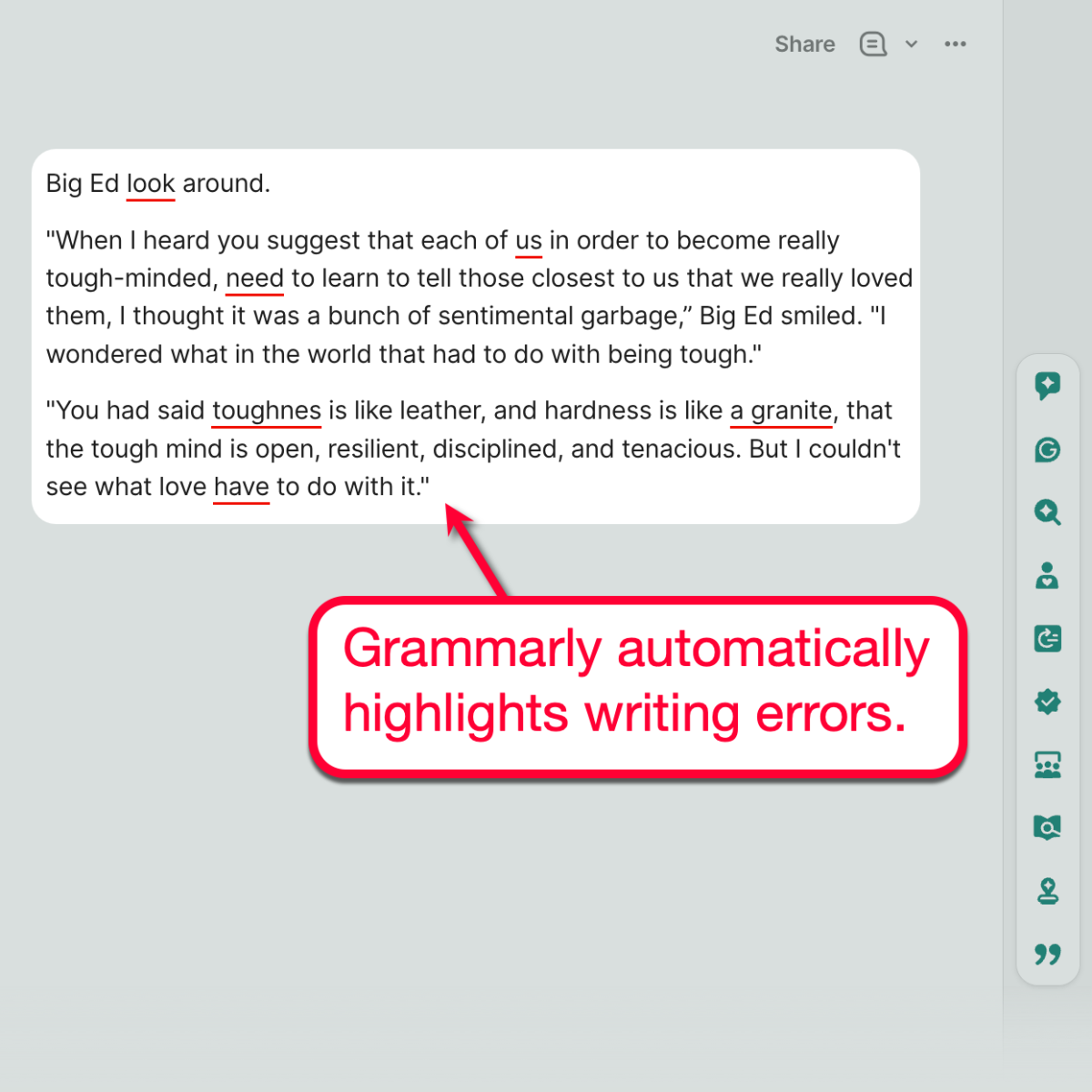
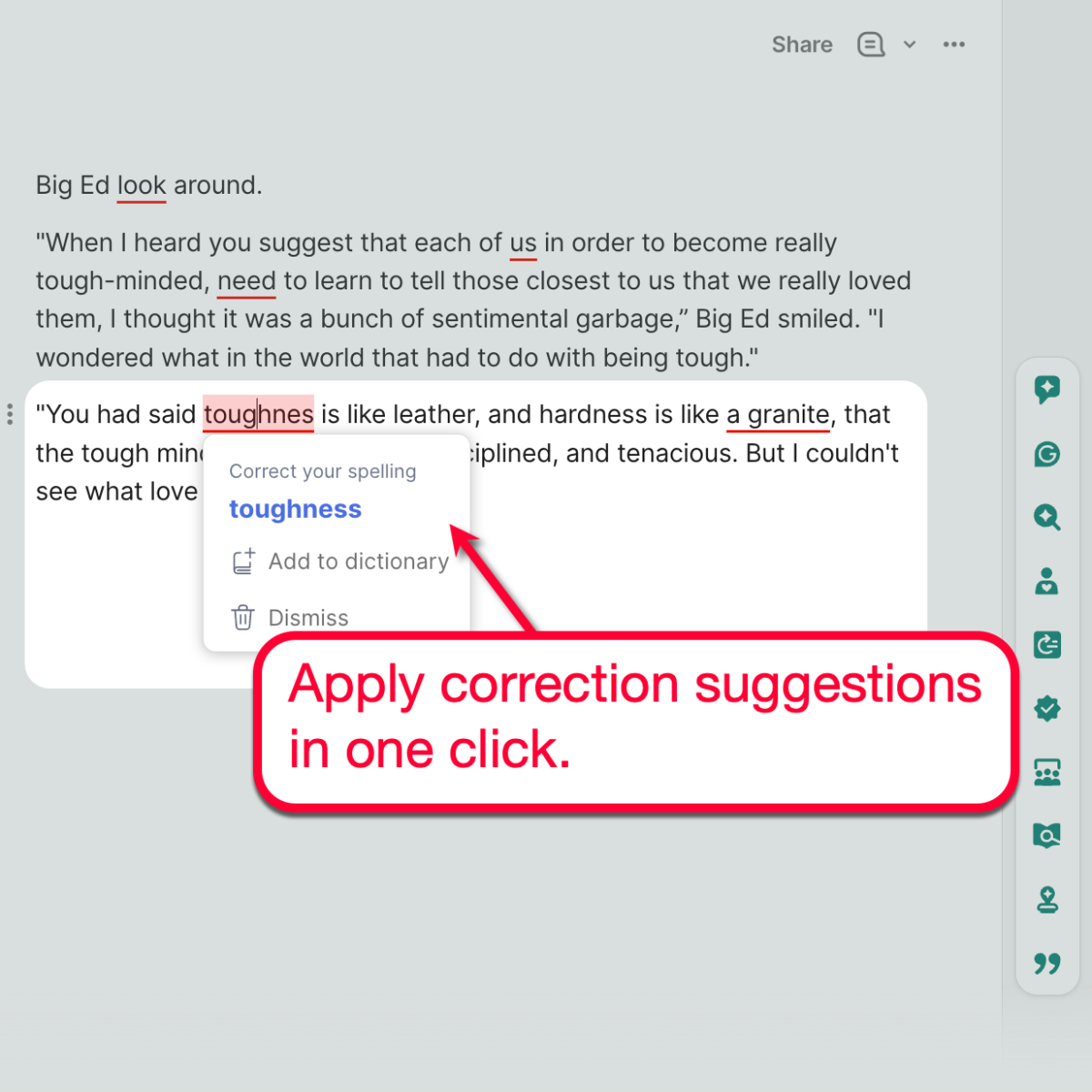
To fix these issues, you simply need to click on them and choose from the available correction suggestions. That’s the advantage of using an AI tool that’s specifically designed for content-related tasks.
Now, let’s hop into ChatGPT and see what mistakes it will detect. Just remember to start with a prompt, like “check for errors,” so the algorithm knows what to do.
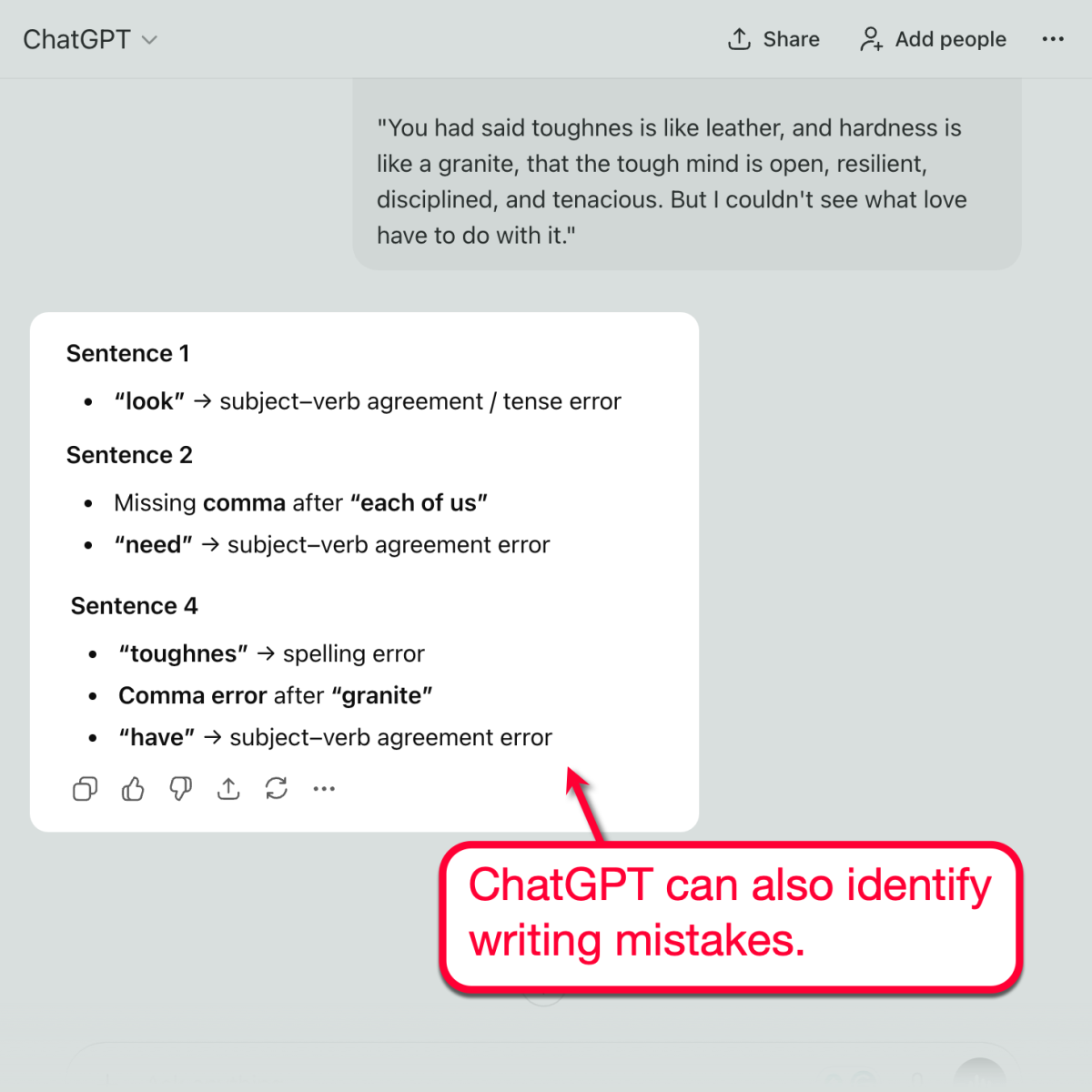
If you look closely, ChatGPT did capture most of the errors that I implanted into the snippet.
There are just two key differences.
For one, ChatGPT missed the article usage error in the fourth sentence (“hardness is like a granite”) and flagged the potential comma error instead. Grammarly’s fix, however, is to remove the article (‘hardness is like granite”) for the sake of clarity.
Furthermore, you still have to copy the corrections from ChatGPT and add them manually to your original draft. Whereas with Grammarly, you simply have to click on the correction suggestions.
Next up, let’s take a look at each tool’s paraphrasing capabilities and how they would refine our draft.
Content Paraphrasing
With Grammarly, we have a few options when it comes to paraphrasing.
The first is to use the Paraphraser tool, which can automatically rewrite your draft based on your desired writing style.
But since we’re comparing Grammarly against ChatGPT, let’s go with the second option: use Grammarly’s AI Chat.
With our draft already in the Grammarly editor, we just type a prompt like “paraphrase this to make it sound more formal.”
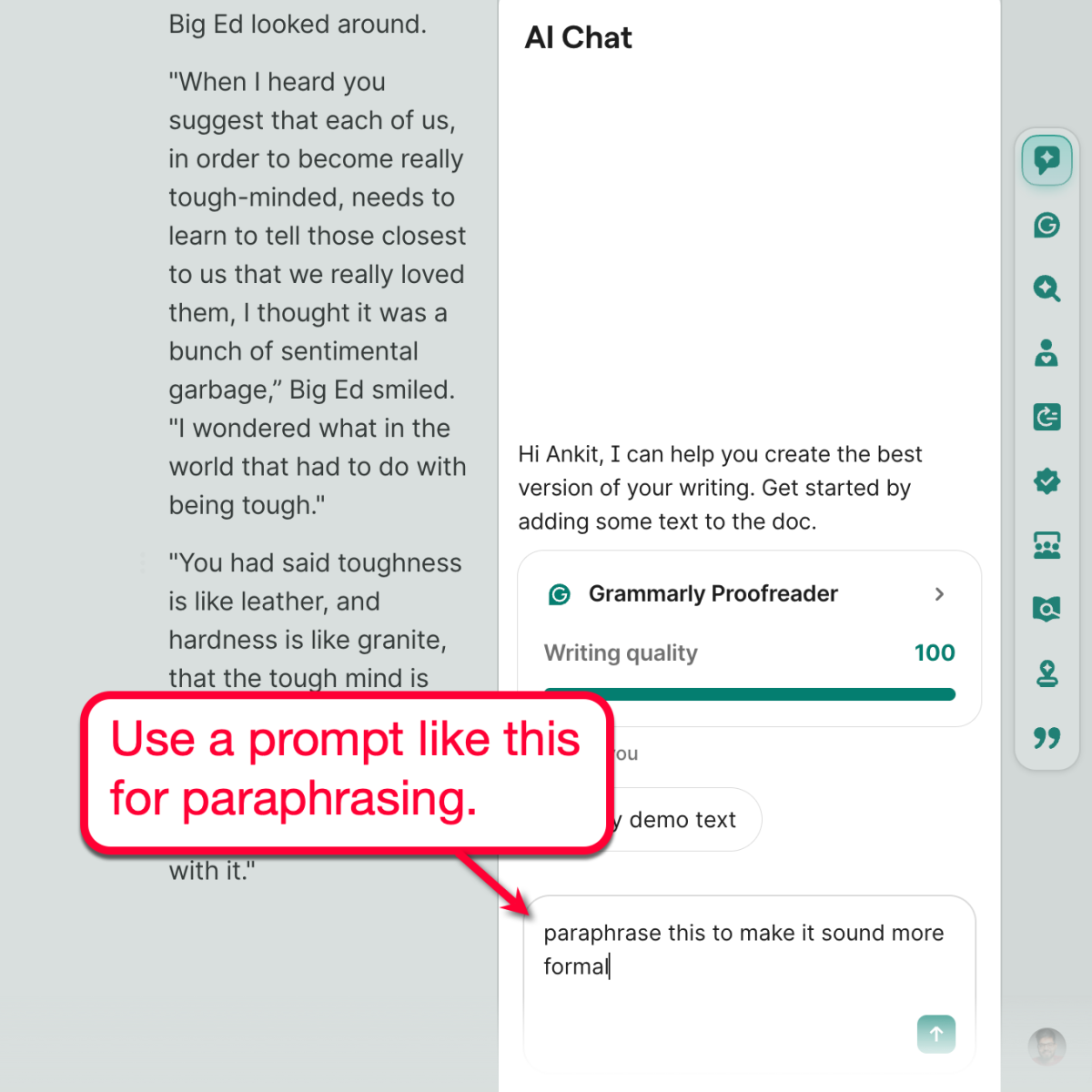
Within seconds, Grammarly will present you with paraphrasing suggestions based on your instructions. You then have the opportunity to review these suggestions and apply them as you see fit.
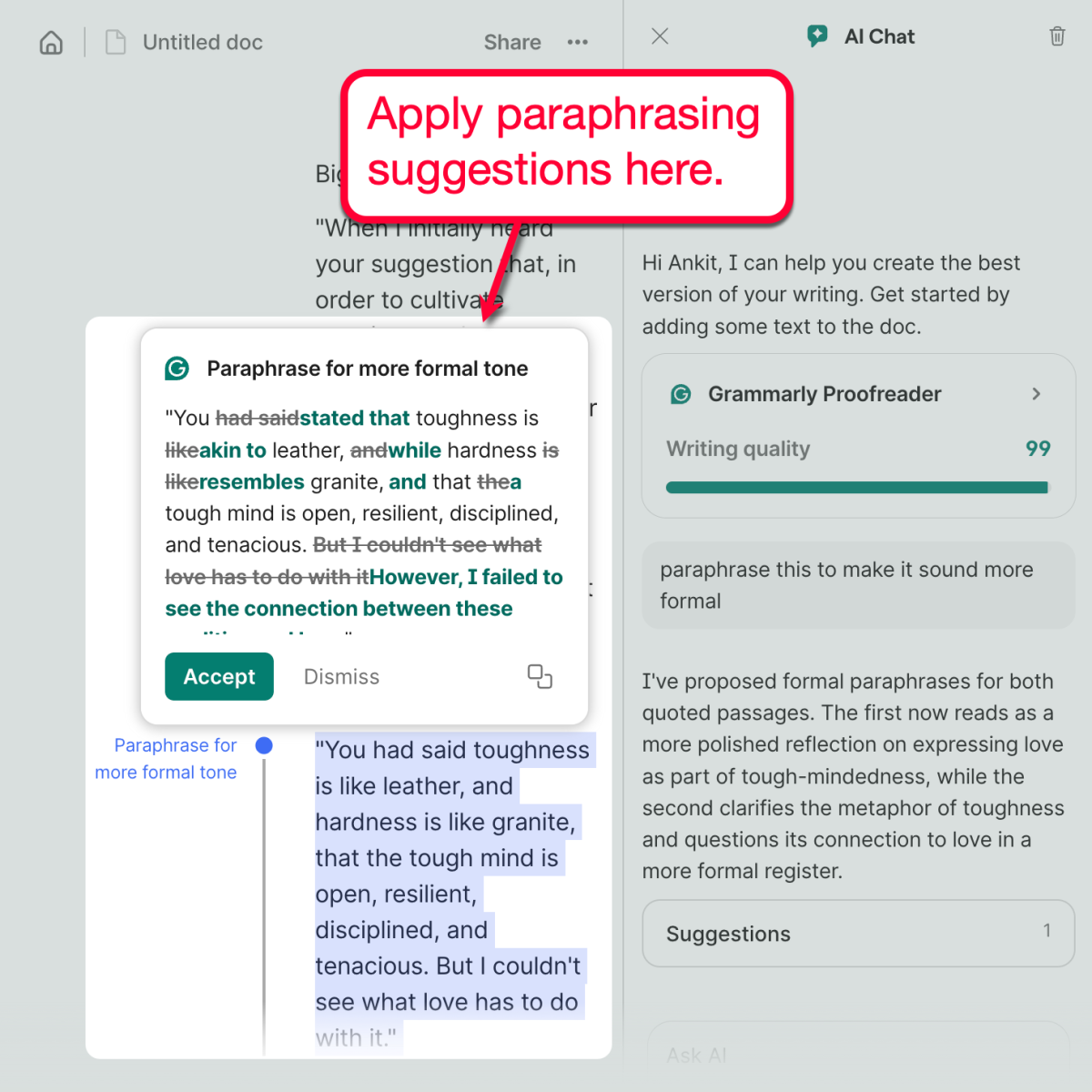
Moving on to ChatGPT, the process remains the same across workflows.
Just enter the draft along with your prompt. To keep things fair, let’s use the exact same prompt as the one with Grammarly.
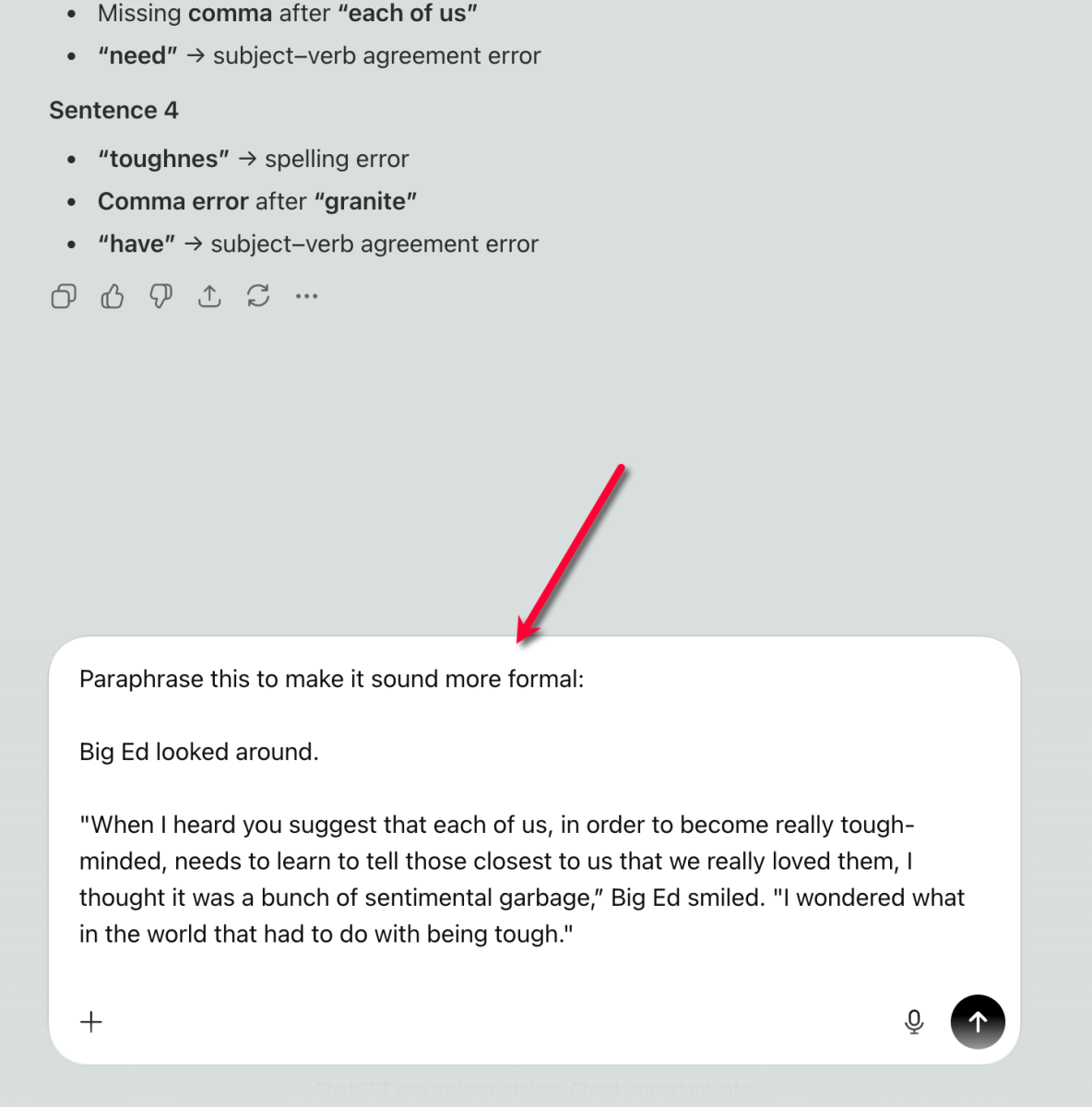
ChatGPT will also instantly apply your paraphrasing instructions. It also encourages you to explore other paraphrasing tactics related to your original prompt, like adopting a more literary or authoritative writing style.
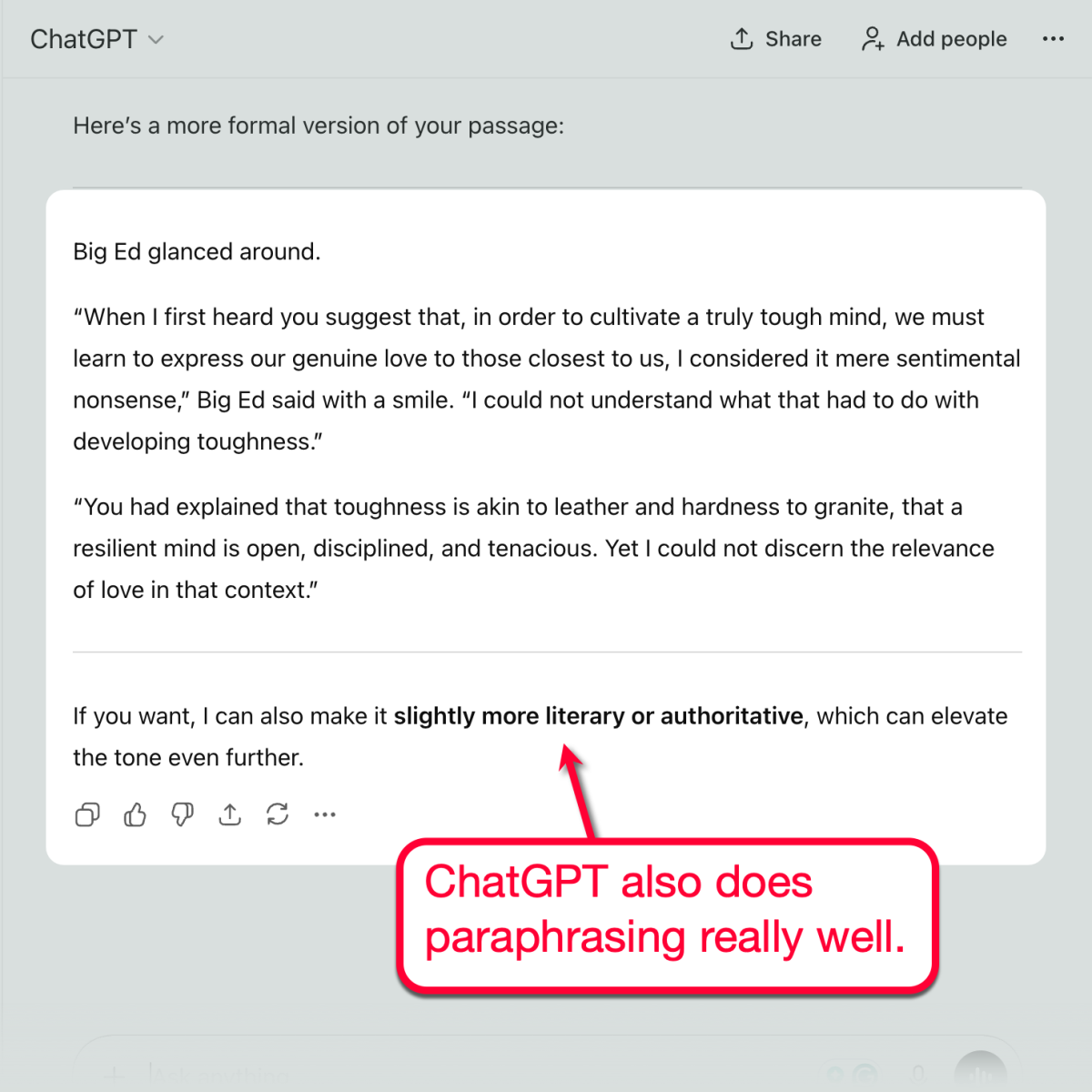
In terms of paraphrasing, both Grammarly and ChatGPT produce varying outputs.
The overall quality standard and commitment to writing accuracy, of course, remain the same. But the differences in word choices and structure may boil down to personal preference.
As for me, I like the fact that Grammarly’s suggestions can be approved and disapproved section by section. This makes the workflow more seamless and efficient, especially for bloggers and content creators who work on several pages of text per day.
Content Generation
Now, let’s take a look at one of the most important elements of both tools: generative AI.
With Grammarly, this can be done through the AI Chat tool.
Let’s test it out using a simple prompt: “Create an early draft for an article about building a Shopify store in 2025.”
Again, we just have to enter the prompt directly.
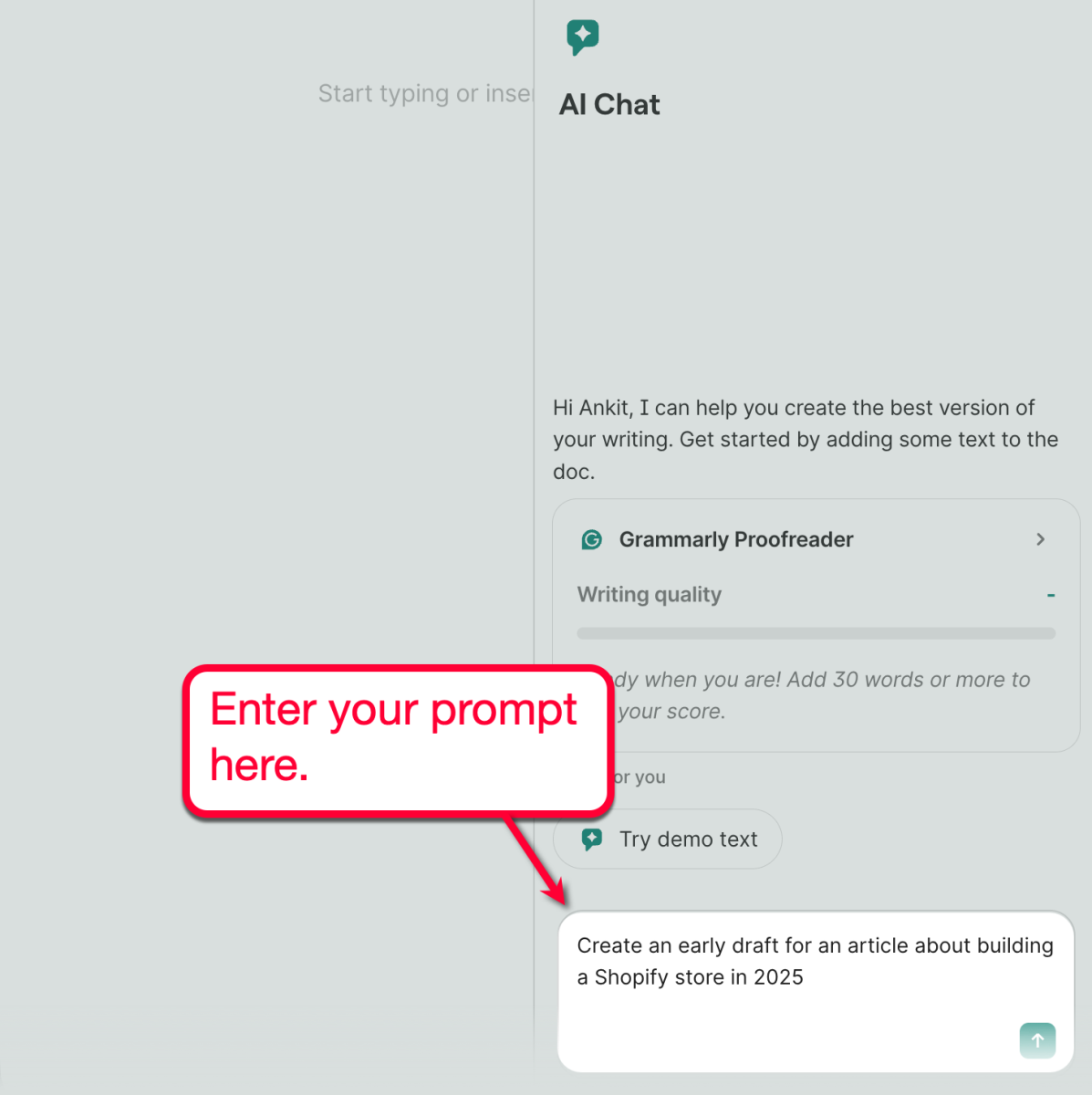
Once your prompt is processed, Grammarly will generate exactly what you asked for — already polished with an emphasis on conciseness and clarity.
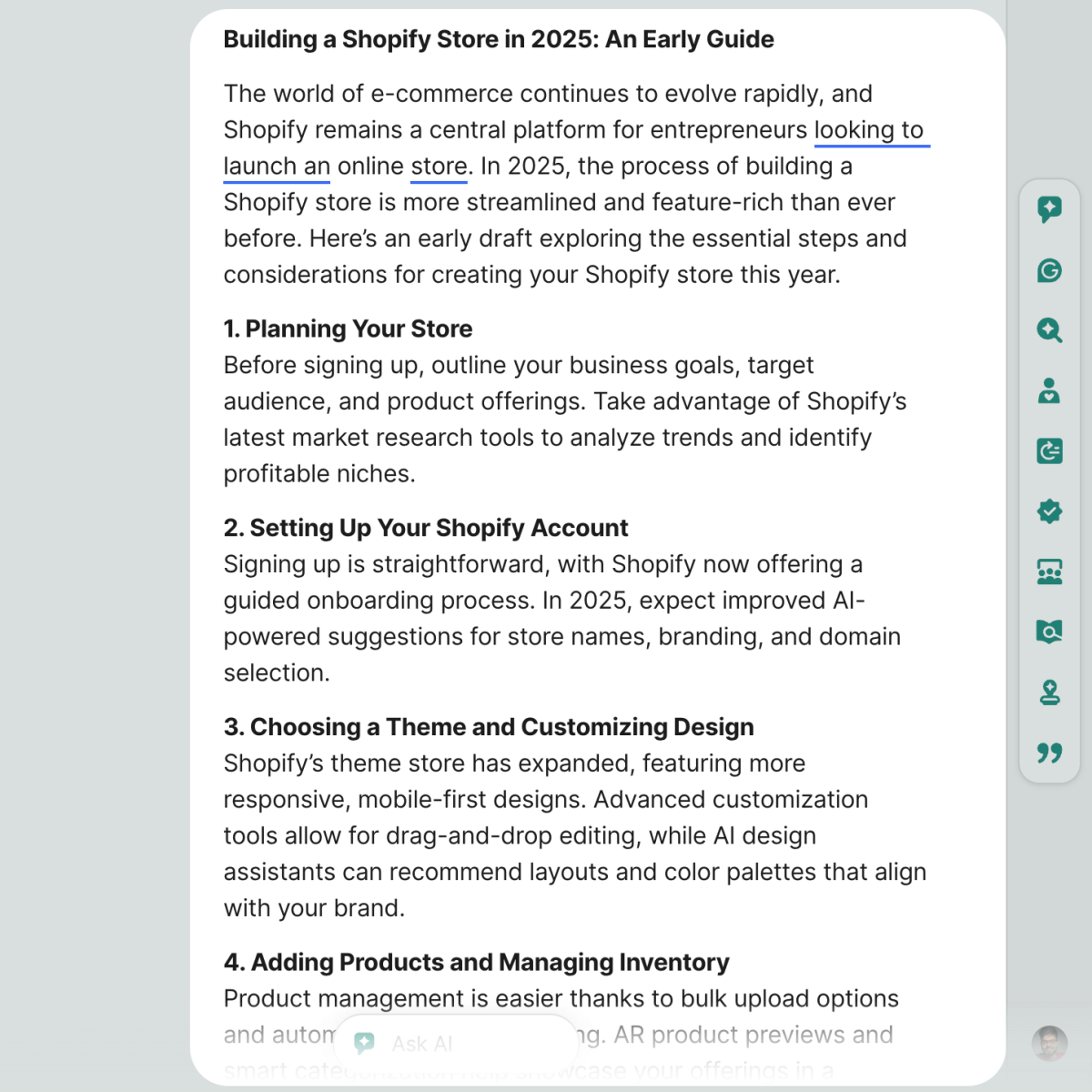
This is clearly different from the kind of AI-generated content that ChatGPT produces, especially without additional prompts.
Using the exact same, straightforward prompt, here’s what ChatGPT creates:
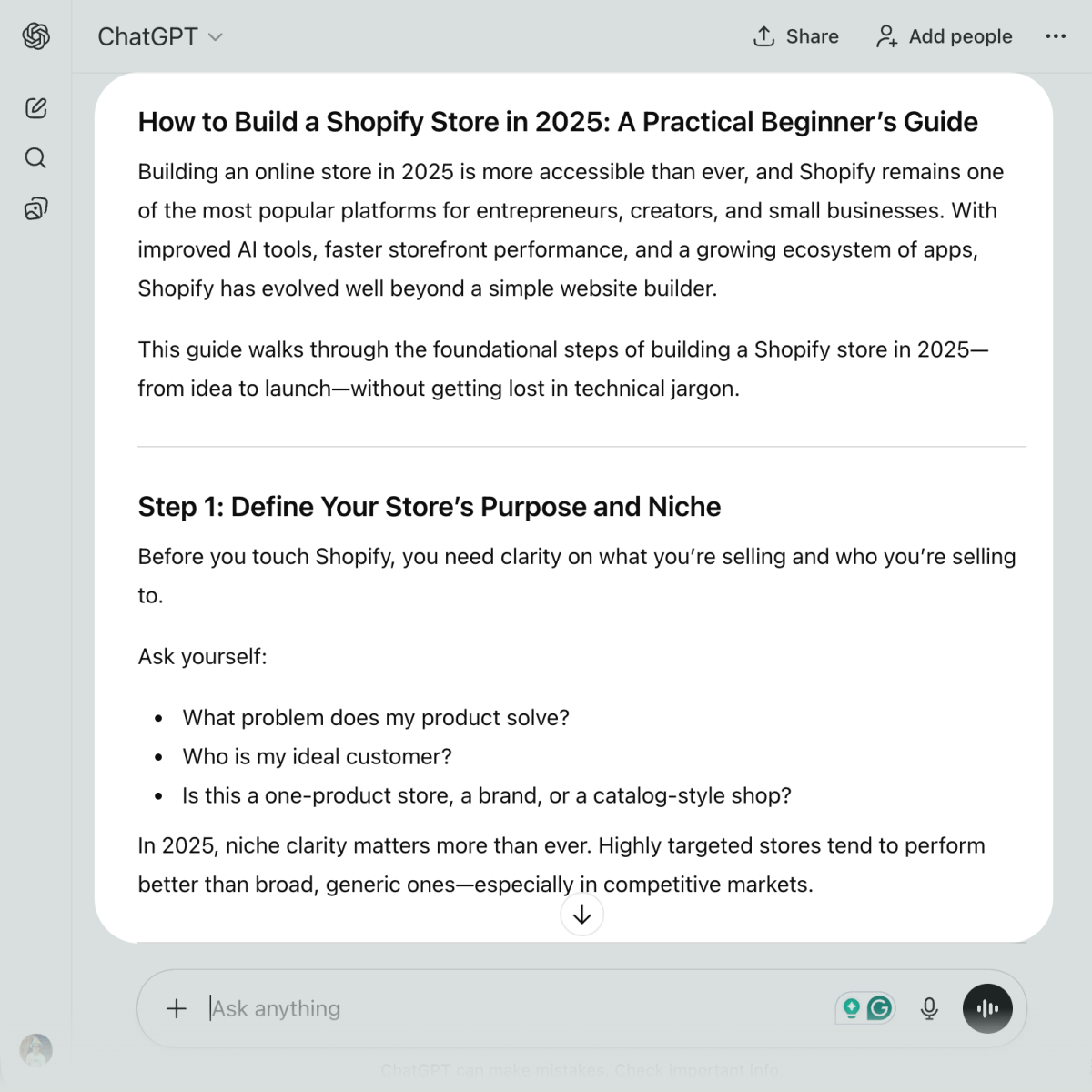
As you can see, ChatGPT’s output comes with slightly more content and structure. This, of course, can be a double-edged sword, especially if you’re planning to use generative AI as a guide and fill in your own words later.
Of course, you can also include additional instructions in your prompt to help the generative AI meet your objectives.
For example, using Grammarly, you can add in another prompt like, “make each section lengthier by mentioning more actionable tips, data, and tools.”
The results would be exactly what you expect. And, just like before, you have the option to accept or decline the AI’s outputs:
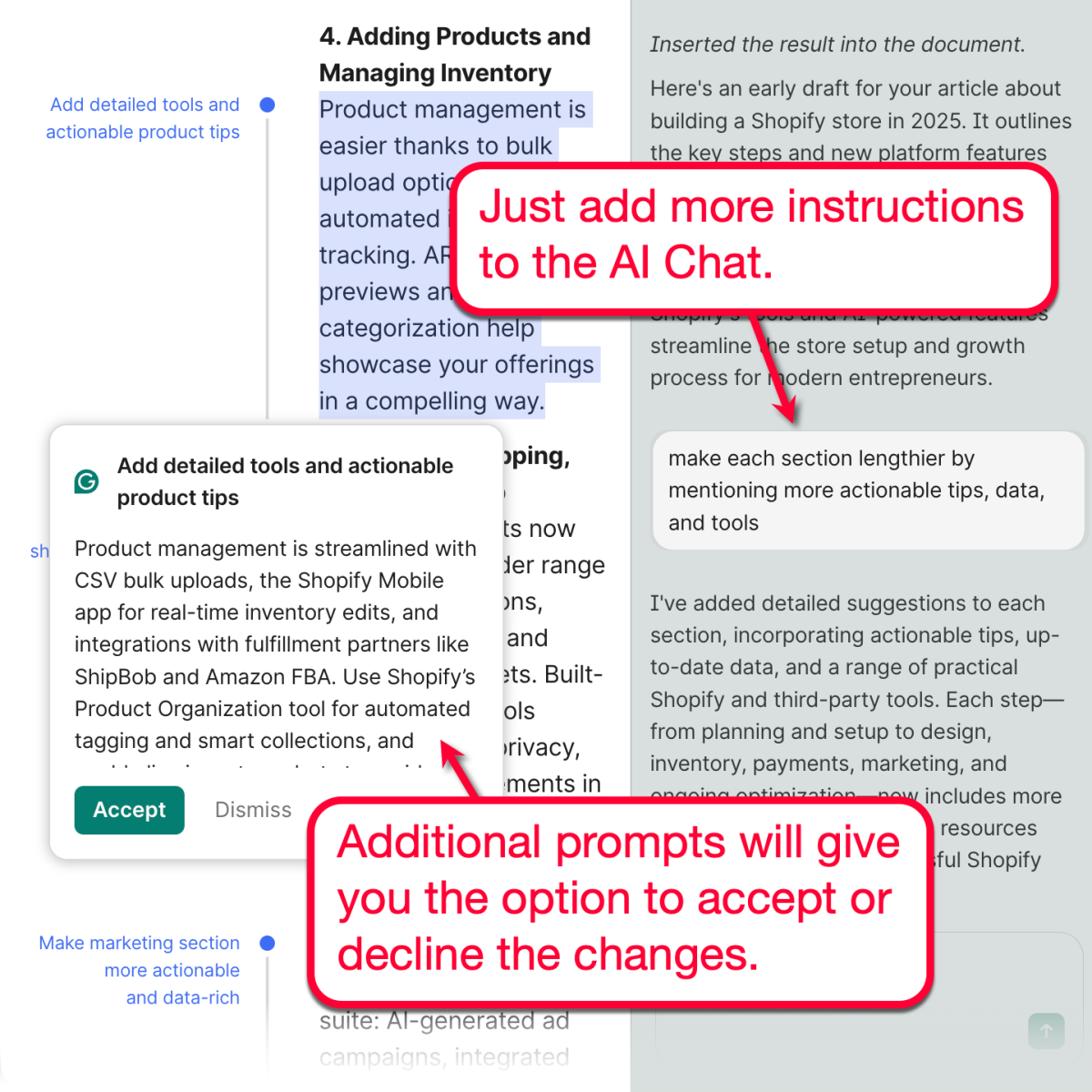
Using ChatGPT, one clear advantage is the structure.
That’s mainly because ChatGPT is more likely to use formatting techniques, like bullet points and numbered lists.
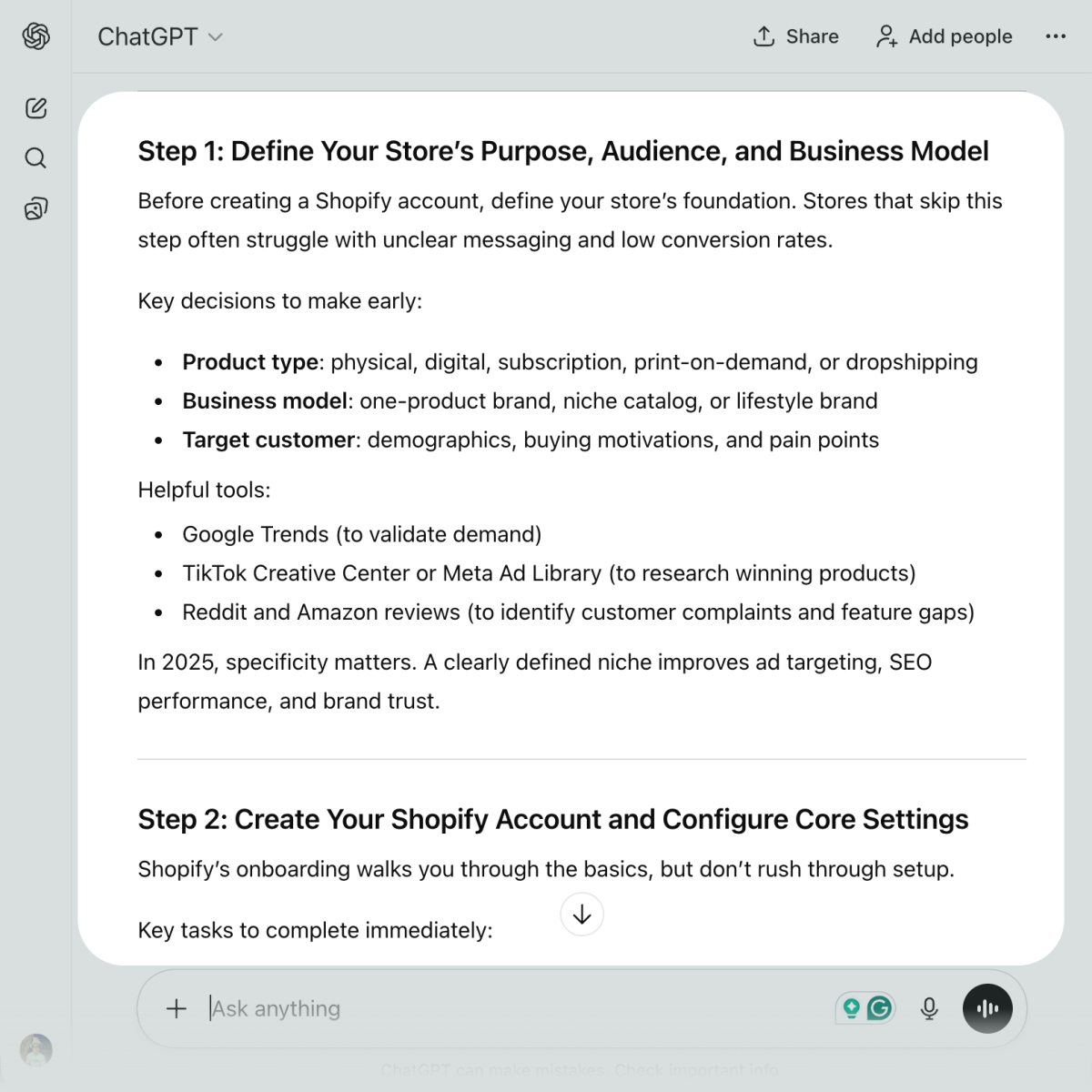
Looking at generative AI capabilities alone, one might say that ChatGPT narrowly edges out Grammarly due to formatting.
But that brings us to the fundamental differences between the two platforms.
If general generative AI is the priority, ChatGPT is a reasonable option. However, if your profession relies on top-notch, publish-ready content generation, Grammarly definitely has more tools to help you achieve this goal.
This brings us to the last stage of our comparison.
Grammarly vs ChatGPT: What Are Their Differences?
Although Grammarly and ChatGPT share functionalities that are useful for content professionals, there are key differences you need to consider.
For one, Grammarly is loaded with other AI writing tools that ChatGPT doesn’t have.
Here’s a quick rundown on these features:
Grammarly AI Detector
Talk about streamlining your workflow.
Grammarly comes with a built-in AI detection tool to ensure your AI-enhanced content won’t raise any red flags.
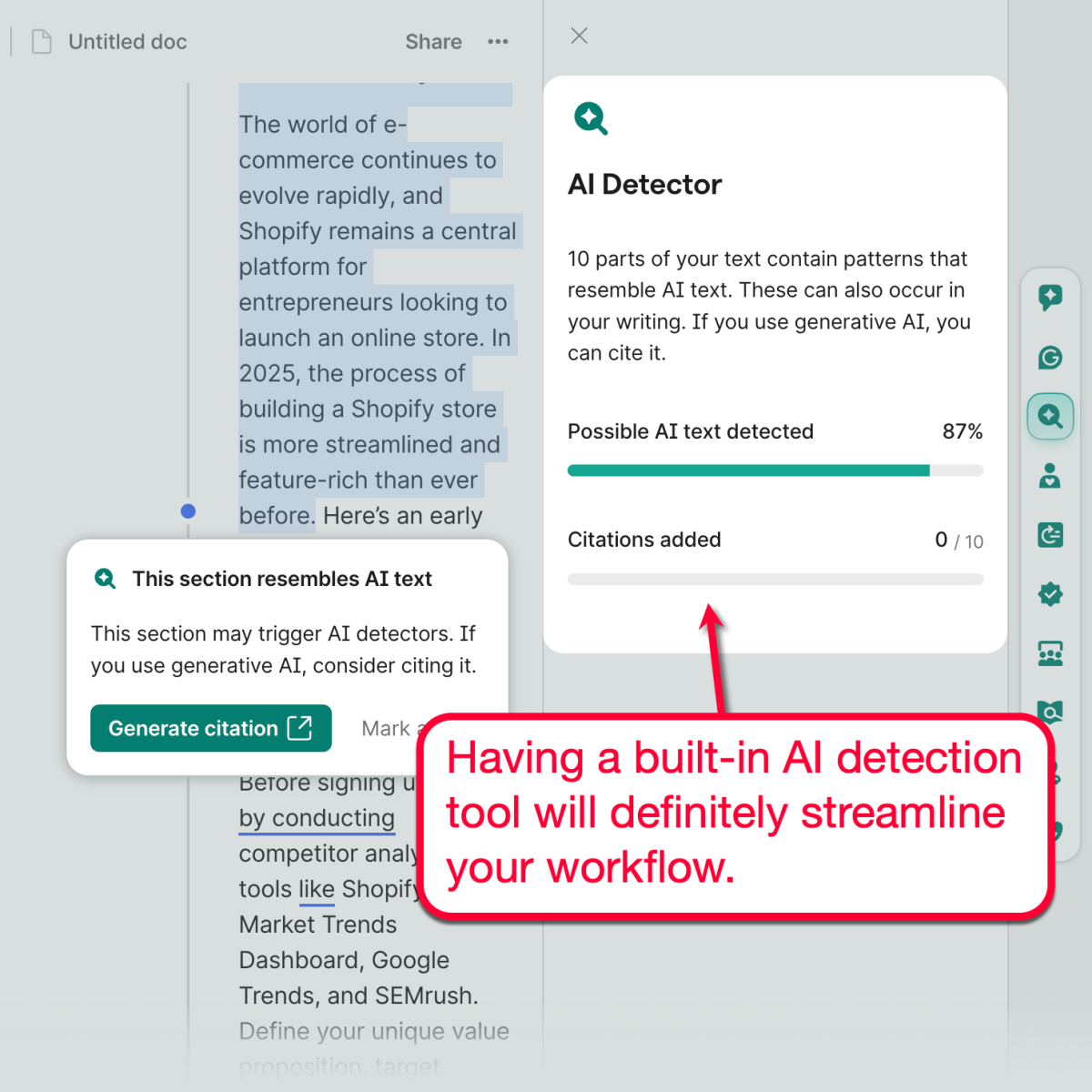
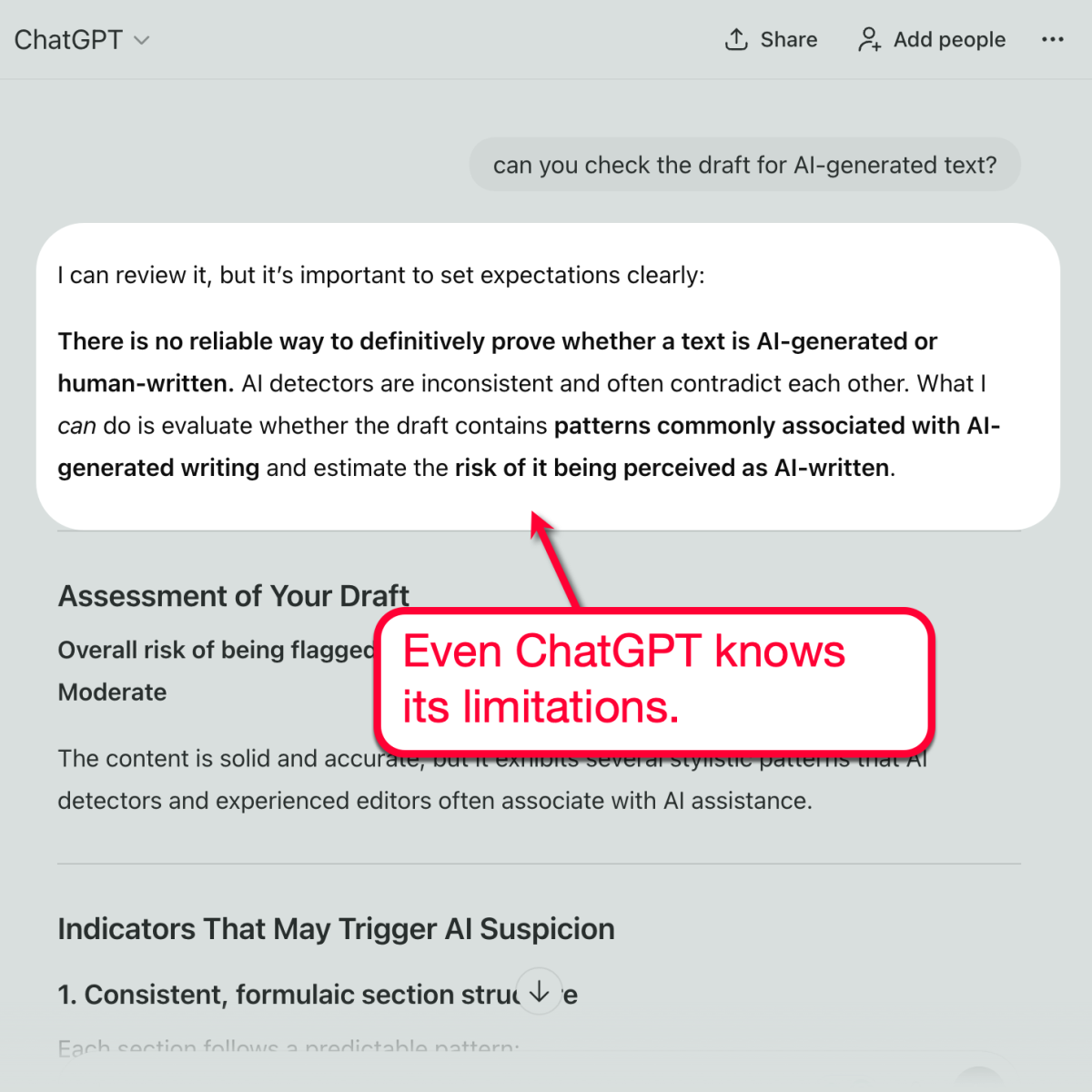
This is something that ChatGPT can’t replicate. If you try using it anyway with a prompt, like “Can you check the draft for AI-generated text,” the output always starts with a disclaimer.
Grammarly Citation Generator
Fun fact about Grammarly’s AI Detector: If it finds something that might trigger AI detection, it offers to generate a citation on your behalf.
This is useful for keeping your productivity in full swing.
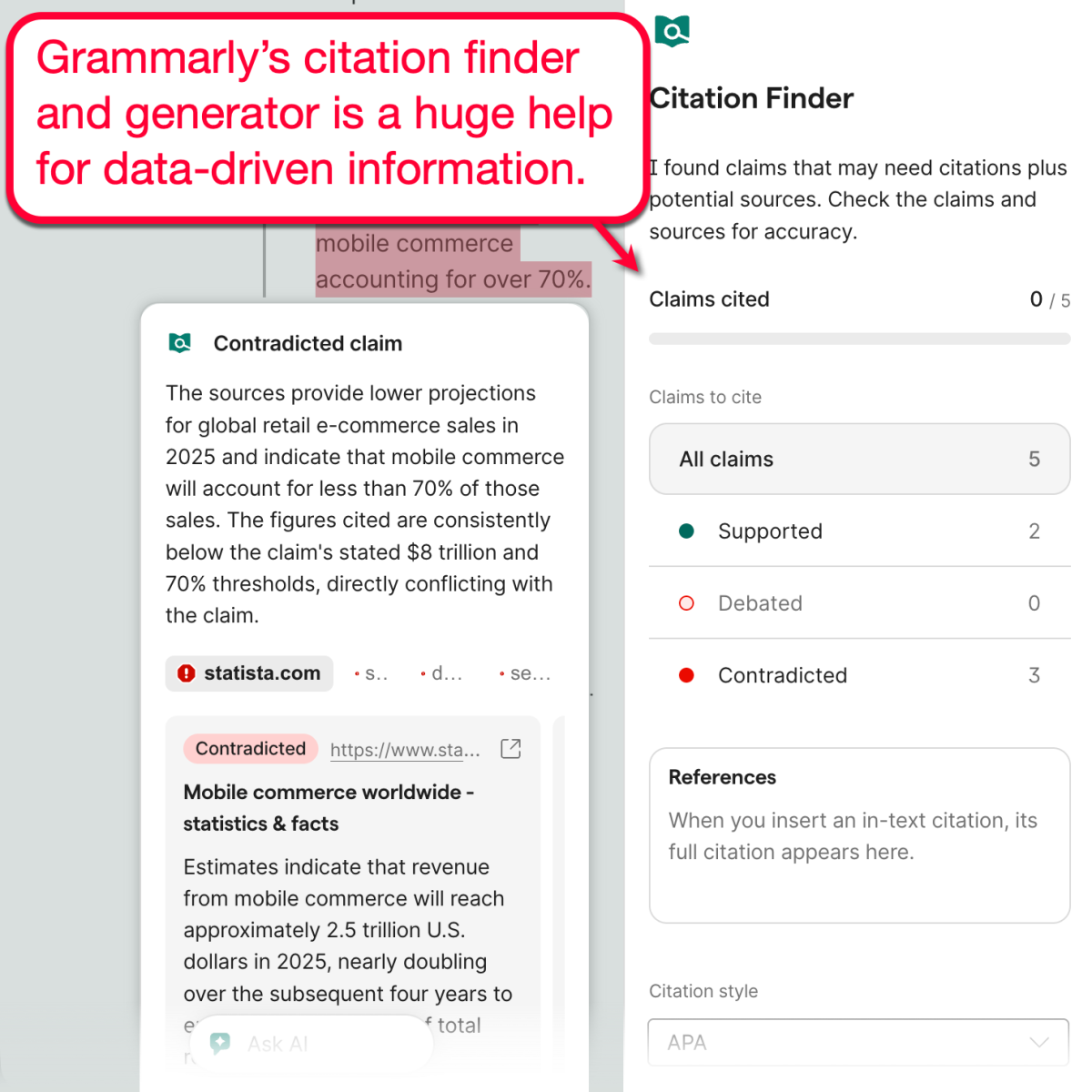
If you need more citations, use Grammarly’s Citation Finder to find verifiable sources that support or contradict your claims. And as a cherry on top, Grammarly’s AI model can also generate ready-to-use citations using APA, MLA, and Chicago styles.
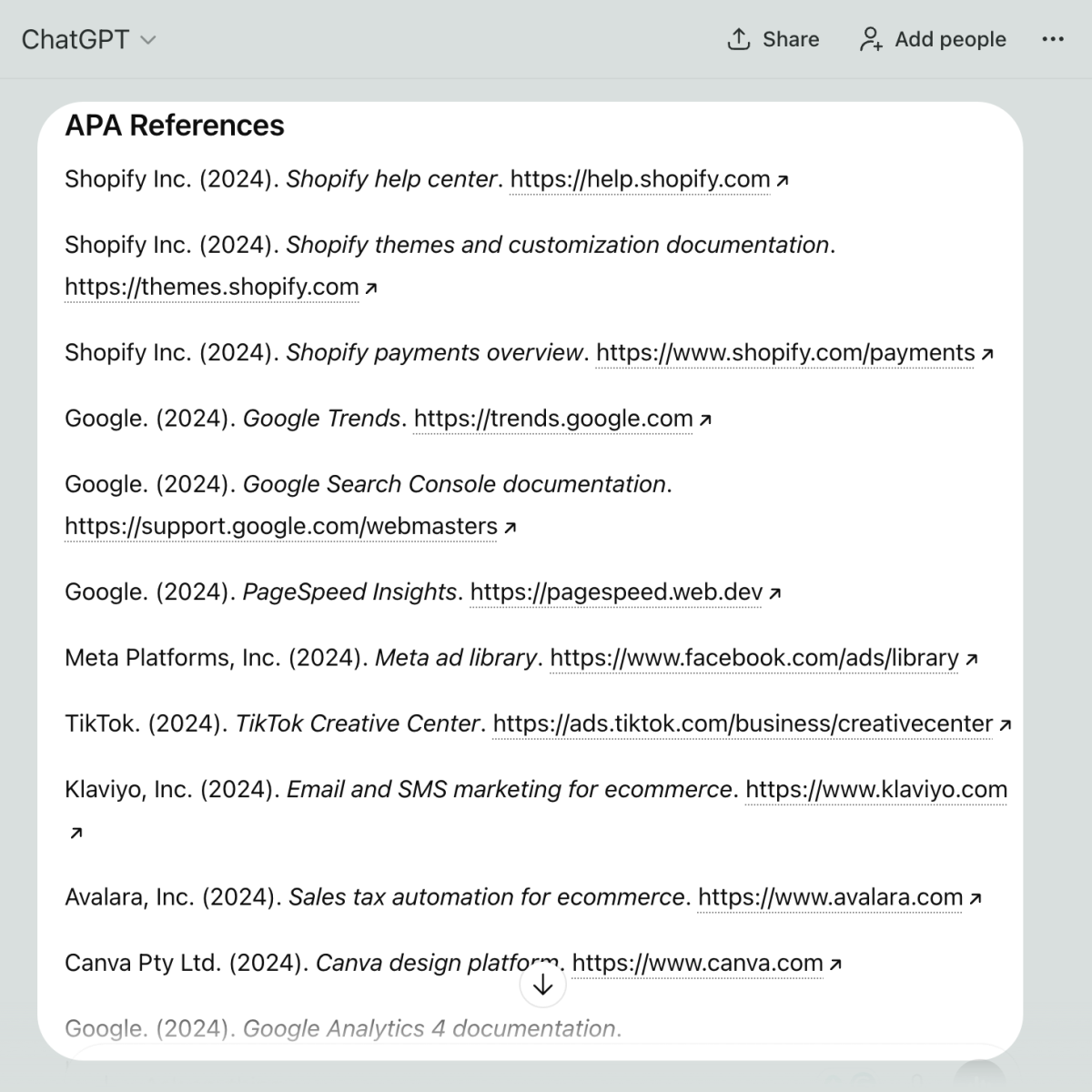
ChatGPT can also be prompted to generate citations. But, as always, you’ll have to manually check the source, align the data, and paste the citation yourself.
Grammarly’s AI Grader
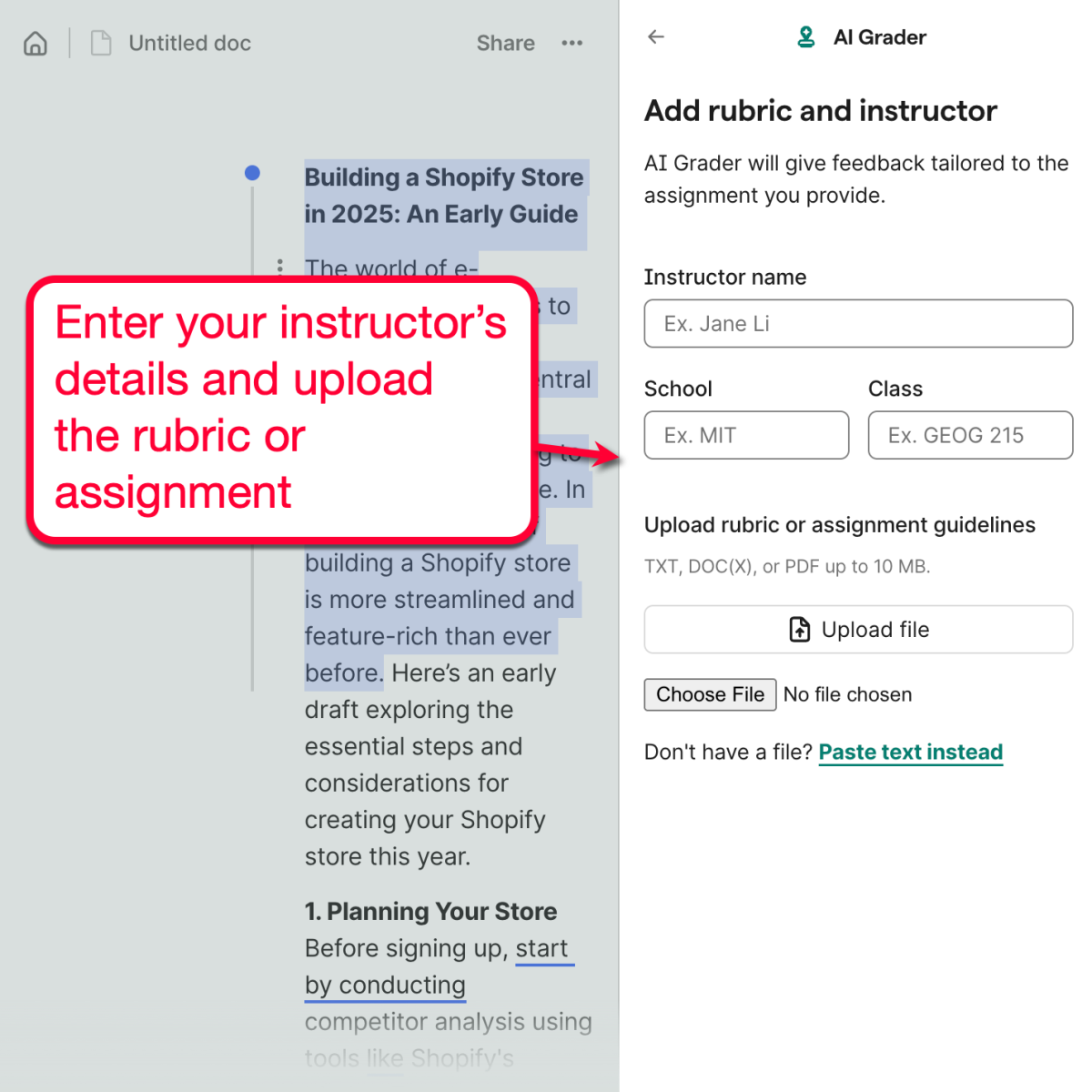
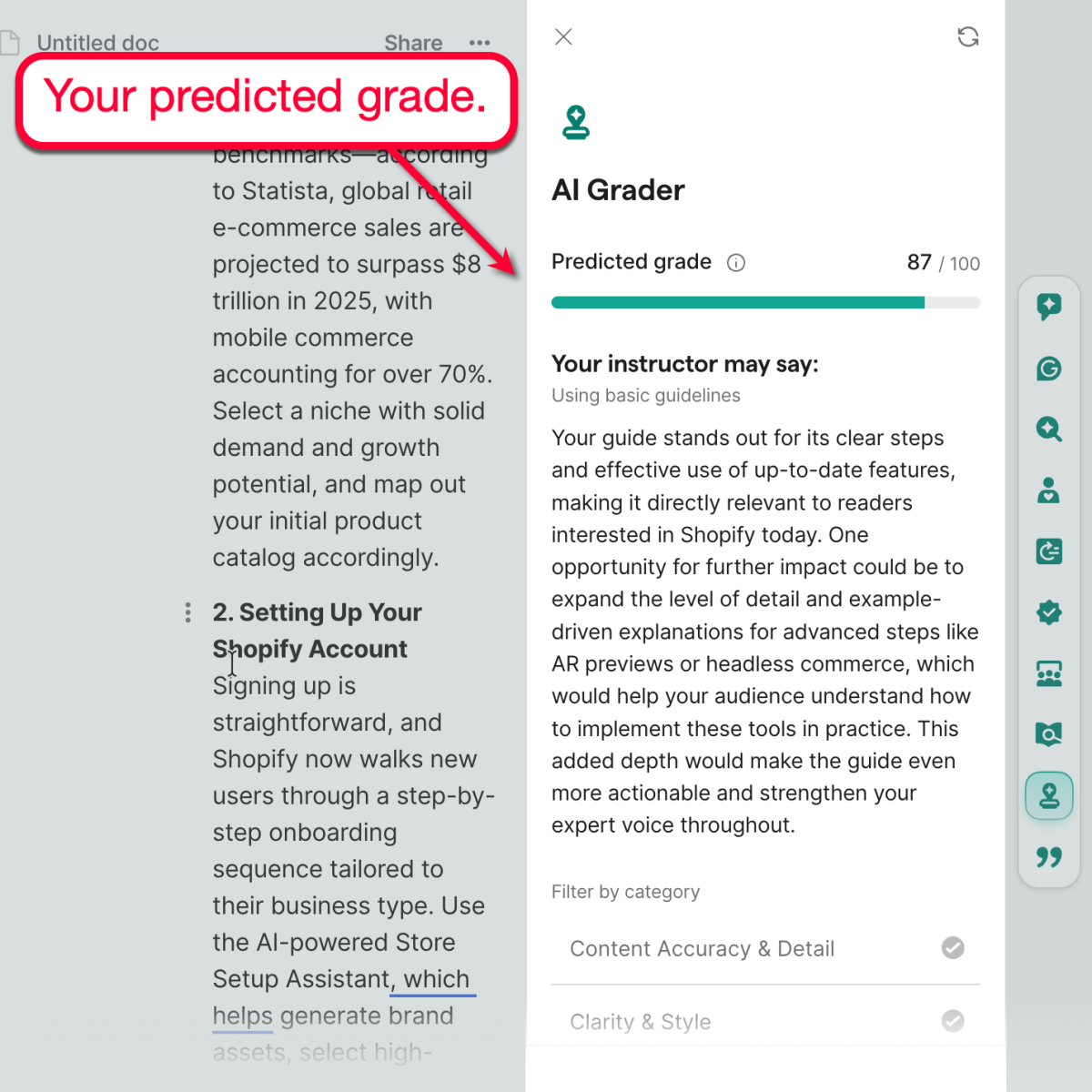
If you’re a student, Grammarly also comes with an AI Grader that can predict your paper’s grade.
First, you need to identify your instructor and upload the assignment’s rubric or guidelines. Grammarly will crunch these details to maximize the accuracy of your predicted grade.
As for the results, Grammarly will not only show your predicted grade. It will also offer you a glimpse of what your instructor would say once you turn in your paper.
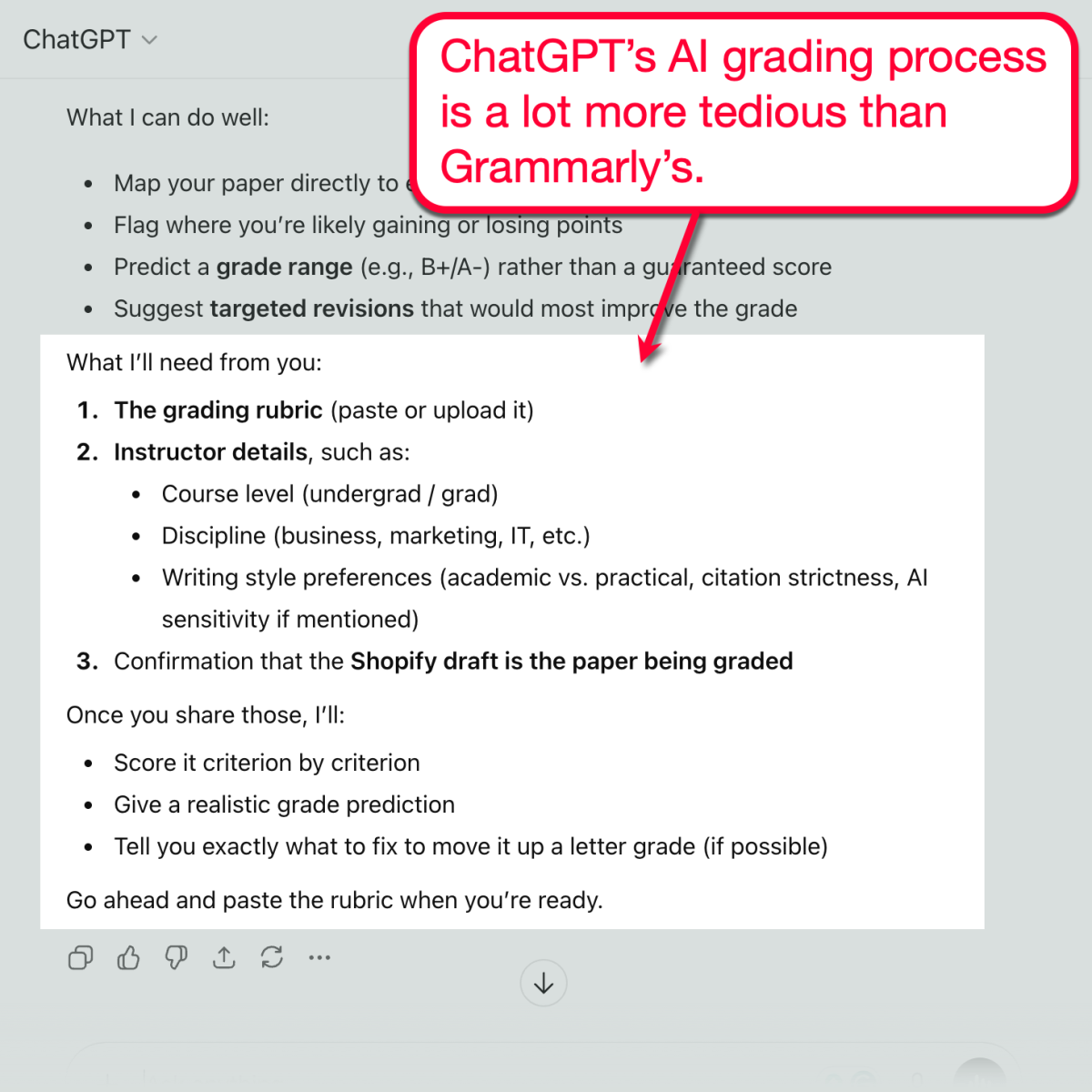
Again, you can do this with ChatGPT using a sequence of prompts. The process, of course, isn’t as streamlined as having a purpose-built tool like Grammarly’s AI Grader.
Grammarly Reader Reactions
Here’s one more thing that Grammarly’s impressive suite of AI tools has: Reader Reactions.
This tool does exactly what it sounds like. By analyzing your text, Grammarly can extrapolate who your content is for — as well as their possible reactions and follow-up questions.
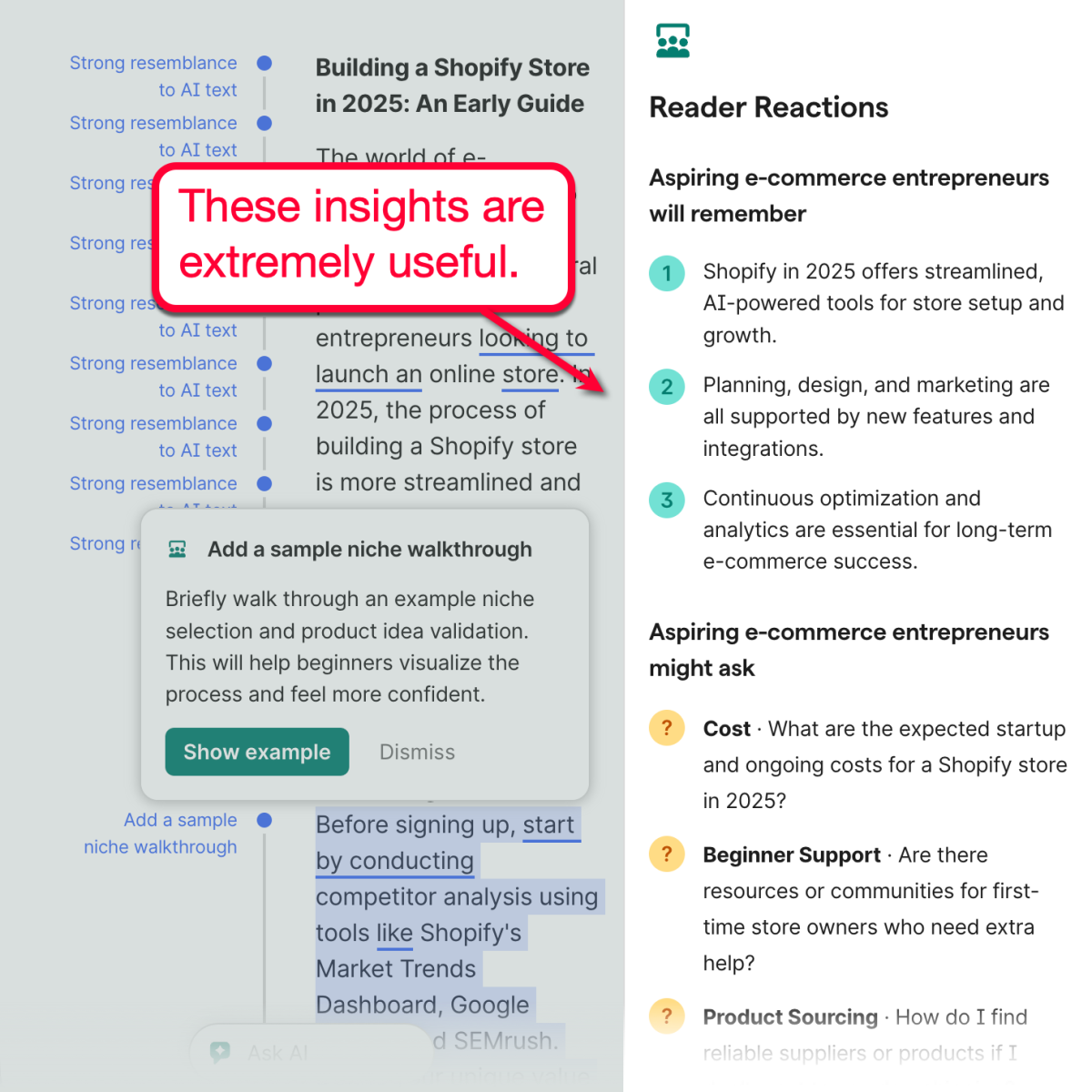
Naturally, ChatGPT is also advanced enough to make educated predictions on your would-be readers’ reactions.
The insights, however, are on the generic side unless you provide ChatGPT with very specific instructions, like “what would my readers’ reactions be if they’re aspiring entrepreneurs with zero experience?”
That’s it — Grammarly’s top AI tools that ChatGPT can somehow match.
Other than that, Grammarly also has other lightweight tools for writers:
- Humanizer — Easily incorporate your personal writing voice (or a simulated one) to make your content sound more human.
- Fact Checker — Quickly scan and validate claims made throughout your piece.
- Plagiarism Checker — Ensure the originality and SEO value of your content by detecting both intentional and unintentional plagiarism.
Who Is Grammarly For?
By now, you should know that the differences between Grammarly and ChatGPT are definitely noticeable.
After all, these tools are built for different purposes. While ChatGPT is hard-coded to be an AI virtual assistant, Grammarly is meant specifically for content production.
That’s why I wholeheartedly recommend Grammarly for:
- Bloggers
- Students
- Educators
- English learners
- Social media managers
- Marketing agencies
Who is ChatGPT (Generative Text) For?
If you’re new here, I’ve considered ChatGPT as one of the best writing tools on the web.
It’s great for content research, outlining, and speeding up conversations where either party doesn’t care about using generative AI.
Here are the top people who can benefit the most from ChatGPT:
- Entrepreneurs
- HR personnel
- Virtual assistants
Final Words
Made your pick?
Remember, Grammarly and ChatGPT aren’t mutually exclusive.
You can try mixing both tools into your workflow — conducting research with ChatGPT while building and refining your draft with Grammarly. The only issue here will be having to use two separate tools for the same project.
Of course, you can take inspiration from my approach and do everything with Grammarly. With its generative AI, citation generator, and comprehensive writing assistance features, it’s more than enough to take your content to the next level.
Click here to get 30% off on your Grammarly subscription!

Article by
Ankit Singla is the founder of Master Blogging. With over 15 years of blogging experience, he helps entrepreneurs build blogs that become long-term business assets through content, SEO, and authority.


