
Grammarly Pricing Guide (2026): Plans & Costs Explained
How much does Grammarly cost?
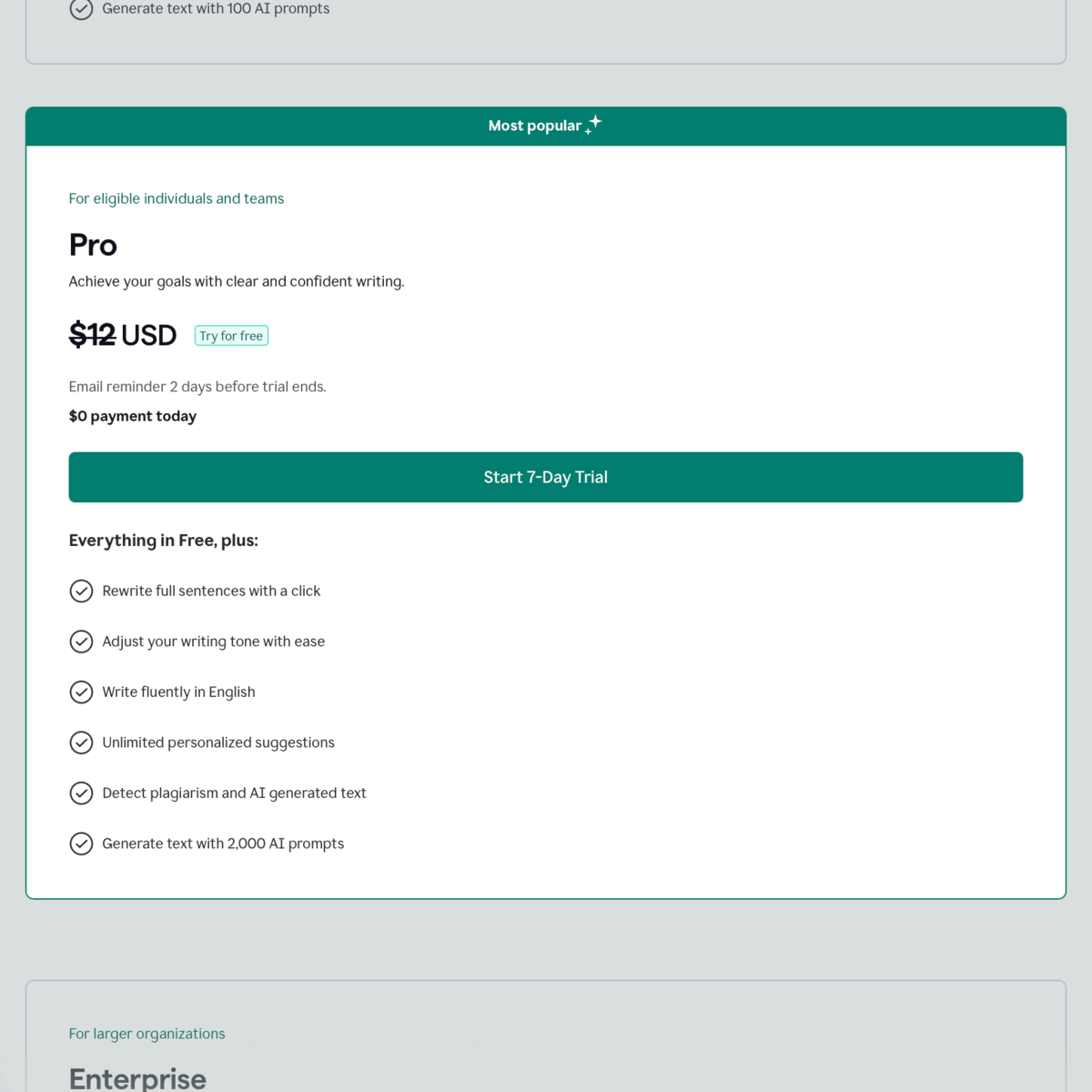
Grammarly comes with a free plan that costs $0 per month. Grammarly Pro starts at $30 per month, $20 per month quarterly, or $12 per month with annual billing. An enterprise subscription is also available at quote-based pricing.
Note: Master Blogging readers can get 30% off on Grammarly Pro here.
Is Grammarly Pro Worth Paying For?
Grammarly Pro (previously “Grammarly Premium”) is worth paying for if writing affects your work, client communications, or business objectives. But the free plan is more practical if you only write occasionally and need basic error detection.
Grammarly is an AI-powered writing assistant that improves grammatical consistency, spelling, clarity, and originality.
It comes with free and paid versions that cost based on your needs, billing cycle, and, in some cases, your region.
Most people searching for Grammarly’s pricing want a simple number.
But the real decision isn’t just about the price.
It’s about whether upgrading improves your writing enough to justify the subscription costs.
This guide will give you the exact pricing breakdown first. Then we’ll evaluate each plan from a practical standpoint, helping you choose the best option based on cost-effectiveness and the importance of writing in your work.
Grammarly Pricing Breakdown
| Plan | Monthly | Quarterly | Annual | Capability Level |
|---|---|---|---|---|
| Free | $0/month | $0/month | $0/month | Basic writing checks and improvement suggestions |
| Pro | $30/month | $60 ($20/month) | $144 ($12/month) | Advanced error, clarity, and originality checks with generative AI |
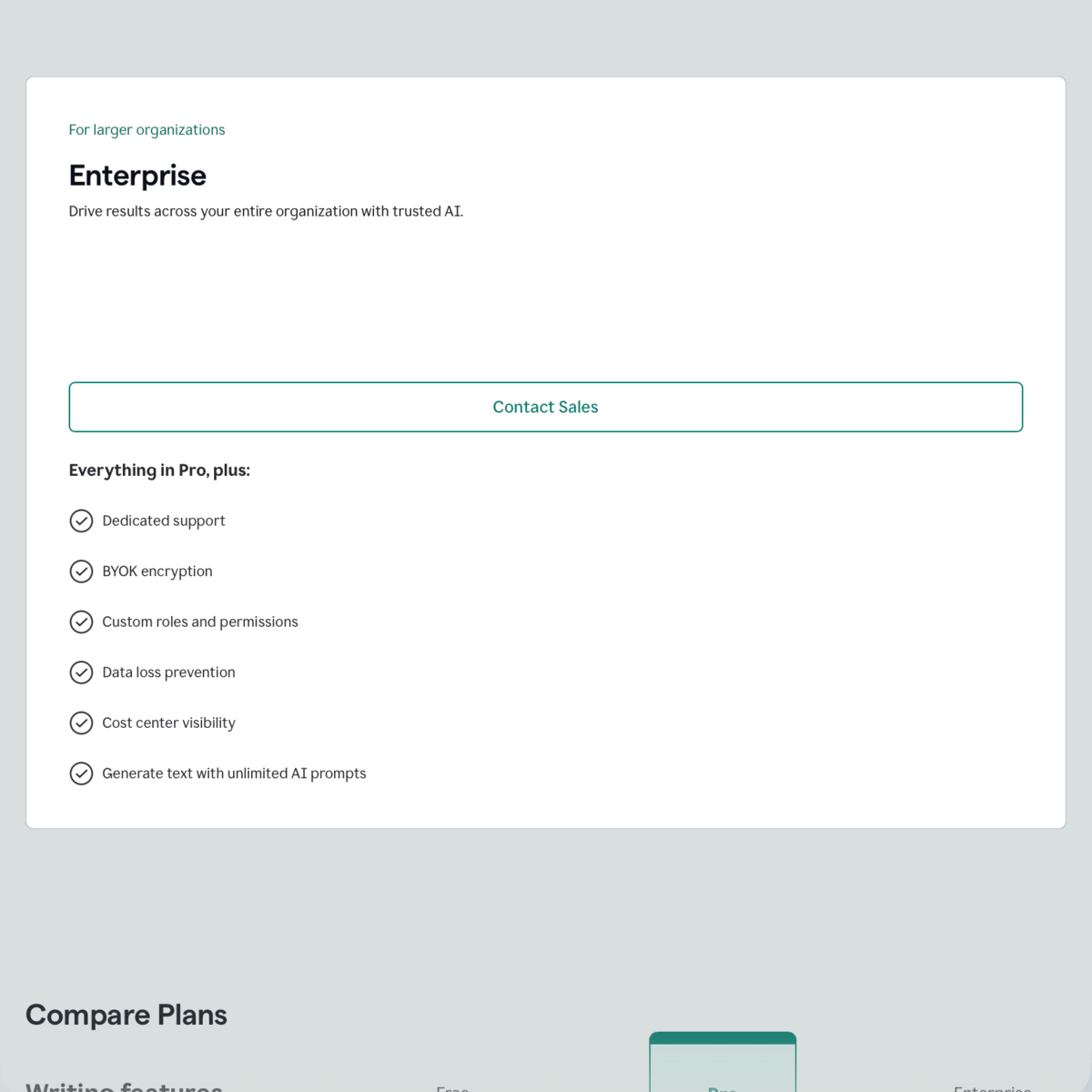
| Enterprise | Quote-based | Quote-based | Quote-based | Higher security with team access controls |
Remember:
- Annual billing lowers the effective monthly cost.
- Exact pricing varies by country (and taxes).
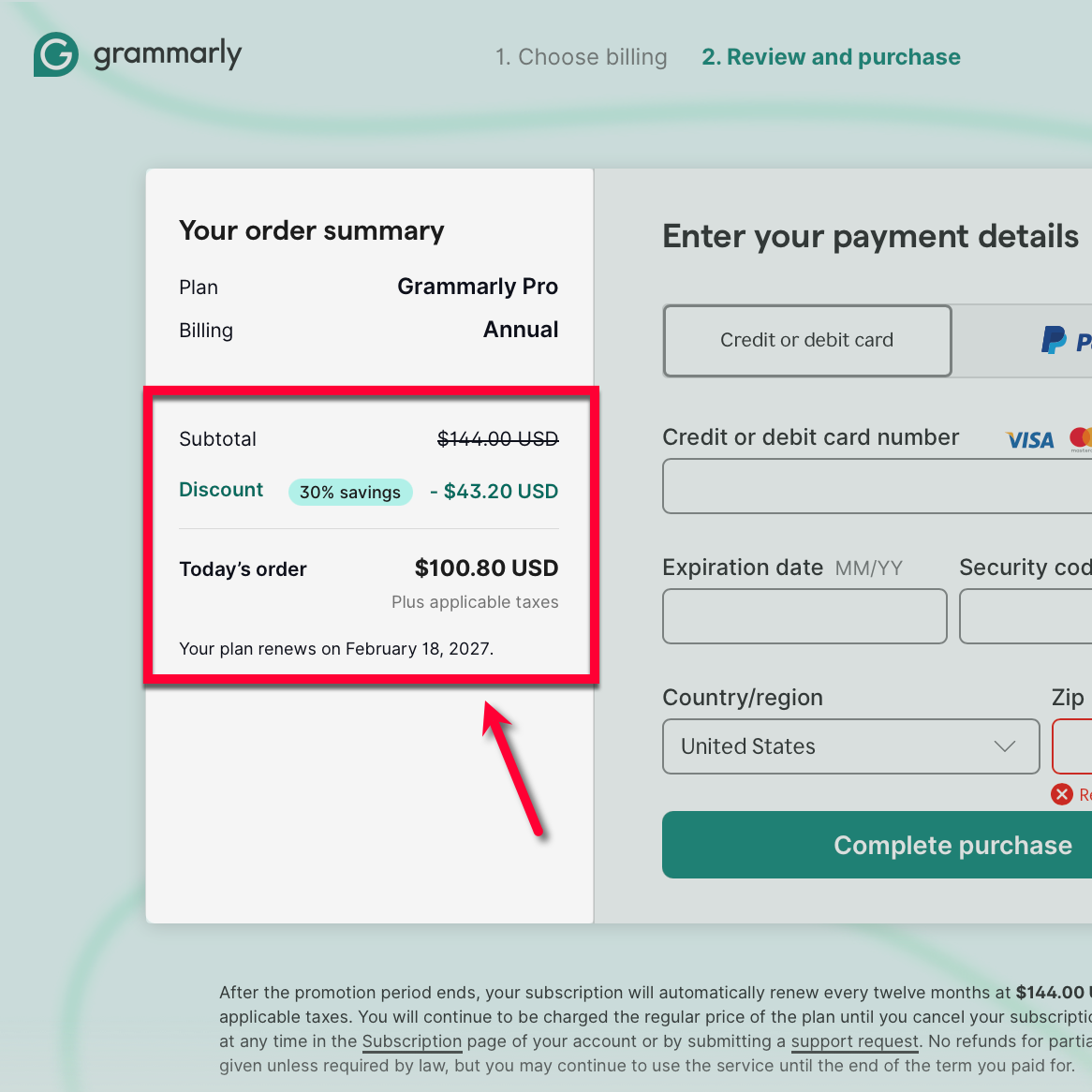
- A 30% discount is available through Master Blogging.
How to Think About Each Grammarly Plan
Free Plan — for Basic Validation
The free plan is built for surface-level correction.
What you get:
- Grammar and spelling checks
- Limited tone suggestions
- Basic clarity feedback
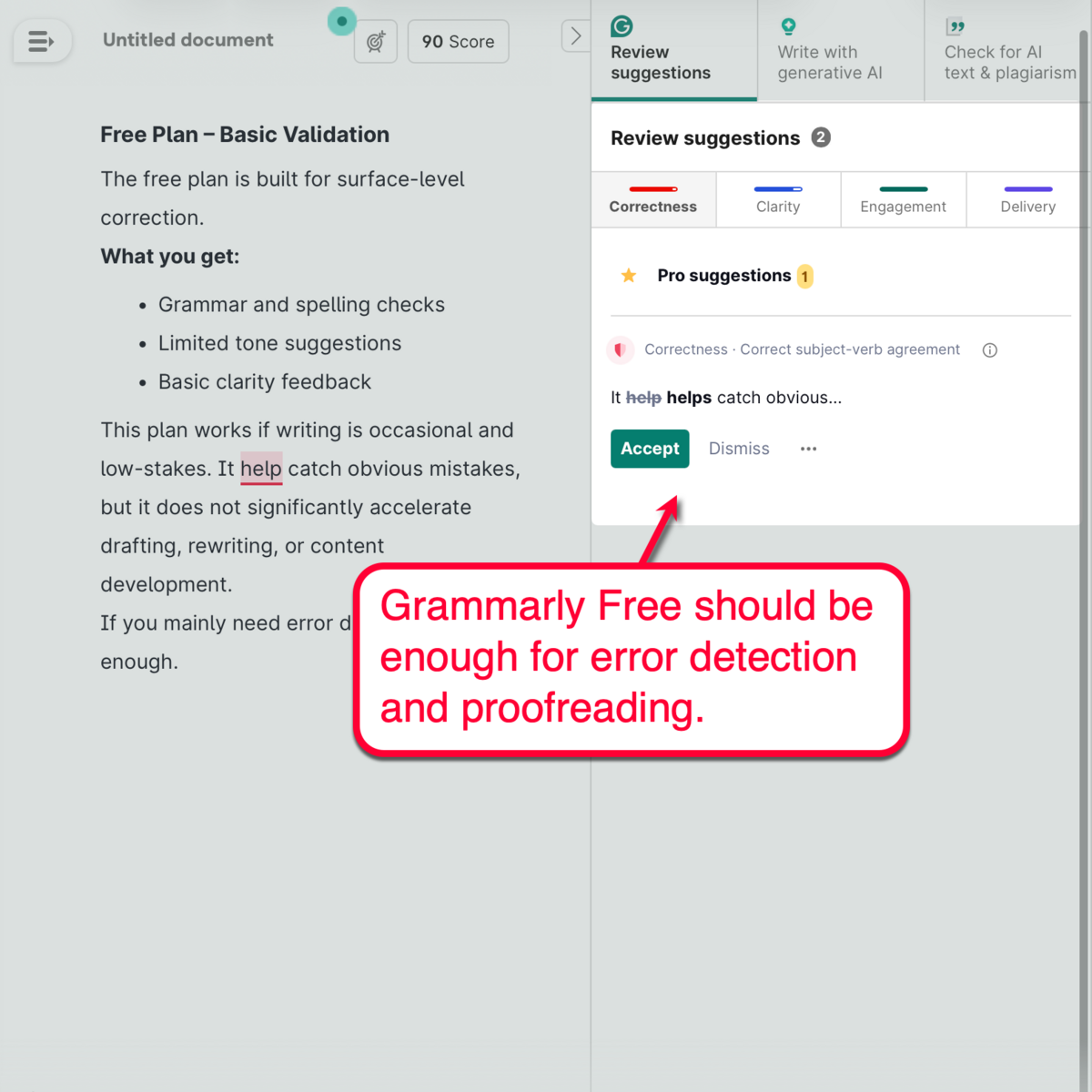
This plan works if writing is occasional and low-stakes. It helps catch obvious mistakes, but it does not significantly accelerate drafting, rewriting, or content development.
If you mainly need error detection, Free is enough.
Pro Plan — Full AI Writing Assistant
At this level, Grammarly shifts from correction to active writing support.
Its core capabilities include:
- Advanced clarity improvements with one-click sentence rewrites
- Generative AI for initial drafts and idea expansion
- Tone suggestions for specific branding and audiences
- Accurate plagiarism checks
- AI content detection
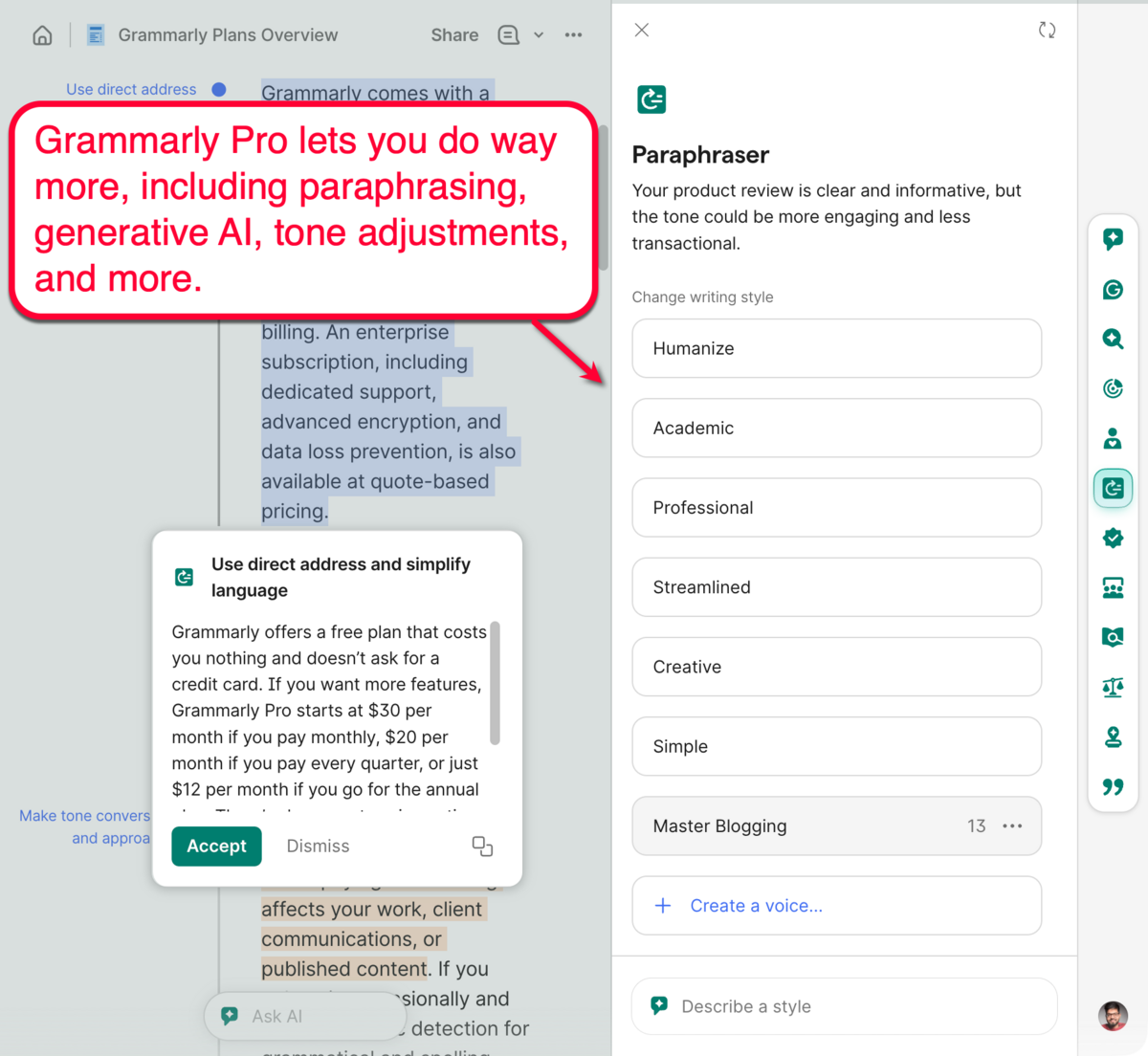
Remember, you’re not paying for grammar fixes alone.
- You’re paying for faster drafting.
- Cleaner revisions.
- Shorter editing cycles.
- And built-in validation before publishing.
Pro makes sense when writing affects your revenue, credibility, or publishing quality.
Enterprise Plan — Team-Level Control
Grammarly Enterprise extends Grammarly Pro’s capabilities across your whole team.
It’s designed for agencies and fully-stacked marketing teams.
Publishers with multiple writers on deck will also benefit from the multi-user functionality.
Its extra features include:
- Brand tone guidelines
- Custom user roles and access privileges
- Advanced security and data protection
- Priority support
Getting the Enterprise plan isn’t about achieving better writing mechanics.
It is about alignment.
This plan enables team oversight and uniform brand guidelines. If you have multiple writers, it ensures consistent standards across content, internal communications, or documentation.
Monthly vs Annual: Which Plan Should You Choose?
If you decide to purchase Grammarly Pro, the next decision is whether to use monthly or annual billing.
If you go with a monthly plan at $30 per month, that’s:
$30 x 12 months = $360 per year
But if you choose annual billing at $12 per month:
$12 x 12 months = $144 per year
That means choosing the annual plan will save you 60% or $216 per year.
That’s before any discount.
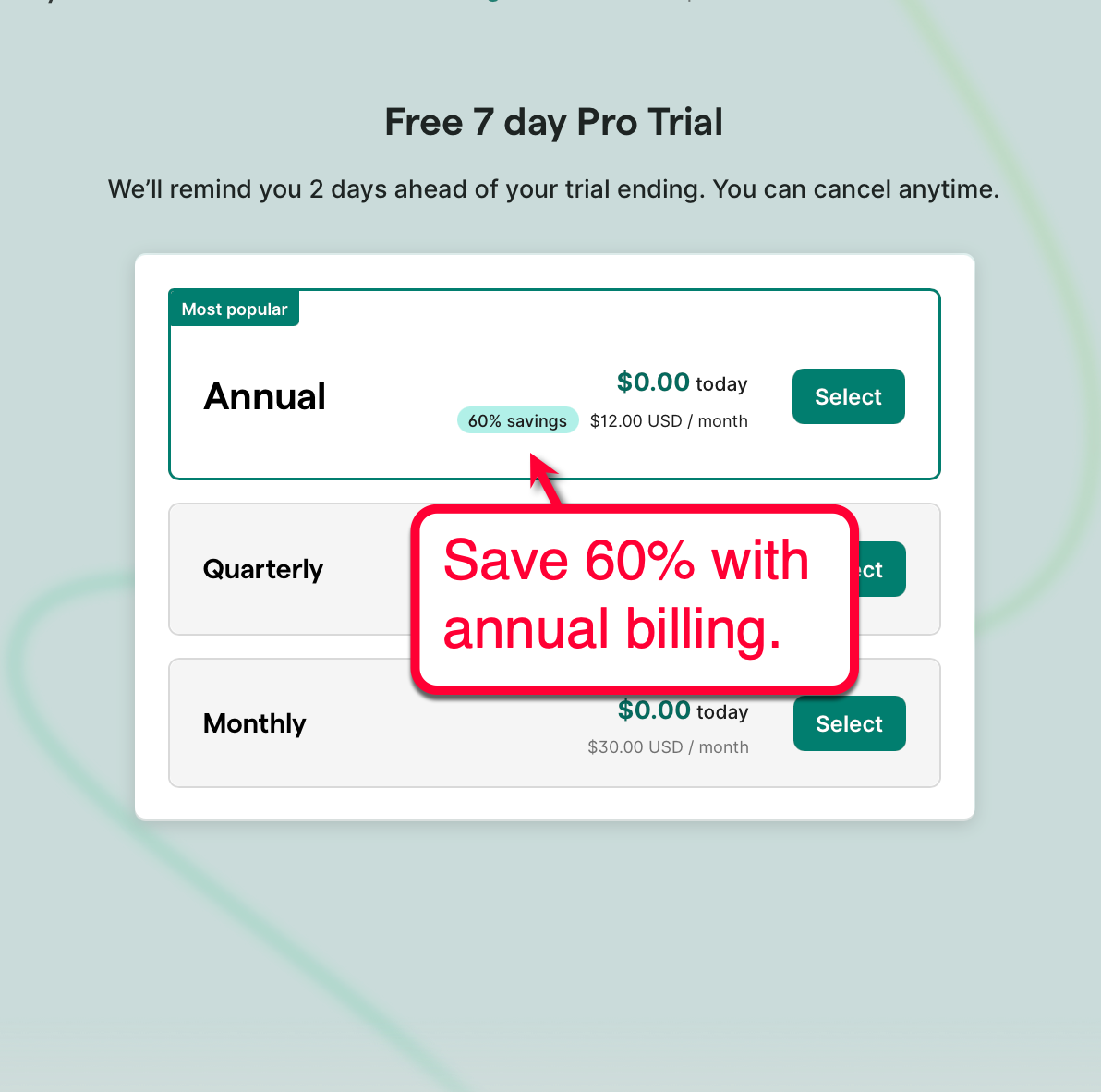
The main drawback is that you’ll need to pay for the whole year upfront.
This also applies to quarterly billing, which costs $20 per user per month:
$20 x 12 = $240 per year
That saves $120 per year compared to the monthly plan.
But you have a higher upfront payment of $60 per user.
Now Apply the 30% Discount
The 30% discount works for all billing options.
Monthly with 30% Off:
$30 – 30% = $21 per month
$21 x 12 months = $252 per year
Annual with 30% Off:
$12 – 30% = $8.40 per month
$8.40 x 12 months = $100.80 per year
Even after the discount, annual billing still saves over $150 per year compared to a discounted monthly billing.
How To Decide?
- Monthly billing makes sense if you only need Grammarly temporarily.
- An annual Grammarly Pro plan offers better value if you’ll use it for more than a few months.
- Using the discount reduces risk on both plans, but the annual plan saves the most money in the long run.
If you expect to use Grammarly consistently, annual billing remains the rational choice.
Is Grammarly Worth It — and Which Plan Should You Choose?
Use this framework to decide whether upgrading makes financial sense and which plan fits your workflow:
Step 1: Do You Only Need Corrections or AI-Enhanced Writing?
Stay on the free plan if:
- You need grammatical polishing and basic spelling checks
- You need proofreading for emails or social media posts
- You create basic internal reports (which aren’t often)
- You don’t need AI rewrites or content generation
- Writing improvements are only optional
Upgrade to Pro if:
- You need full-sentence rewrites and more advanced improvements
- You need to adjust tone for different clients, audiences, or platforms
- You need to create initial drafts or expand ideas in bulk
- You work with a team and need plagiarism checking + AI detection
- You’re building content workflows or templates for long-form content
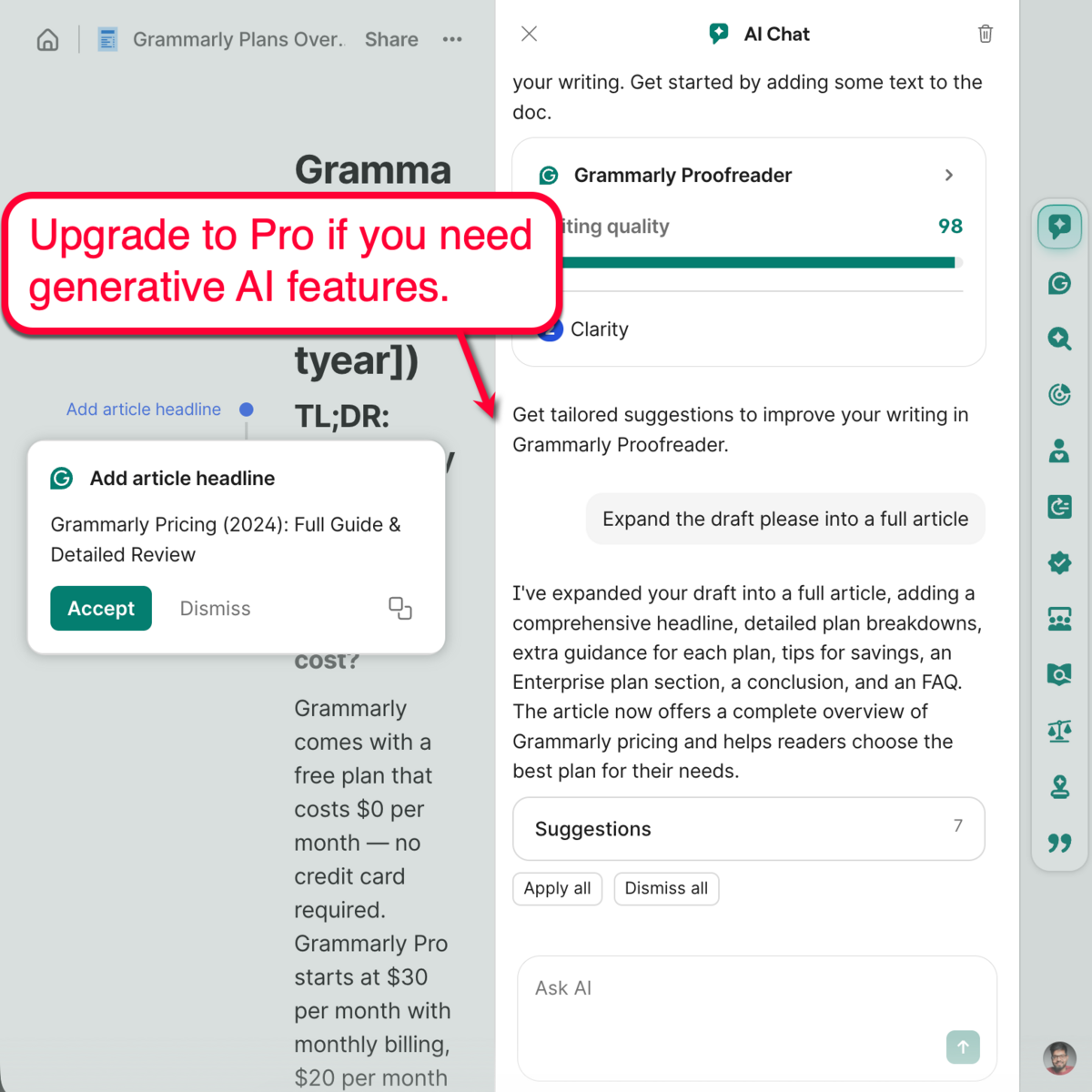
If you treat writing as a strategic activity, not a casual task, Pro becomes a productivity tool rather than a grammar upgrade.
Step 2: Are You Writing Alone or Managing a System?
Stick with Grammarly Pro if:
- You are a solo professional
- You create and manage your own drafts
- You don’t need to share brand guidelines or upgraded security
However, choose Grammarly Enterprise if:
- You work with a team of writers, especially if you have a Bring Your Own Device (BYOD) policy
- You need advanced security and data loss prevention measures
- You need team-level analytics and administrative controls
- You need content consistency across departments
Pro improves individual execution.
Enterprise improves team-level consistency and control.
Grammarly ROI Calculator
Here’s a simple ROI calculator to estimate its financial impact.
Grammarly ROI Calculator
See exactly how much time and money you can save with Grammarly.
Will Grammarly Pay for Itself?
Enter:
- Number of users/team members
- Average hourly rate
- Minutes saved per week per user
You instantly get your weekly, monthly, and annual savings, along with your true ROI after costs.
How to Interpret the Results
Even with conservative assumptions, the numbers stack up fast.
Let’s take a simple scenario:
- 30 minutes saved per week
- $50/hour value
- 10 team members
That results in:
- $250 saved per week
- $1,083 saved per month
- $13,000 in annual productivity gains
After accounting for the annual subscription cost, the net savings still come out to ~$11,990, delivering an ROI of over 1,100%.
And this is still the low-end estimate.
Industry data suggests professionals can save up to 20 full workdays per year on writing and revisions. That’s 260+ hours saved annually, which significantly compounds the ROI as usage scales.
Remember, Grammarly Pro also optimizes:
- Manual rewriting cycles
- Revision back-and-forth with clients
- Output quality and accuracy
- Tone consistency in professional and branded communications
In professional workflows, small improvements compound over time.
A few minutes saved per session recovers several days over a year.
If the estimated savings exceed the subscription cost, getting Grammarly Pro or Enterprise becomes a financial decision — not emotional.
Grammarly Pricing by Country
Grammarly adjusts pricing based on your country, currency, and local taxes.
For instance, users in India, the UK, Canada, and Australia will see different rates compared to US customers.
That’s because regional regulations and currency exchange rates can change.
Always verify Grammarly’s pricing on their official website (using a local connection).
Just remember, Master Blogging’s 30% discount for all Grammarly subscriptions will always work regardless of your location.
Make sure the discounted amount applies before finalizing your payment.
How to Get 30% Off Grammarly
Master Blogging’s 30% discount for Grammarly applies to all subscription plans (all billing cycles).
If you get the regular monthly plan, $30 per month drops to only $21.
With the annual plan, you can save $259.2 per year.
Use the link below to see the discounted price. Just select your preferred billing option:
👉 https://masterblogging.com/go/grammarly
When Grammarly Isn’t The Right Tool
Grammarly streamlines content creation, ideation, revision, tone control, and validation.
However, Grammarly may not be the right fit if:
- You need full-scale AI content generation
- You’re looking for an SEO writing assistant
- You have an in-house editor with a manual approach (or another tool)
- Your work requires advanced formatting or document design (custom visuals or graphics)
Remember, Grammarly sharpens writing quality and productivity. It does not replace content strategy, expertise, or SEO platforms.
Go with Grammarly if content quality or creation time is your bottleneck. But consider other tools if you need help with content strategy or promotion.
Final Words
Grammarly Free is great if you only need basic grammar checks.
But if writing affects your work, marketing, or client communications, Grammarly Pro is a logical upgrade.
If it leads to real savings (using my ROI Calculator above), Grammarly Pro becomes a productivity tool and an investment — not a simple spell-checker.
Lastly, choose Grammarly Enterprise if you manage a large team. This ensures centralized control and more seamless team collaboration.
With the 30% discount, the subscription cost becomes financially small relative to the quality improvements and potential time savings you can gain.

Article by
Ankit Singla is the founder of Master Blogging. With over 15 years of blogging experience, he helps entrepreneurs build blogs that become long-term business assets through content, SEO, and authority.
